
The 4K IPTV Encoder Guide: What Most Resellers Get Wrong
Three minutes into a high-stakes match. A thousand concurrent viewers. And somewhere between the satellite dish and the subscriber’s screen, the signal falls apart, pixelated, frozen, then gone. Nine times out of ten, the culprit isn’t the server. It’s the 4K IPTV encoder sitting upstream, under-specced and overworked.
Most resellers don’t think about encoding until something breaks. That’s backwards. If you’re serious about delivering premium streams, particularly 4K content, your 4K IPTV encoder isn’t a background detail. It’s the first domino in the entire delivery chain.
This guide is written for operators who are either building their infrastructure from scratch or patching the holes in an existing setup. We’ll cover what nobody else does: the points where encoding fails, how 2026’s ISP enforcement landscape is changing what equipment you need, and why your choice of codec is now a business decision, not just a technical one.
Why Your 4K IPTV Encoder Choice Directly Affects Churn
Buffering isn’t just annoying, it’s terminal for customer retention. Studies of IPTV subscriber behaviour consistently show that three or more buffering events in a single session trigger cancellation requests. Your 4K IPTV encoder is the origin point of stream quality, and if it’s compressing inefficiently, that degradation travels all the way to the end-user’s screen.
The two dominant codecs in 2026 are H.264 (AVC) and H.265 (HEVC). H.265 delivers comparable visual quality to H.264 at roughly 50% of the bandwidth, which, for genuine 4K content, is the difference between a 25 Mbps stream and a 13 Mbps one. That gap matters enormously when you’re managing hundreds of concurrent connections.
- H.264: Universal compatibility, heavier on bandwidth (15-25 Mbps for 4K), supported by almost all IPTV players
- H.265/HEVC: Bandwidth-efficient, ideal for 4K, requires compatible players and slightly more processing overhead
- AV1: Emerging codec, better compression than H.265, but hardware support is still limited in 2026
The UK IPTV resellers who control churn are the ones whose 4K IPTV encoder is matched to their subscriber device mix. If your customers are mostly on Firestick Gen 2 or Smart TVs from 2020-2022, full H.265 pipelines can backfire, since not every device decodes it smoothly at 4K without frame drops.
Pro Tip: Before committing to an H.265-only encoding pipeline, audit your subscriber’s device types. A mixed H.264/H.265 output configuration on your 4K IPTV encoder gives you coverage without compatibility headaches.
Hardware vs Software: The Decision That Defines Your Uptime Floor
This is where a lot of newer resellers go wrong. They invest in server credits, panel management, and customer acquisition, then run their entire encoding pipeline through OBS on a mid-range PC. That works for testing. It does not work at 3am during a pay-per-view event when CPU spikes and the software encoder drops frames.
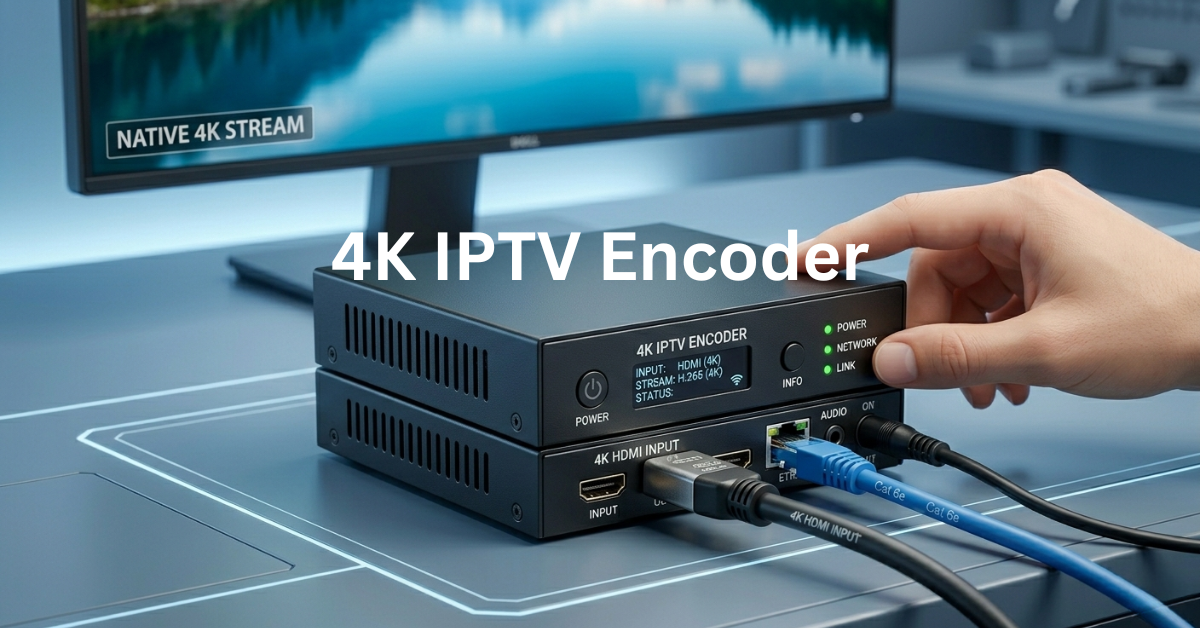
A dedicated hardware 4K IPTV encoder uses ASIC or FPGA chips specifically designed for encoding workloads. The result is deterministic performance, meaning the encoder doesn’t compete with other system processes. Latency stays consistent. Thermal performance is designed for continuous operation. And critically, hardware encoders don’t crash when your OS decides it’s time for a background update.
| Feature | Software 4K IPTV Encoder | Hardware 4K IPTV Encoder |
|---|---|---|
| Cost | Low (free – £300) | Medium-High (£500 – £3,000+) |
| 4K Reliability | Variable (CPU-dependent) | Consistent, 24/7 rated |
| Latency | 1-3 seconds typical | Sub-second possible |
| Multi-channel | Limited by CPU | Supports multiple simultaneous feeds |
| ISP Obfuscation | Requires additional tools | Some models support SRT with encryption |
| Failure Risk | High during peak load | Low, designed for always-on use |
For resellers managing fewer than 50 concurrent 4K subscribers, a software 4K IPTV encoder like OBS Studio or vMix can cover you. Scale past that threshold and you’ll feel the ceiling, usually at the worst possible moment.
HLS Latency, Load Balancing, and the Encoding Bottleneck Nobody Diagnoses
Most resellers who experience buffering complaints immediately blame the server or the subscriber’s internet. Rarely do they trace the issue back to HLS segmentation delays created by their 4K IPTV encoder configuration.
HLS (HTTP Live Streaming) works by breaking a stream into small segments and delivering them sequentially. If your encoder is producing segments that are too large, or if the segment generation itself is slower than real-time, the player buffer empties before the next chunk arrives. The viewer sees buffering. You get a support ticket.
The optimal HLS segment duration for live 4K IPTV is typically 2-4 seconds. Anything above 6 seconds introduces noticeable latency and increases the risk of mid-segment packet loss compounding into visible playback issues.
- Set your 4K IPTV encoder segment length to 2-3 seconds for live sports
- Use SRT (Secure Reliable Transport) output where possible, since it handles packet loss far better than RTMP
- If your encoder supports it, enable forward error correction (FEC) to compensate for network instability mid-stream
Pro Tip: SRT protocol on your 4K IPTV encoder isn’t just about latency, it actively retransmits lost packets before the player notices them missing. In environments where ISP routing is unstable or DPI (deep packet inspection) is active, SRT dramatically reduces visible artefacts.
How 2026 ISP Blocking Trends Are Changing Encoder Infrastructure
AI-driven ISP enforcement has shifted significantly since 2020. In 2026, major ISPs in the UK and Europe are no longer relying purely on DNS poisoning or basic IP blocking. They’re deploying deep packet inspection that analyses stream signatures, essentially fingerprinting the traffic pattern of an IPTV stream.
A well-configured 4K IPTV encoder plays a direct role in how visible your streams are to these systems. Encoders that output via standard RTMP with predictable bitrate signatures are easier to fingerprint than those using SRT with variable bitrate encoding and AES-256 encryption.
What intelligent resellers are doing in 2026:
- Routing encoder output through SRT with encryption enabled
- Using variable bitrate (VBR) mode on the 4K IPTV encoder rather than constant bitrate (CBR), which produces more irregular traffic signatures
- Ensuring the encoder’s output matches the expected profile of legitimate video platforms
This is not about circumventing anything, it’s about understanding that your encoding choices affect how traffic behaves on the network, and therefore how it’s treated by automated enforcement systems.
The Backup Uplink Problem: Why One Encoder Output Isn’t Enough
Even a flawless 4K IPTV encoder becomes a single point of failure if it’s feeding into one output path. Experienced operators run dual uplink configurations, a primary output and a standby output on a different server or CDN node, with automatic failover triggered when the primary drops.
Platforms like BritishSeller’s Autven panel already include multi-server failover at the distribution layer, switching between backup servers in under three seconds. But if the encoder itself is the failure point, no amount of downstream redundancy saves you. The stream dies at the source.
The architecture that holds up:
- Primary 4K IPTV encoder feeding a primary uplink server (main CDN node)
- Secondary encoder or secondary output feeding a backup uplink server (geographically separated)
- Health-check monitor triggering automatic failover at the panel level
This isn’t over-engineering. It’s the infrastructure that separates IPTV resellers who hold customers through incidents from those who lose 30% of their subscriber base every time a server hiccups.
Pro Tip: Don’t rely on manual switchover during an outage. By the time you’ve noticed the stream is down, logged in, and rerouted, your subscribers have already moved to a competitor. Automate the failover. Even basic health-check scripts can monitor encoder output and trigger rerouting without human intervention.
Scaling Your 4K IPTV Encoder Stack Without Breaking the Budget
There’s a phase in every reseller’s growth where the single-encoder setup that worked for 50 subscribers starts to crack at 200. The mistake most operators make at this stage is buying a bigger encoder rather than distributing the load.
Horizontal scaling, running multiple 4K IPTV encoders in parallel, each handling a subset of your channel lineup, is more resilient than vertical scaling (one very powerful encoder). If one encoder fails, only the channels it was handling go down. The rest of your lineup stays live.
Practical scaling framework:
- Segment your channel list into priority tiers, Premium Sports, General Entertainment, International
- Assign dedicated 4K IPTV encoder capacity to your highest-demand tier
- Use load balancing at the panel level to distribute viewer connections across encoder outputs
- encoder CPU/GPU utilisation in real-time, and flag anything consistently above 70% as a scaling trigger
Platforms like British Seller’s UK IPTV reseller panel are designed to work within this kind of architecture, giving resellers control over line management and subscription delivery regardless of how the encoding layer is structured behind it.
Checklist: Reseller Encoder Setup That Actually Holds
- Confirm your 4K IPTV encoder supports H.265 output, since H.264-only limits your 4K efficiency significantly
- Set HLS segment length to 2-3 seconds for live content
- Enable SRT with AES-256 encryption on all encoder outputs facing public networks
- Configure a secondary encoder output to a backup uplink server, a separate CDN node if possible
- Use variable bitrate mode to reduce traffic fingerprinting risk
- Set a CPU/GPU utilisation alert threshold at 70%, not 90%
- Test failover under load before you need it in a live situation
- Audit subscriber device compatibility before deploying H.265-only pipelines
- Review your panel’s built-in multi-server failover settings, ensuring they’re active, not just enabled in theory
- Document your encoder configuration, since if you ever need to rebuild under pressure, you don’t want to be guessing settings during a live event
The 4K IPTV encoder is the piece of infrastructure that most resellers treat as an afterthought, right up until the moment it becomes the only thing anyone’s talking about. Operators who get this layer right don’t just deliver better streams. They build the kind of reliability that keeps subscribers renewing month after month, without drama.