
Every Reseller Panel Has a Ceiling, Most Just Haven’t Hit It Yet
There’s a moment every IPTV reseller remembers. The subscriber count crosses a certain threshold, the panel starts dropping frames during peak hours, and suddenly your software encoder is eating 90% CPU while your support inbox fills with buffering complaints. You don’t have a content problem. You don’t have a bandwidth problem. You have an encoding problem.
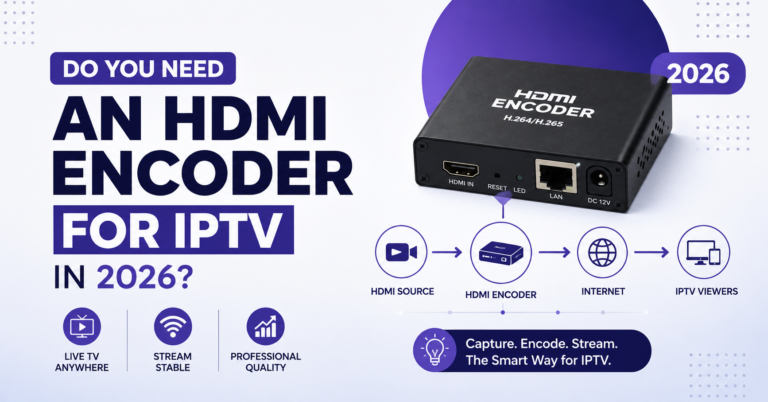
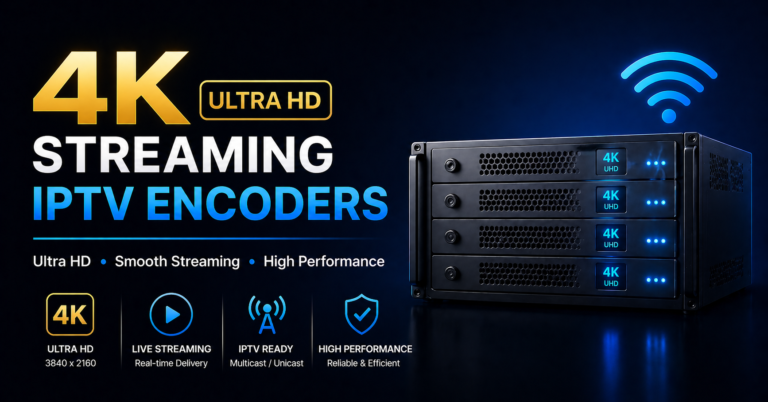
The VeCASTER 4K HEVC HDMI IPTV Encoder exists precisely for this breaking point. It’s not a gadget. It’s not another piece of aliexpress hardware that dies after six weeks. It’s a dedicated encoding appliance designed for operators who’ve outgrown software-based transcoding and need something that runs headless, stable, and cool under sustained load.
This article isn’t a product review. It’s a breakdown of how hardware encoding, specifically the VeCASTER 4K HEVC HDMI IPTV Encoder, fits into a reseller’s infrastructure stack, why it matters at scale, and what separating encoding from your server CPU actually does for stream reliability and subscriber retention.
If you’ve been running FFmpeg on the same box that handles your panel middleware, keep reading. That architecture has an expiration date.
The CPU Wall: What Actually Happens When Software Encoding Breaks Down
Software encoding works, until it doesn’t. The maths is brutally simple. HEVC encoding at 4K resolution demands serious compute. When that compute shares resources with your panel database, API calls, EPG pulls, and middleware processes, something gives. Usually it’s frame integrity during evening peak.
Most UK IPTV Panel resellers don’t realise they’ve hit a CPU wall until subscribers start churning. The buffering reports trickle in. You restart services. Things stabilise for an hour. Then the cycle repeats.
Pro Tip: If your server’s CPU utilisation crosses 70% during peak and you’re running encoding on the same machine, you’re already in the danger zone. One traffic spike, a major sports event, a weekend evening, and you’ll see frame drops that no restart fixes.
The VeCASTER 4K HEVC HDMI IPTV Encoder offloads that entire encoding workload onto dedicated hardware. Your server goes back to doing what it should, running middleware, managing panel credits, handling API requests. The encoder handles the heavy lifting independently.
Why Cheap Encoders Fail and What That Costs a Reseller Operation
Let’s talk about the hardware graveyard. Every experienced reseller has a drawer full of dead encoders, units bought off marketplace listings with promising specs and three-month lifespans. The failure pattern is predictable.
Cheap encoders overheat under sustained 4K HEVC workloads. Their chipsets aren’t rated for 24/7 operation. Thermal throttling kicks in after a few hours, output bitrate drops, and your streams degrade without any alert. You only find out when subscribers complain.
The real cost isn’t the £80 you spent on the unit. It’s the subscribers you lose while troubleshooting why streams look fine on your test device but terrible on your customer’s MAG box across town.
- Cheap encoders lack proper heat dissipation for continuous operation
- Firmware updates are rare or nonexistent, bugs stay permanent
- HDMI handshake failures cause silent stream drops
- No SNMP or remote monitoring, you’re flying blind
The VeCASTER 4K HEVC HDMI IPTV Encoder is built differently. Industrial-grade thermal management. Firmware that actually gets updated. HDMI input handling that doesn’t choke on HDCP handshake edge cases. It’s the difference between a tool and a toy.
Where Your Infrastructure Budget Actually Goes: Hardware vs Software Encoding
Resellers often ask whether buying a hardware encoder is worth it when FFmpeg is free. That question misses the actual cost structure entirely.
Here’s how the two approaches stack up:
| Factor | Software encoding (FFmpeg) | VeCASTER 4K HEVC HDMI IPTV Encoder |
|---|---|---|
| CPU load | 60 to 95% per 4K stream | 0%, dedicated hardware |
| Latency | Variable, depends on server load | Consistent sub-2s HLS latency |
| Reliability | Degrades under concurrent load | Stable under sustained 24/7 operation |
| Scaling | Requires bigger/more servers | One unit per input, server stays free |
| Monitoring | Manual, log-based | SNMP + web GUI dashboard |
| Total cost (year 1) | Server upgrades + downtime losses | One-time hardware investment |
The VeCASTER 4K HEVC HDMI IPTV Encoder doesn’t replace your server. It liberates it. Your panel middleware runs cleaner, your EPG processing doesn’t stall, and your load balancing actually works because the server isn’t gasping for cycles.
Pro Tip: If you’re running more than two concurrent HEVC streams through software encoding, you’ve already passed the break-even point where hardware encoding pays for itself in server cost savings alone.
Integrating the VeCASTER Into a Reseller Panel Architecture
Buying an encoder is one thing. Integrating it properly is where most operators stumble. The VeCASTER 4K HEVC HDMI IPTV Encoder outputs standard transport streams over your local network, typically via HLS or UDP. Your middleware picks up those streams exactly like any other source.
The critical step is network topology. The encoder should sit on the same VLAN as your origin server or transcoding cluster. Any unnecessary hops between encoder output and origin ingest add latency and introduce potential packet loss.
Here’s a clean integration path for resellers running Xtream-compatible panels:
- Connect HDMI source to VeCASTER 4K HEVC HDMI IPTV Encoder input
- Configure output as HLS with 2 to 4 second segment duration
- Point your panel’s stream source URL to the encoder’s output address
- Set backup uplink servers to pull from encoder output as secondary source
- Monitor encoder health via built-in web interface or SNMP polling
Keep your DNS configuration tight. DNS poisoning attacks targeting IPTV infrastructure are increasingly common in 2026. If your encoder’s output URL resolves through public DNS, you’re exposing a vector. Use internal DNS or static IP addressing for all encoder-to-origin communication.
HEVC at 4K: Why Codec Choice Determines Your Bandwidth Economics
Bandwidth is the silent killer of reseller margins. Every megabit per second costs money, and when you’re delivering 4K streams to hundreds or thousands of subscribers, codec efficiency isn’t academic. It’s the difference between profit and loss.
HEVC (H.265) delivers roughly 50% better compression than H.264 at equivalent visual quality. For a 4K stream, that can mean the difference between pushing 15 Mbps versus 25 Mbps per viewer. Multiply that across your subscriber base and the savings on CDN and transit bandwidth are enormous.
The VeCASTER 4K HEVC HDMI IPTV Encoder handles this natively. Hardware-level HEVC encoding means you get consistent compression quality without the CPU penalty. Software HEVC encoding at 4K is notoriously resource-hungry, it’s the single biggest reason resellers hit that CPU ceiling.
Pro Tip: When configuring the VeCASTER 4K HEVC HDMI IPTV Encoder, set your target bitrate between 8 to 12 Mbps for 4K HEVC output. Going higher wastes bandwidth without visible quality gains on consumer displays. Going lower introduces compression artefacts that subscribers notice on sports content.
- HEVC hardware encoding equals consistent quality at lower bitrate
- Subscribers on limited connections get fewer buffering events
- Your CDN costs drop proportionally to bitrate reduction
- Panel credits stretch further when bandwidth overhead shrinks
ISP Blocking, AI Detection, and Why Encoding Quality Matters More Than Ever
Here’s something that doesn’t get discussed enough in reseller circles. ISPs in 2026 are using AI-driven traffic analysis to identify and throttle IPTV streams. The fingerprinting isn’t just based on destination IPs anymore, it’s pattern recognition on packet sizes, timing intervals, and stream characteristics.
Poorly encoded streams have distinctive signatures. Irregular bitrate spikes, inconsistent segment durations, malformed transport stream headers, all of these make your traffic easier to classify and block.
A properly configured VeCASTER 4K HEVC HDMI IPTV Encoder produces clean, standards-compliant output. Consistent bitrate. Proper PID mapping. Well-formed HLS segments. This doesn’t make your streams invisible, but it makes them significantly harder for automated systems to fingerprint versus the messy output from overloaded software encoders.
- CBR (constant bitrate) mode produces more uniform traffic patterns
- Proper segment duration reduces anomalous packet timing
- Standards-compliant transport streams blend with legitimate OTT traffic
- Clean encoding reduces false positives from ISP DPI systems
The operators who survive enforcement waves aren’t the ones with the most servers. They’re the ones with the cleanest infrastructure.
Growing From 50 to 500 Subscribers Without Tearing Down Your Stack
The scaling question is where the VeCASTER 4K HEVC HDMI IPTV Encoder earns its keep. Most resellers build their initial infrastructure around software encoding because it’s cheap and fast to deploy. That works at 50 subscribers. At 200, cracks appear. At 500, the whole thing needs rebuilding, unless you’ve already separated encoding from serving.
Hardware encoding creates a modular architecture. Each VeCASTER unit handles its input independently. Your servers handle distribution. When you need more capacity, you add subscribers to your panel and scale your CDN, the encoding layer doesn’t change.
This is fundamentally different from the software approach where scaling means bigger servers, more CPU cores, and increasingly complex FFmpeg configurations that break whenever you update a library.
Here’s how the two paths compare stage by stage:
| Scaling stage | Software encoding approach | Hardware encoding approach |
|---|---|---|
| 50 subscribers | Single server handles everything | Same, but encoder already offloaded |
| 200 subscribers | CPU maxed, need server upgrade | Add CDN edge nodes only |
| 500 subscribers | Multiple encoding servers, complex load balancing | Same encoder, expanded distribution |
| Maintenance | Update breaks FFmpeg, streams drop | Encoder runs independently |
How Encoding Efficiency Quietly Affects Your Panel Credit Economics
Resellers running credit-based panels often overlook how encoding quality directly impacts their credit economics. Here’s the connection most miss.
When your encoding is inefficient, high bitrate, inconsistent quality, frequent buffering, subscriber satisfaction drops. Dissatisfied subscribers don’t renew. Your panel credits go toward acquiring replacement subscribers instead of growing your base. Churn eats margin.
The VeCASTER 4K HEVC HDMI IPTV Encoder addresses this at the infrastructure level. Consistent stream quality means fewer support tickets. Fewer support tickets mean lower operational overhead. Lower churn means your credits compound into growth rather than replacement.
Pro Tip: Track your 30-day subscriber retention rate before and after any infrastructure change. If you switch from software to hardware encoding with a VeCASTER unit and your retention doesn’t improve within 60 days, the problem is upstream, likely your content source, not your encoding.
This is the calculation that separates resellers who scale from resellers who stay stuck. The encoder isn’t an expense. It’s a retention tool.
Backup Uplink Strategy: Why Your Encoder Needs Redundancy Too
Single points of failure kill reseller operations. You already know this about servers and internet connections. But most operators forget that their encoding layer needs redundancy too.
If your VeCASTER 4K HEVC HDMI IPTV Encoder is your sole encoding path and it goes offline, hardware fault, power failure, firmware glitch, every stream it feeds goes dark simultaneously. Your panel shows active subscribers watching black screens.
Build redundancy into your encoding layer the same way you build it into your server infrastructure. Run a secondary encoder on standby. Configure your middleware to failover automatically when the primary stream source drops. Keep a tested FFmpeg configuration as an emergency fallback, not as your primary encoder, but as your disaster recovery option.
- Primary: VeCASTER 4K HEVC HDMI IPTV Encoder handling all live encoding
- Secondary: Standby hardware encoder or hot spare unit
- Emergency: Pre-configured FFmpeg fallback on a separate server
- Monitoring: SNMP alerts on encoder health, automatic failover triggers
Redundancy isn’t optional at scale. It’s the cost of doing business professionally.
Frequently Asked Questions
What makes the VeCASTER 4K HEVC HDMI IPTV Encoder different from budget marketplace encoders?
The primary difference is sustained operational reliability. Budget encoders use consumer-grade chipsets that thermally throttle under 24/7 load, leading to silent quality degradation. The VeCASTER is designed for continuous operation with industrial thermal management, active firmware support, and standards-compliant output that reduces ISP fingerprinting risk. You’re paying for uptime, not just specs on paper.
Can I use the VeCASTER 4K HEVC HDMI IPTV Encoder with Xtream-compatible panels?
Yes. The encoder outputs standard HLS or UDP transport streams that any Xtream-compatible middleware can ingest directly. You point your panel’s stream source URL to the encoder’s output IP and port. No custom plugins or middleware modifications required, it slots into existing panel architecture as a standard stream source.
How does hardware encoding reduce subscriber churn for resellers?
Churn in IPTV reselling correlates directly with buffering frequency and stream quality inconsistency. Hardware encoding produces stable, consistent output regardless of what else your server is processing. Subscribers experience fewer interruptions, which translates to higher 30-day renewal rates and lower support ticket volume, both of which protect your credit margins.
Is HEVC encoding necessary for resellers who only deliver 1080p streams?
HEVC still delivers significant bandwidth savings at 1080p, roughly 40% less data than H.264 at comparable quality. For IPTV Panel resellers serving subscribers on limited broadband connections or mobile data, this means fewer buffering events. Even if you’re not pushing 4K today, HEVC efficiency at 1080p lowers your CDN costs and improves end-user experience.
How many concurrent streams can a single VeCASTER unit handle?
Each VeCASTER 4K HEVC HDMI IPTV Encoder unit handles one HDMI input and encodes it into a single output stream. Scaling multiple inputs requires multiple units. The advantage is isolation, each encoding path operates independently, so a fault on one input never affects another. For multi-channel operations, plan one encoder per source input.
What network configuration minimises latency between the encoder and origin server?
Place the encoder on the same VLAN as your origin or transcoding cluster. Use static IP addressing or internal DNS, avoid public DNS resolution for encoder-to-server communication to reduce both latency and DNS poisoning exposure. Keep HLS segment duration between 2 to 4 seconds for the best balance of latency and playback stability.
Does the VeCASTER help with avoiding ISP-level stream blocking?
It doesn’t make streams invisible, but clean, standards-compliant encoding output is harder for AI-driven DPI systems to classify. Consistent bitrate, proper segment timing, and well-formed transport headers reduce the distinctive traffic signatures that automated blocking systems target. It’s one layer of a broader infrastructure approach, not a silver bullet, but a meaningful improvement.
Should I keep FFmpeg as a backup if I switch to the VeCASTER encoder?
Absolutely. Maintain a tested FFmpeg configuration on a separate server as your disaster recovery layer. Hardware fails eventually, power surges, firmware bugs, component age. Having a software fallback that can be activated within minutes keeps your subscribers watching while you diagnose and replace the hardware. Never rely on a single encoding path at scale.
Reseller Success Checklist: Hardware Encoding Migration
- Audit your current server CPU utilisation during peak evening hours, document the baseline before changing anything.
- Map every stream source in your panel and identify which ones are software-encoded locally versus pulled from upstream.
- Purchase your VeCASTER 4K HEVC HDMI IPTV Encoder and bench-test it on an isolated network before connecting it to production infrastructure.
- Configure HEVC output at 8 to 12 Mbps CBR for 4K content, or 4 to 6 Mbps for 1080p, test on at least three different subscriber device types before going live.
- Place the encoder on the same VLAN as your origin server. Use static IP. No public DNS between encoder and origin.
- Set up SNMP monitoring or scheduled health checks on the encoder’s web interface, automate alerts for output stream failure.
- Build your failover path: secondary hardware encoder on standby, FFmpeg emergency config tested and documented on a separate server.
- Update your panel stream source URLs to point to hardware encoder output. Keep the old software encoding config saved but inactive.
- Monitor 30-day subscriber retention and support ticket volume for 60 days post-migration, this is your ROI measurement window.
- Once stable, explore scaling by adding units per input channel rather than upgrading server hardware, visit British Seller for guidance on building resilient reseller infrastructure from the ground up.