
Best IPTV App for Apple TV: What Actually Survives Daily Use in 2026
Forget the lists that rank apps nobody has actually stress-tested beyond a 24-hour trial. If you’ve spent any real time managing IPTV panels and fielding subscriber complaints at 9 PM on a Saturday during a Premier League matchday, you already know, the best IPTV app for Apple TV isn’t the one with the prettiest interface. It’s the one that doesn’t choke when your household is pulling three concurrent streams and your ISP starts throttling.
Apple TV has quietly become a preferred device for IPTV subscribers who want reliability. The hardware handles HLS streams efficiently, the tvOS app ecosystem is maturing, and critically, Apple’s chipset manages 4K HEVC decoding without the thermal issues you see on budget Android boxes. But here’s where most guides fail you: they list apps without telling you why one matters over another, and they never address what happens when things go wrong.
This article is built from operational experience, the kind you get from running IPTV reseller panels across multiple server clusters while keeping subscribers happy. If you’re choosing the best IPTV app for Apple TV for your family, or you’re a reseller recommending one to clients, what follows is a genuinely useful breakdown.
How Apple TV Handles IPTV Differently Than Android Devices
There’s a fundamental architectural difference that changes which app you should install. Apple TV runs tvOS, which enforces stricter background process management than Android-based boxes. That means apps can’t quietly run services in the background the way they do on a Formuler or Firestick.
For IPTV, this matters in two specific ways. First, EPG data refresh behaviour changes, some apps only pull guide data on launch rather than periodically, meaning your electronic programme guide can fall out of sync during long viewing sessions. Second, buffer management differs. tvOS allocates memory more aggressively, so apps that pre-buffer large chunks of stream data actually perform better on Apple TV than lean-buffer apps that work fine on Android.
Pro Tip: If subscribers complain about EPG mismatches on Apple TV but not on other devices, the issue is almost always the app’s refresh cycle, not your panel or server. Recommend an app that forces EPG reload on channel switch.
When you’re evaluating the best IPTV app for Apple TV, test EPG behaviour first, stream stability second. Most resellers do it the other way around and end up fielding avoidable support tickets.
The Apps That Actually Perform: A Reseller’s Shortlist
Not every IPTV player on the App Store deserves your attention. Several get recommended endlessly across forums despite having known issues with M3U playlist parsing or failing to support Xtream Codes API properly. Here’s what holds up under real subscriber load.
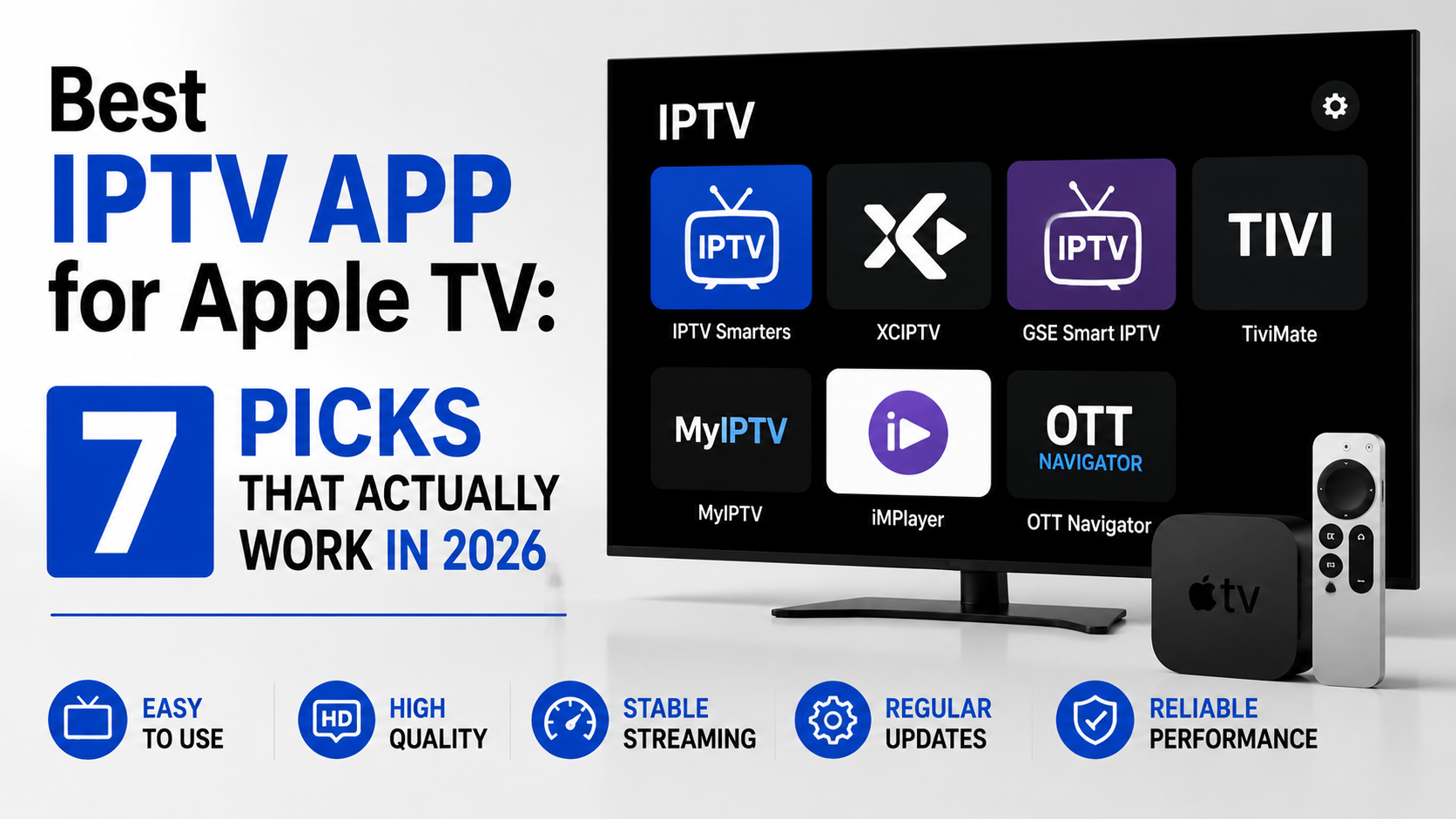
IPTVX stands out for raw reliability. It handles large channel lists without lag, supports multiple playlist formats, and, importantly, manages catch-up TV without the crashes other apps exhibit. The interface isn’t flashy, but it renders EPG data cleanly and recovers from stream drops faster than most alternatives.
iPlayTV has been a long-standing favourite and deserves the reputation. Multi-screen support works as advertised, and the Xtream Codes integration is genuinely solid. For resellers setting up family households, this is often the best IPTV app for Apple TV because the user interface is intuitive enough that non-technical subscribers can navigate it without calling you.
GSE Smart IPTV occupies a middle ground. It offers advanced features like stream recording and parental controls, but the interface feels dated on newer Apple TV models. Still functional, still reliable, just not what you’d demo to a premium subscriber.
- Best for large channel lists: IPTVX
- Best for family households: iPlayTV
- Best for advanced features: GSE Smart IPTV
- Best for Xtream Codes API reliability: iPlayTV
Why the “Best” App Depends on Your Server Infrastructure
Here’s something the top-ten listicles never mention: the best IPTV app for Apple TV is only as good as the backend it connects to. An app with excellent HLS parsing will still buffer if your uplink server is overloaded or if load balancing across your CDN nodes is poorly configured.
I’ve seen resellers blame apps for buffering issues that were entirely server-side. A subscriber switches from iPlayTV to IPTVX, buffering continues, and the reseller concludes “Apple TV is the problem.” It wasn’t. The issue was a single-origin server with no failover handling peak-hour load.
Here’s how cheap and premium infrastructure actually compare:
| Factor | Cheap infrastructure | Premium infrastructure |
|---|---|---|
| Server uplinks | Single origin, no redundancy | Multiple uplinks with automatic failover |
| Load balancing | None or basic round-robin | Geo-aware, latency-optimised |
| HLS segment delivery | Fixed chunk size, high latency | Adaptive chunk sizing, low-latency tuning |
| CDN coverage | One region | Multi-region edge nodes |
| Effect on Apple TV apps | Frequent buffering, EPG timeouts | Smooth playback, instant channel switching |
If you’re a reseller recommending the best IPTV app for Apple TV, first ensure your panel provider’s infrastructure can actually support the streams. No app compensates for a 50 Mbps shared uplink serving 200 concurrent viewers.
Configuring Your Apple TV IPTV App Without the Usual Headaches
Installation on Apple TV is straightforward, but configuration is where most subscribers, and resellers, make mistakes that degrade performance. Here’s the sequence that eliminates 80% of first-week support tickets.
After downloading your chosen app from the App Store, resist the temptation to paste in the M3U URL immediately. Instead, check two things. First, confirm the playlist format your panel outputs. Some panels default to M3U8 with relative paths, which certain Apple TV apps misinterpret. Switch to Xtream Codes API login if your panel supports it, it’s more stable on tvOS and handles channel categories better.
Second, adjust the app’s buffer settings before loading any channels. On Apple TV, increasing the buffer to 5 to 8 seconds (rather than the default 2 to 3) dramatically reduces mid-stream interruptions, especially over Wi-Fi connections.
Pro Tip: Always configure Apple TV’s network settings to use a manual DNS, either Cloudflare (1.1.1.1) or Google (8.8.8.8). The default ISP-assigned DNS can introduce resolution delays that manifest as slow channel switching, and in some cases, ISPs use DNS-level filtering that blocks IPTV server domains entirely.
For resellers building setup guides for subscribers, include these DNS and buffer steps. They’ll halve your support volume in the first month.
ISP Blocking in 2026: What Apple TV Users Need to Know
The landscape of ISP-level IPTV interference has evolved significantly. In 2026, AI-driven traffic analysis is the primary enforcement mechanism, not simple DNS poisoning or IP blocking. ISPs now deploy deep packet inspection systems that identify IPTV traffic patterns regardless of the domain or IP being accessed.
What does this mean for someone running the best IPTV app for Apple TV? It means a VPN is no longer optional in many regions. But here’s the catch: Apple TV doesn’t natively support VPN apps the way iPhones do. You have two practical options.
First, configure a VPN at the router level. This protects all devices on your network but requires a router that supports OpenVPN or WireGuard, most ISP-provided routers don’t. Second, use Apple TV’s built-in proxy configuration to route traffic through a DNS-based privacy service, which is simpler but less comprehensive than a full VPN tunnel.
- Router-level VPN protects all devices but adds latency (typically 10 to 30ms)
- DNS-based solutions are easier to configure but don’t encrypt stream data
- Smart DNS services are the middle ground, they reroute only specific traffic without full encryption overhead
- Always test stream quality after enabling any blocking countermeasure, not before
Resellers who proactively advise subscribers on ISP blocking workarounds see measurably lower churn. When a subscriber’s streams stop working and they don’t understand why, they blame you, not their ISP.
What Panel Credit Economics Mean for Your Apple TV Subscribers
Subscribers don’t care about your margin. They care about whether the service works and whether the price feels fair. But as a reseller, understanding how panel credits translate to per-subscriber cost is essential, and it directly influences which app you recommend.
Here’s why: some apps require subscribers to purchase the app separately (iPlayTV, for instance, is a paid app on the App Store). That £5 to £6 upfront cost creates friction. A subscriber who’s already paying you monthly for access doesn’t want to pay again for the player. Free apps like GSE Smart IPTV or IPTVX remove that barrier, but you trade interface polish for accessibility.
The strategic move is this: if your panel credit cost per subscriber is low enough, absorb the app cost. Tell new subscribers: “Download iPlayTV, I’ll cover it.” The goodwill generated is disproportionate to the cost, and you reduce churn because the subscriber is now using a genuinely superior app they didn’t pay for.
Pro Tip: Track which app each subscriber uses. When troubleshooting, this saves enormous time. Build a simple spreadsheet: subscriber name, device, app, connection type (Ethernet/Wi-Fi), DNS configuration. This is basic operations management that separates professional UK IPTV Panel resellers from hobbyists.
The best IPTV app for Apple TV from a business perspective isn’t always the technically superior one, it’s the one that minimises your support overhead while keeping subscribers happy.
Buffering Diagnosis: When the App Isn’t the Problem
Every reseller has experienced the call: “It’s buffering again.” The instinct is to blame the app or tell the subscriber to restart their Apple TV. But systematic buffering on Apple TV usually points to one of three root causes, and only one of them is app-related.
Network congestion at the subscriber’s end accounts for roughly 60% of buffering complaints. Apple TV supports both Wi-Fi 6 and Ethernet, but an alarming number of subscribers connect via 2.4 GHz Wi-Fi from two rooms away. The fix is simple, recommend a wired Ethernet connection or, at minimum, a 5 GHz Wi-Fi band. The Apple TV Ethernet adapter is inexpensive and eliminates wireless instability entirely.
Server-side overload causes another 30%. During peak hours, if your panel provider hasn’t implemented proper load balancing, streams degrade across all devices, not just Apple TV. Check whether the buffering correlates with specific times of day. If it does, the best IPTV app for Apple TV won’t save you. You need a better panel provider or backup uplink servers.
App-level issues account for the remaining 10%. Outdated apps, corrupted playlists, or mismatched codec support can all cause playback problems. The fix is usually clearing the app cache (delete and reinstall on tvOS, since there’s no manual cache clear option) and re-entering the playlist or API credentials.
Here’s how the three causes break down:
| Buffering cause | Frequency | Diagnosis method | Fix |
|---|---|---|---|
| Subscriber’s Wi-Fi | ~60% | Ask about connection type | Ethernet adapter or 5 GHz band |
| Server overload | ~30% | Check if time-specific | Switch panel provider or add backup servers |
| App-level issue | ~10% | Test with second app | Reinstall, re-enter credentials |
Scaling Beyond a Single Household: Reseller Strategies for Apple TV Deployments
Once you move past individual subscribers and start onboarding households or small businesses, your relationship with the best IPTV app for Apple TV changes. You’re no longer recommending, you’re standardising.
Standardisation matters because it compresses your support matrix. If half your subscribers use IPTVX, a quarter use iPlayTV, and the rest use various free apps, every troubleshooting call starts from zero. You don’t know the interface, you can’t walk them through settings, and your response time suffers.
Pick one app. Test it thoroughly across Apple TV HD and Apple TV 4K models. Document the setup process with screenshots. Create a one-page PDF that subscribers can follow without calling you. This single decision, standardising on one best IPTV app for Apple TV, will reduce your support workload by a measurable margin.
For resellers managing 50+ subscribers, consider these scaling priorities:
- Standardise on a single app across all Apple TV subscribers
- Pre-configure playlists using Xtream Codes API rather than raw M3U URLs (easier to manage credentials centrally)
- Set up a dedicated WhatsApp or Telegram group for Apple TV subscribers, device-specific issues cluster, and peer support reduces your direct ticket load
- Monitor your panel’s concurrent connection limits, Apple TV subscribers tend to leave streams running longer than mobile users, consuming connection slots
Pro Tip: The biggest churn risk isn’t buffering, it’s confusion. When a subscriber can’t figure out how to find their channels, switch categories, or access catch-up content, they don’t complain. They just stop renewing. Choose the best IPTV app for Apple TV that requires the least explanation.
What’s Coming Next: Apple TV and IPTV App Development in Late 2026
The tvOS ecosystem is evolving in ways that directly impact IPTV app functionality. Apple’s recent updates have introduced stricter background activity limits, which affect how apps maintain persistent connections to streaming servers. Apps that relied on background keep-alive connections are seeing more frequent stream reconnections after the device sleeps.
Developers building the best IPTV app for Apple TV are adapting by implementing faster reconnection logic and local EPG caching. The apps that cache EPG data locally, rather than fetching it fresh on every launch, will have a significant performance advantage going forward, especially for subscribers with large channel lists exceeding 5,000 entries.
There’s also a growing trend toward apps that support multiple output formats beyond traditional HLS. DASH and low-latency CMAF are gaining traction, and the best IPTV app for Apple TV in late 2026 will likely support all three, giving subscribers smoother playback regardless of how their panel provider encodes streams.
For resellers, the actionable insight is this: don’t lock into an app that’s stopped updating. Check the App Store update history. If the last update was more than six months ago, that app is falling behind tvOS changes and will eventually break. Invest your recommendation in apps with active development cycles.
Frequently Asked Questions
Can I use a free IPTV app on Apple TV and still get reliable performance?
Yes, free apps like IPTVX and GSE Smart IPTV deliver stable performance for most channel lists. The trade-off is interface polish and occasional ad placements within the app, not stream reliability. If your panel provider’s infrastructure is solid, a free app handles 4K streams without issues. Paid apps mainly offer better EPG layouts and multi-screen support rather than superior decoding.
Why does my IPTV buffer on Apple TV but not on my phone?
Apple TV defaults to higher-quality stream selection when available, pulling more bandwidth than a mobile device on the same network. Combined with Wi-Fi congestion from other household devices, this creates bottlenecks. Switching to Ethernet, selecting a 5 GHz Wi-Fi band, or manually lowering stream quality in your app settings usually resolves the difference immediately.
Is iPlayTV still the best IPTV app for Apple TV in 2026?
iPlayTV remains one of the strongest options due to reliable Xtream Codes API integration and an intuitive interface. However, IPTVX has closed the gap significantly, especially for subscribers with very large channel lists. The “best” choice depends on whether you prioritise interface design (iPlayTV) or raw playlist handling performance (IPTVX).
How do I set up a VPN for IPTV on Apple TV?
Apple TV doesn’t support VPN apps directly on the device. Configure a VPN at the router level using OpenVPN or WireGuard firmware, or use a Smart DNS service that you configure in Apple TV’s network settings manually. Router-level VPNs protect all traffic but add slight latency. Smart DNS reroutes only relevant queries with no encryption overhead.
What panel format works best with Apple TV IPTV apps?
Xtream Codes API is the most reliable format for Apple TV apps. It handles channel categories, EPG data, and catch-up TV more consistently than raw M3U or M3U8 playlists. M3U URLs can work but sometimes cause parsing errors with large playlists on tvOS due to how certain apps handle relative versus absolute stream paths within the file.
How many devices can a reseller panel credit typically support on Apple TV?
This depends entirely on your panel provider’s connection limit per subscription line. Most panels allow one to two concurrent connections per credit. Apple TV counts as one connection, but if a subscriber also streams on a second device simultaneously, they’ll hit the limit. Clarify concurrent connection policies with subscribers upfront to avoid complaints.
Does the best IPTV app for Apple TV support catch-up and recording?
Most premium apps support catch-up TV if your panel enables it server-side. Recording is more limited on tvOS, GSE Smart IPTV offers it, but tvOS sandbox restrictions mean recordings save within the app rather than to external storage. For subscribers who want full DVR functionality, a dedicated Android-based device alongside Apple TV may be more practical.
Can ISP blocking specifically target Apple TV IPTV traffic?
ISPs don’t target Apple TV specifically, but their AI-driven deep packet inspection systems identify IPTV streaming patterns regardless of device. Because Apple TV sends traffic in recognisable HLS segment request patterns, it’s as detectable as any other device. Using a VPN or Smart DNS at the network level is the only reliable countermeasure, applied at router level rather than device level.
Execution Checklist: Turning This Into a Reliable Apple TV Setup
- Test before you recommend. Install your top two app candidates on an Apple TV 4K, load your actual panel playlist via Xtream Codes API, and run them side by side for 48 hours. Note EPG accuracy, channel switch speed, and recovery time after stream drops.
- Standardise across your subscriber base. Pick one app, document setup in a shareable one-page guide, and stop supporting five different players. Your time has a cost, treat it accordingly.
- Fix the network before blaming the app. Mandate Ethernet connections for subscribers who report buffering. Send them a direct link to buy the Apple TV Ethernet adapter. This single recommendation solves the majority of complaints.
- Configure DNS manually on every Apple TV you set up. Default ISP DNS introduces unnecessary latency and potential filtering. Cloudflare (1.1.1.1) or Google (8.8.8.8), pick one, apply it universally.
- Audit your panel provider’s infrastructure quarterly. Run speed tests from multiple geographic locations during peak hours. If your provider can’t sustain consistent throughput, no app will fix the experience.
- Track subscriber devices and apps in a simple spreadsheet. When something breaks, you’ll diagnose it in minutes rather than hours.
- Stay current with app updates. Any app that hasn’t updated within six months is accumulating tvOS compatibility debt. Move subscribers off it before it breaks during an OS update.
- Brief subscribers on ISP blocking countermeasures proactively. Don’t wait for the panicked “everything stopped working” message. A 30-second explanation about Smart DNS or router VPN saves you hours of reactive support.
For reseller tools, panel sourcing, and ongoing operational guides, visit British Seller, built by operators, not bloggers.