
Nobody talks about the device. Everyone talks about the service. And that’s exactly why half the complaint tickets sitting in reseller dashboards right now have nothing to do with the panel, the server uplink, or the playlist, they trace back to a £25 stick plugged into the back of a television that can barely run a calculator app, let alone decode a 1080p HLS stream at peak hours.
The best streaming device for IPTV isn’t the cheapest one on Amazon. It isn’t the one your cousin recommended. And it definitely isn’t the one bundled free with a shady provider who needed to sweeten the deal because their infrastructure couldn’t stand on its own.
This is a hardware conversation that most IPTV guides skip entirely. Let’s fix that.
What’s Actually Happening Inside the Box When a Stream Loads
Before picking hardware, it helps to understand why device choice matters at all. An IPTV stream doesn’t behave like Netflix. There’s no adaptive CDN edge server sitting three miles from the viewer. Most IPTV providers run on Xtream Codes or Stalker middleware, pushing HLS or MPEG-TS streams through a handful of origin servers, sometimes under load from thousands of concurrent users.
The device has to handle DNS resolution, open an encrypted connection to the playlist URL, parse the EPG data, decode the video codec in real time, and render it to screen. All of this without buffering, crashing, or overheating during a four-hour live sports block.
Cheap hardware fails at the decoding stage. The processor throttles. RAM fills up. The EPG takes forty seconds to load. The viewer restarts the app, hits the same bottleneck, and messages the reseller: “this service is rubbish.”
The IPTV Panel reseller then opens a ticket with the panel provider. The panel provider checks the server. The server is fine. The problem was never upstream.
Pro Tip: If more than 30% of your support tickets mention buffering but your server monitoring shows healthy uplink performance, the problem is almost certainly device-side. Start asking customers what hardware they’re running before troubleshooting anything else.
Why the Best Streaming Device for IPTV Isn’t Always the Most Expensive
There’s a trap resellers fall into, recommending flagship devices like the NVIDIA Shield Pro to every subscriber. It’s a brilliant piece of hardware. Overkill for about 80% of households.
A family streaming one or two rooms doesn’t need a £200 device with AI upscaling and a Tegra processor. They need something that meets three thresholds: quad-core ARM processor at minimum, 2GB RAM or higher, and dual-band Wi-Fi support. That’s the baseline for a best streaming device for IPTV in any household.
The sweet spot in 2026 sits firmly in the mid-range bracket. Here’s why:
- Entry-level sticks (under £30) use outdated chipsets that struggle with EPG-heavy apps like TiviMate or XCIPTV.
- Mid-range boxes (£40 to £80) deliver consistent 1080p decoding with enough RAM for background EPG refresh.
- Flagship units (£150+) are justified only for 4K passthrough setups or multi-stream configurations like Kodi with PVR backends.
Matching the device to the use case reduces returns, lowers churn, and cuts down on “it keeps buffering” messages that eat into reseller margins.
Devices That Hold Up After Six Months of Real Use
Let’s get specific. These recommendations aren’t pulled from spec sheets. They come from watching what survives six months of real-world use across hundreds of subscriber households.
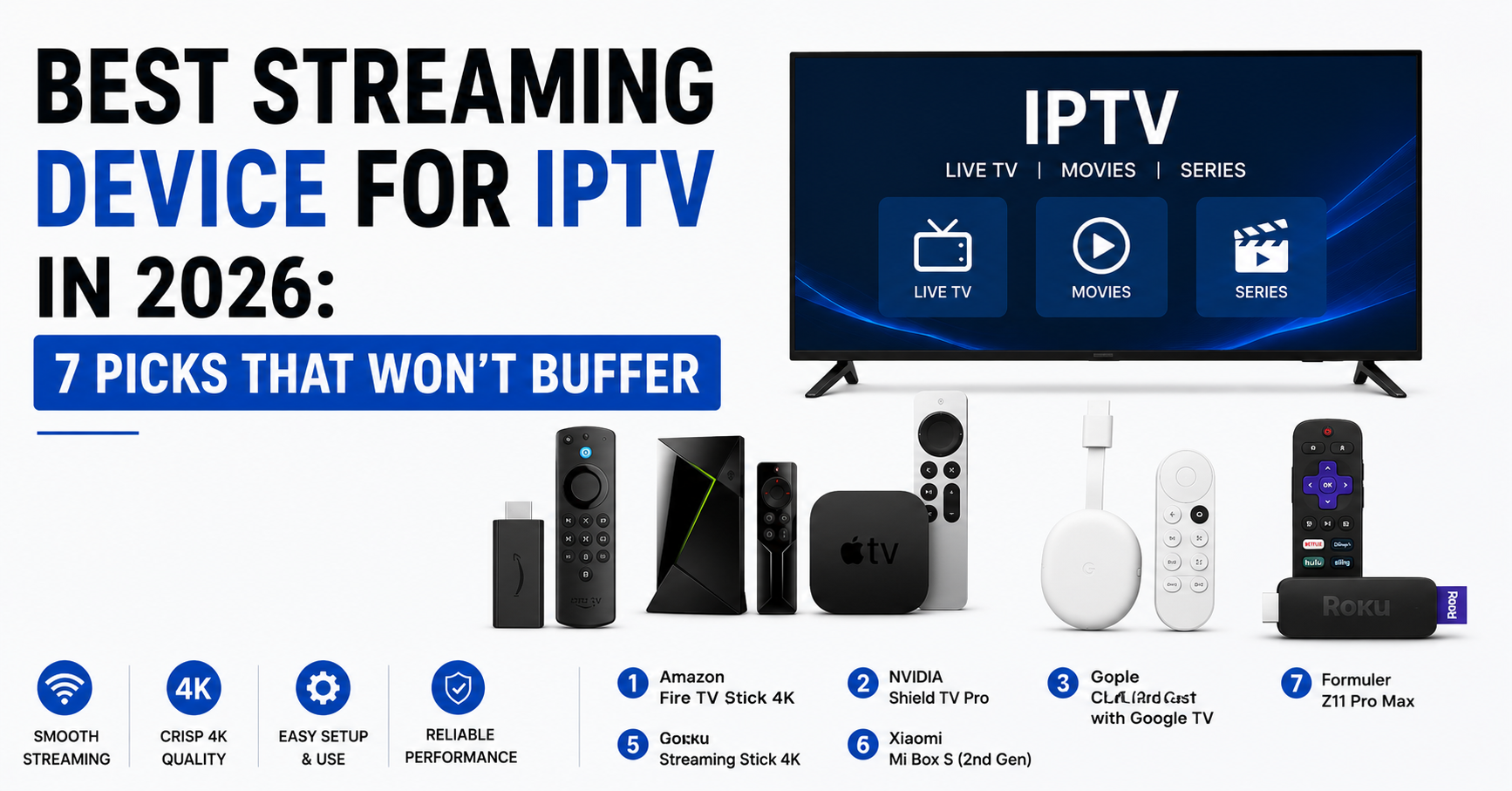
Amazon Fire TV Stick 4K Max (2nd Gen)
Hexa-core processor. 2GB RAM. Wi-Fi 6E. It handles HLS streams without stuttering, runs TiviMate smoothly, and costs less than £60. For most subscribers looking for the best streaming device for IPTV without overthinking it, this is the default answer.
One drawback, Amazon’s UI pushes its own ecosystem aggressively. Sideloading apps requires a few extra steps that can confuse less technical users.
Formuler Z11 Pro Max
Purpose-built for IPTV. Comes with MyTVOnline 3 pre-installed, which is one of the most stable middleware-compatible players available. 4GB RAM. Gigabit Ethernet. This is the best streaming device for IPTV if your subscribers want a plug-and-play experience without sideloading anything.
Reseller advantage: the Formuler ecosystem allows branded portal setups, which creates stickiness. Harder for subscribers to switch providers when the hardware is configured around your panel.
Xiaomi Mi Box S (2nd Gen)
Runs official Android TV. Google certified. Chromecast built in. At under £50, it’s a quiet performer. Not the fastest boot time, but stable during extended viewing sessions. Solid pick for budget-conscious households.
Mecool KM2 Plus
Android TV certified with Netflix and Prime pre-loaded alongside sideload capability. S905X4 chipset handles IPTV apps well. Good compromise between mainstream streaming and IPTV-specific use.
Pro Tip: If you’re a reseller recommending devices to subscribers, pick two, one budget, one mid-range, and build simple PDF setup guides for each. Standardising hardware across your customer base cuts support volume by roughly 40%.
Ethernet vs Wi-Fi: The Argument That Settles Most Buffering Tickets
It’s 2026 and people still argue about this. Here’s the field reality: Wi-Fi 6 and 6E have closed the gap significantly, but nothing beats a wired Ethernet connection for IPTV stability during peak hours.
The issue isn’t bandwidth. Most IPTV streams need 15 to 25 Mbps. Even a mediocre Wi-Fi setup delivers that. The issue is latency consistency. Wi-Fi introduces jitter. Jitter causes buffer underruns. Buffer underruns cause the dreaded spinning wheel mid-match.
For any device positioned as the best streaming device for IPTV in a household, especially where live sports is the primary use, Ethernet should be the default recommendation. Fire TV Sticks need a USB-to-Ethernet adapter. Formuler and Mecool boxes have Ethernet ports built in.
Quick breakdown:
- Wi-Fi 5 (802.11ac): acceptable for SD and 720p, unreliable at 1080p during congestion
- Wi-Fi 6 (802.11ax): stable at 1080p in most environments, suitable for single-device setups
- Ethernet (Cat5e or higher): the only connection type that eliminates network-layer jitter entirely
If a subscriber is on Wi-Fi and buffering during evening peak, the first instruction should always be: try Ethernet. Not “restart the app.” Not “clear cache.” Ethernet.
How ISP Throttling in 2026 Changes the Device Conversation
This is where the best streaming device for IPTV conversation intersects with something most hardware guides ignore entirely, ISP-level interference.
In the UK and across parts of Europe, major ISPs have rolled out increasingly sophisticated traffic management. We’re past basic port blocking now. AI-driven deep packet inspection is identifying IPTV traffic patterns even through encrypted tunnels. DNS poisoning redirects are more targeted. Some ISPs are fingerprinting streaming protocols at the application layer.
What does this mean for device choice? It means the device needs to reliably run a VPN client without performance collapse. Not every box handles this well.
A device running a VPN adds encryption overhead. A weak processor that already struggles with HLS decoding will choke when you layer in AES-256 encryption on top. This is why the best streaming device for IPTV in a throttled ISP environment needs to have a processor with hardware-level encryption support, something the Fire TV Stick 4K Max and Formuler Z11 both handle, and something most sub-£30 generic Android boxes absolutely do not.
Pro Tip: Advise subscribers to use split tunnelling on their VPN, route only the IPTV app through the tunnel and leave everything else on the regular connection. This halves the processing load on the device and prevents general browsing slowdowns that lead to complaints.
The Comparison Resellers Should Bookmark
Here’s how budget, mid-range, and premium devices actually stack up:
| Factor | Budget devices (under £30) | Mid-range devices (£40 to £80) | Premium devices (£150+) |
|---|---|---|---|
| Processor | Dual/quad-core, dated chipsets | Quad/hexa-core, current gen | Octa-core, dedicated GPU |
| RAM | 1GB | 2 to 4GB | 4GB+ |
| Wi-Fi | Wi-Fi 5 or older | Wi-Fi 6 | Wi-Fi 6E |
| Ethernet | Rarely included | Often via adapter or built-in | Built-in Gigabit |
| VPN performance | Poor, causes stuttering | Acceptable for 1080p | Smooth at 4K |
| EPG load time | 30 to 60 seconds | 5 to 15 seconds | Under 5 seconds |
| Typical lifespan | 6 to 12 months | 18 to 36 months | 3 to 5 years |
| Best for | Casual, single-room SD viewing | Most households, reseller default | Power users, multi-room setups |
This table alone should guide 90% of the device recommendation conversations happening in any reseller operation.
The Hardware Blind Spot in Most Reseller Operations
Most resellers don’t recommend devices at all. They sell the subscription and leave hardware to the customer. This is a strategic error.
When a subscriber buys your panel credits and pairs them with a device that can’t handle the stream, the failure reflects on your service, not on the hardware manufacturer. The customer doesn’t think “my device is too slow.” They think “this IPTV service buffers.”
The best streaming device for IPTV becomes a retention tool when the reseller controls the narrative. Some of the most successful UK IPTV Panel reseller operations in the UK now bundle device recommendations directly into their onboarding flow. A few even sell pre-configured Formuler boxes at a small markup, creating an additional revenue stream while simultaneously reducing support overhead.
Three things to build into your reseller process:
- A recommended device list on your website or ordering page
- A simple setup PDF for each recommended device
- A first-message template asking new subscribers what device they’re using
This isn’t optional. It’s infrastructure. The device is the last mile of your delivery chain, and ignoring it is like a logistics company not caring what van the driver uses.
Sideloading, App Compatibility, and the Hidden Device Killer
The best streaming device for IPTV needs to run the apps your panel actually supports. This sounds obvious. It isn’t.
Some panels output M3U playlists only. Some use Xtream Codes API. Some require Stalker middleware. Some support MAC-based authentication. The app ecosystem around each of these is different, and not every app runs on every device operating system.
Key compatibility points to verify before recommending any device:
- Android TV (official Google certified): Runs TiviMate, IPTV Smarters Pro, XCIPTV, and most sideloaded APKs. Broadest compatibility.
- Fire OS (Amazon): Based on Android but requires sideloading for most IPTV apps. Downloader app is essential. Works well once configured.
- Formuler MyTVOnline: Locked ecosystem. Only works with Stalker/XC-compatible portals. Excellent stability but zero flexibility.
- Roku / Apple TV: Very limited IPTV app support. Not recommended for panel-based services.
Resellers should test their panel output on the exact devices they recommend. Not “it should work,” actually test it. Stream live content during peak evening hours on that hardware with that app and verify it holds stable for at least two hours continuously.
Pro Tip: Keep a spare unit of each recommended device at your workspace. When a subscriber reports an issue, replicate it on your own hardware before escalating. This single habit separates professional reseller operations from amateur ones.
Future-Proofing: What to Watch in Late 2026 and Beyond
The best streaming device for IPTV today won’t necessarily hold that title in twelve months. Hardware cycles in this space move fast. A few trends worth tracking:
AV1 codec adoption is accelerating. Some providers are already testing AV1 streams, which deliver better quality at lower bitrates but require hardware decoder support. The latest Fire TV and Chromecast devices support AV1. Older boxes do not.
Android TV 15 is rolling out across certified devices, bringing tighter background process management. This could affect how IPTV apps behave when running alongside other services. Testing on the new OS version before recommending any device update is essential.
HDMI 2.1 passthrough matters for subscribers wanting 4K HDR content. Not all mid-range boxes support it. If 4K streams are part of your panel offering, the device must support the full chain, source to cable to display.
For resellers building a long-term operation, the best streaming device for IPTV is the one that balances today’s performance with tomorrow’s codec requirements. Right now, that means prioritising devices with S905X4 or Amlogic S928X chipsets, which handle both current HLS/MPEG-TS and upcoming AV1 streams without breaking a sweat.
Frequently Asked Questions
What is the best streaming device for IPTV if I only watch in one room?
The Amazon Fire TV Stick 4K Max handles single-room IPTV comfortably. Its hexa-core processor and Wi-Fi 6E support keep streams stable during peak hours without needing Ethernet. For most households streaming in a single room at 1080p, it offers the best balance between cost and reliability. Pair it with TiviMate for the smoothest experience.
Do I need a VPN on my streaming device for IPTV?
In regions where ISPs use deep packet inspection or DNS poisoning to throttle streaming traffic, a VPN is strongly recommended. The best streaming device for IPTV in these environments needs enough processing power to handle encryption without stuttering. Devices with hardware AES support, like the Fire Stick 4K Max or Formuler Z11, manage this without noticeable performance loss.
Can I use a Roku or Apple TV as an IPTV streaming device?
Roku and Apple TV have extremely limited IPTV app availability. Most panel-based services use Xtream Codes API or M3U formats that require apps like TiviMate or Smarters Pro, which aren’t natively available on these platforms. For a reliable experience, Android TV or Fire OS devices are far better suited.
How much RAM does the best streaming device for IPTV need?
A minimum of 2GB is the practical floor. Devices with 1GB RAM struggle with EPG loading, background refresh, and multitasking between apps. For panel-heavy setups with large channel lists exceeding 5,000 entries, 4GB RAM noticeably reduces lag and app crashes during navigation.
Why does my IPTV buffer even though my internet speed is fast?
Speed alone doesn’t determine stream stability. Jitter and latency consistency matter more for live IPTV than raw download bandwidth. Wi-Fi interference during peak evening hours introduces micro-interruptions that cause buffer underruns. Switching to Ethernet almost always resolves this, even on connections well above the 15 to 25 Mbps that most streams require.
Is the Formuler Z11 Pro Max worth the price for IPTV resellers?
For resellers managing subscriber bases, the Formuler Z11 offers a distinct advantage, its MyTVOnline ecosystem supports branded portal setups that lock subscribers into your panel configuration. This reduces churn and creates switching friction. The upfront cost is higher, but the reduction in support tickets and improved subscriber retention typically justify the investment within three months.
What chipset should I look for in a future-proof IPTV device?
Prioritise the Amlogic S905X4 or newer S928X chipsets. These support AV1 hardware decoding, which is becoming increasingly important as providers begin testing AV1 streams for better quality at lower bitrates. Devices with older S905X3 or RK3328 chipsets will struggle with next-generation codecs within the next twelve to eighteen months.
Can the best streaming device for IPTV run multiple streams simultaneously?
Most consumer devices are designed for single-stream use. Running multiple IPTV streams simultaneously, such as picture-in-picture or multi-view setups, requires a device with at least 4GB RAM and an octa-core processor. The NVIDIA Shield Pro handles this well. Mid-range boxes like the Mecool KM2 can manage dual streams but may show instability beyond that.
The Reseller’s Device Checklist: Execute This Week
- Audit your current subscriber base, send a one-question survey asking what device they use. You’ll be shocked at how many are running sub-£20 generic boxes.
- Pick two recommended devices, one budget (Fire TV Stick 4K Max), one premium (Formuler Z11 Pro Max), and purchase one of each for testing.
- Test your panel’s output on both devices during peak hours (7 to 10 PM weekday). Stream live sports content for at least 90 minutes continuously. Document any buffering, crashes, or EPG lag.
- Build a one-page setup guide for each device. Include sideloading instructions, VPN configuration, and your portal/M3U URL entry steps. Keep it screenshot-heavy and jargon-light.
- Add a “Recommended Devices” section to your storefront. Link to product pages on Amazon or the manufacturer’s site so subscribers can purchase directly.
- Update your first-contact support template. Before troubleshooting server issues, ask: “What device are you using, and is it connected via Wi-Fi or Ethernet?”
- For detailed reseller panel options, device-compatible setup guides, and credit-based wholesale pricing, visit British Reseller, one of the longest-running IPTV reseller resources in the UK market.
- Set a calendar reminder to re-evaluate your recommended device list every six months. Chipset generations, app updates, and OS changes can shift the best streaming device for IPTV faster than you’d expect.
That’s it. Hardware is the silent variable in every IPTV operation. Get it right and support tickets drop, retention climbs, and your reputation stops taking hits for problems that were never yours to begin with.