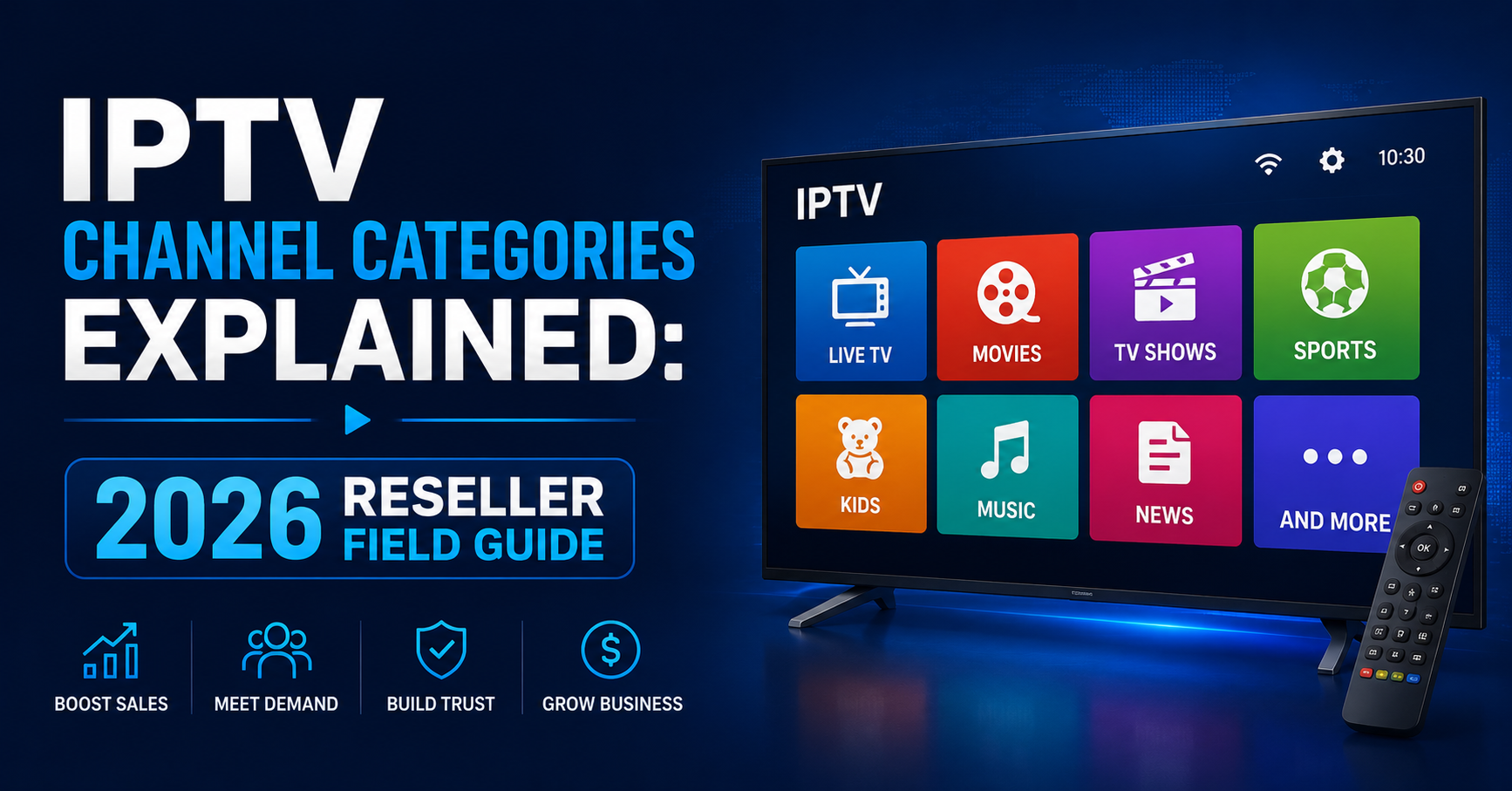

IPTV Channel Categories Explained: The Insider’s Guide to What You’re Actually Selling
Every reseller panel you’ve ever logged into has the same overwhelming moment. Thousands of channels, dozens of folders, cryptic naming conventions, and zero documentation on how any of it is organised. You scroll past country flags, sports tags, VOD sections, and catch-all folders labelled “General” or “Extra,” and you’re somehow expected to sell this chaos to households who just want their evening telly sorted.
That moment right there is where most resellers lose their first customers. Not because the streams don’t work. Not because the server is slow. Because nobody ever sat down and had IPTV channel categories explained to them in a way that actually connects to how real people watch television.
This is that explanation.
How IPTV Channel Categories Actually Work Behind the Panel
Before you can sell channel packages intelligently, you need to understand the architecture underneath them. IPTV channel categories explained at the infrastructure level come down to how your panel provider has parsed and mapped their source playlists.
Most Xtream Codes and XUI-based panels pull channels from M3U playlists or direct API feeds. Each channel entry carries metadata, a group title, a stream URL, an EPG ID, and sometimes a logo reference. The “group title” field is what determines which category folder a channel lands in.
Here’s where it gets messy. Different source providers label things differently. One might tag a channel under “UK Entertainment,” another calls the same feed “GB Entertainment,” and a third just dumps it into “UK.” When a panel aggregates multiple sources for redundancy, you end up with duplicate categories, inconsistent naming, and confused subscribers.
Pro Tip: Before onboarding any new source, export the M3U and audit the group-title tags manually. Standardising these labels before they hit your panel saves hours of cleanup and prevents subscriber complaints about “missing” channels that are just mislabelled.
The Core Category Tiers Every Reseller Must Understand
When you get IPTV channel categories explained from the demand side rather than the server side, the structure becomes surprisingly logical. Household viewers and IPTV UK resellers alike tend to navigate content through five core tiers, and understanding these tiers dictates how you structure your packages and pricing.
Tier 1, Entertainment & General Viewing, is the bread and butter. Drama channels, reality programming, daytime television, talk shows. It’s what keeps subscriptions active month after month because it serves the daily viewing habit. Most churn happens when this tier buffers or drops, not when a niche sports channel goes down.
Tier 2, Sports (Live & Scheduled), is the single biggest driver of new sign-ups and the single biggest source of complaints. Live sports streaming demands the lowest HLS latency your infrastructure can deliver, and it’s where cheap servers get exposed instantly.
Tier 3, Movies & VOD Libraries, offers on-demand content that supplements live channels. This tier has shifted from a bonus feature to an expectation. Subscribers now compare your VOD depth against mainstream platforms.
Tier 4, Regional, International & Diaspora, covers Arabic, Turkish, South Asian, African, Caribbean, Eastern European, these categories serve specific communities and often command premium pricing. A reseller who understands diaspora demand can outperform generalist competitors.
Tier 5, Specialist & Niche, covers kids’ programming, documentary channels, music video feeds, religious broadcasting, adult content. These fill out a lineup but rarely drive purchasing decisions on their own.
Why Entertainment Categories Drive Retention More Than Sports
There’s a widespread belief among new resellers that sports content is the backbone of any IPTV subscription. It’s a half-truth that leads to poor infrastructure decisions. Getting IPTV channel categories explained through the lens of actual retention data tells a different story.
Sports drives acquisition. Someone signs up because a major football tournament is approaching or because they want weekend Premier League access. But once the season ends or their team gets knocked out, that subscriber stays only if the entertainment categories hold up.
Households, particularly family subscriptions, spend 70% or more of their viewing hours on entertainment, general, and VOD content. If those categories buffer, freeze, or have dead streams, the subscriber leaves regardless of how flawless your sports feeds are.
The table below compares how entertainment and sports categories behave operationally:
| Factor | Entertainment categories | Sports categories |
|---|---|---|
| Viewing frequency | Daily, multiple hours | Weekly or event-driven |
| Churn impact when down | Very high — affects whole household | Moderate — seasonal frustration |
| Server load pattern | Steady, predictable | Massive spikes, brief duration |
| Bandwidth demand per stream | Moderate (SD/HD) | Very high (HD/FHD, low latency) |
| Subscriber complaints when broken | Immediate and ongoing | Intense but time-limited |
This should reshape how you allocate server resources across your IPTV channel categories explained lineup.
Sports Channel Subcategories and the Load Balancing Nightmare
Now, within the sports tier itself, there are subcategories that behave very differently from each other, and most resellers treat them as one monolithic block. That’s a mistake.
Live Match Feeds spike in demand at predictable times. Saturday afternoons, midweek European fixtures, PPV boxing events. These need dedicated uplink servers with failover routing because if one goes down during a live event, you’ll lose subscribers that night.
Sports News & Analysis Channels carry a fraction of the load. They run 24/7 but rarely attract simultaneous mass viewership. These can sit comfortably on shared infrastructure.
Replay & Highlights Channels behave more like VOD content, on-demand pulls rather than synchronised live streams.
Pro Tip: Separate your sports live feeds onto dedicated load-balanced nodes. Keep sports news and replays on your general infrastructure. This split alone can reduce buffering complaints during peak events by over 40%, because you’re not letting a steady trickle of entertainment viewers compete for bandwidth with 500 people watching the same match.
Understanding how IPTV channel categories work at this granular level is what separates a reseller who scales from one who drowns in support tickets every Saturday.
Regional and Diaspora Categories: The Most Underpriced Segment in IPTV
If you’ve been reselling for more than a few months, you’ve noticed something. The subscribers who stay longest, complain least, and refer the most people tend to be on regional or diaspora packages. Turkish, Arabic, South Asian, Somali, Polish, Portuguese, these communities have specific viewing habits that mainstream platforms consistently underserve.
Having IPTV channel categories explained without covering this segment would be negligent, because it’s where the margin lives.
Regional categories typically include a mix of general entertainment, news, drama series, and religious programming from a specific country or language group. The key insight is that these subscribers aren’t comparing your service to major UK streaming platforms. They’re comparing it to satellite dishes that cost more, offer less flexibility, and can’t travel with them.
Arabic IPTV packages often need 200+ channels spanning multiple countries (Egypt, Saudi, Lebanon, Iraq, Morocco), each with distinct content preferences. South Asian packages demand Bollywood VOD alongside live news and cricket feeds, with Urdu, Hindi, Punjabi, and Bengali sublanguage splits. Turkish packages are driven heavily by drama series and need strong VOD catalogues alongside live channels. And Eastern European packages (Polish, Romanian, Bulgarian) tend to be entertainment and sports focused, with lower channel counts but high quality expectations.
How to Audit Dead Streams Before Your Subscribers Find Them
Nothing damages trust faster than a subscriber scrolling through your channel list and hitting dead stream after dead stream. And it happens constantly, because ongoing maintenance is a topic most UK IPTV resellers skip entirely.
Source providers rotate streams, change URLs, lose uplinks, and sometimes drop entire channel groups without warning. Your panel still shows the channel name and logo. The subscriber clicks it, gets a black screen or an error, and assumes your entire service is broken.
A proper audit workflow includes weekly automated checks, using a script or panel tool that pings every stream URL and flags non-responsive feeds. Most XUI panels have built-in stream checking, though it’s slow on large playlists. Category-by-category spot checks matter too, manually verifying 10 to 15 channels per category each week, prioritising entertainment and sports tiers. Subscriber-reported dead streams need a proper channel, create a simple reporting mechanism (WhatsApp group, Telegram bot, or web form) and actually act on reports within hours, not days. And source redundancy mapping helps, for every critical category, maintain at least two independent source feeds so you can switch when one drops.
Pro Tip: The fastest way to lose a subscriber is to let them discover dead streams themselves. The fastest way to retain one is to fix a dead stream before they even notice. Proactive auditing is the single highest-ROI activity in category management.
VOD Categories and Why They’ve Become Non-Negotiable
Three years ago, VOD was a bonus. A nice extra that padded out the channel list and gave resellers something to mention in their sales pitch. In 2026, VOD has become a core retention feature.
Households now expect on-demand movies and series as standard. They’ve been trained by mainstream platforms to expect searchable libraries, recently added sections, and genre-based browsing. If your IPTV panel only offers live channels, you’re competing with one hand tied behind your back.
The VOD categories that matter most break down as follows. New Releases covers films within the last 6 to 12 months, this is the single most browsed VOD category and needs regular updates, since stale libraries signal a neglected service. Box Sets & Series covers complete seasons of popular dramas and comedies, subscribers binge-watch, and if a series is missing episodes mid-season, they notice immediately. Kids’ VOD is underrated in importance, parents use IPTV partly to keep children occupied, and a deep kids’ VOD library reduces churn in family subscriptions significantly. And Regional VOD covers Bollywood films, Turkish drama series, Arabic cinema, mapping directly onto the diaspora audience discussed earlier and can justify premium pricing.
EPG Mapping Across Categories: The Silent Conversion Killer
Here’s something that rarely gets discussed when people have IPTV channel categories explained to them: EPG (Electronic Programme Guide) accuracy is a direct conversion factor. A subscriber who opens your service and sees a properly populated programme guide with current listings, accurate times, and correct channel logos feels like they’re using a professional product. One who sees blank EPG slots or yesterday’s listings feels like they’ve bought something dodgy.
EPG data comes from third-party XMLTV sources, and matching those sources to your channel list is a manual, tedious process. Each channel in your panel needs an EPG ID that correctly maps to the corresponding entry in your XMLTV feed. When you’re running 10,000+ channels across dozens of categories, mismatches are inevitable.
The categories most affected by EPG failures include entertainment channels, where viewers rely on the guide to decide what to watch, no EPG means no engagement means churn. Sports channels are affected too, subscribers check the guide to see if a match is on, and wrong EPG data is worse than no data at all. And kids’ channels matter as well, since parents check scheduling to plan screen time.
Here’s how EPG status maps to subscriber perception and retention:
| EPG status | Subscriber perception | Impact on retention |
|---|---|---|
| Fully mapped, current data | Professional, trustworthy | Strong retention |
| Partially mapped, some gaps | Acceptable but noticed | Mild churn risk |
| Mostly unmapped or outdated | Amateurish, unreliable | High churn within 30 days |
| Completely absent | Unusable for browsing | Very high churn |
Investing time in EPG accuracy across your most-viewed categories pays for itself in reduced support queries alone.
Adult and Restricted Categories: The Compliance Conversation Nobody Wants to Have
Every reseller panel includes adult categories. Most resellers either ignore them or enable them by default without thinking about the implications. This section needs covering honestly.
If you’re selling family subscriptions, and most resellers are, adult categories must be PIN-locked or disabled entirely at the subscription level. A household subscriber who finds explicit content accessible to their children won’t just cancel. They’ll actively warn others against your service.
From a panel management perspective, most platforms allow you to toggle category visibility per subscription line. Use this feature. Create separate subscription tiers: family-safe by default, adult-enabled only on explicit request. This isn’t moral policing, it’s basic churn prevention and brand protection.
How ISP Blocking in 2026 Targets Specific Channel Categories
The enforcement landscape has shifted significantly, and addressing ISP blocking trends here matters for resellers.
In 2026, AI-driven traffic analysis allows ISPs to identify and throttle IPTV streams based on traffic patterns rather than just DNS blocking. The categories most targeted are predictable, live sports streams during peak events attract the most enforcement attention because they represent the clearest commercial harm to rights holders.
What this means for category management: sports categories need the most robust anti-blocking infrastructure, encrypted connections, rotating server IPs, DNS-over-HTTPS, and backup uplink servers that can be activated within minutes. Entertainment categories face less direct targeting but still suffer when ISP-level throttling affects your server’s entire IP range. And VOD categories are less affected because on-demand streams don’t create the same detectable traffic spikes.
Pro Tip: Monitor your support tickets by category during major sporting events. If complaints cluster specifically around sports while entertainment streams work fine, you’re likely experiencing targeted throttling rather than a server issue. The fix is infrastructure-level (VPN tunnels, server migration, DNS poisoning countermeasures), not panel-level.
Understanding how enforcement intersects with channel categories gives you a strategic advantage in infrastructure planning.
Building Category-Based Pricing Packages That Actually Convert
Most resellers offer one or two flat packages: “Full Package” with everything, or maybe a basic/premium split. This is lazy pricing that leaves money on the table. Category-based packaging is far more effective.
Consider structuring packages around how people actually watch. Family Essential offers Entertainment + Kids + VOD (no sports premium, lower price point, attracts households, lowest churn rate). Sports Add-On offers live sports categories bolted onto any base package for a monthly uplift, isolating the high-cost, high-churn segment and letting you price it appropriately. Diaspora Packages bundle regional categories with relevant VOD, priced at a premium because the alternative (satellite) costs more and offers less. And Full Access covers everything, priced highest but positioned as the value option for heavy viewers.
This structure lets you manage server costs more effectively too. Subscribers on entertainment-only packages consume less bandwidth than sports viewers, so your margins are healthier on those tiers.
Panel Credit Allocation by Category Priority
When you’re buying panel credits from your provider, you’re essentially buying bandwidth and connection slots. How you allocate those credits across your category lineup should reflect viewing patterns, not just channel counts.
A common mistake: resellers allocate credits evenly across all categories, giving the same server resources to a kids’ cartoon channel that gets 5 concurrent viewers as to a live football feed that gets 500. This guarantees buffering during peak times.
Smart credit allocation follows demand. Pre-allocate additional credits or temporary server capacity before major fixtures for peak sports events, and use burst capacity if your provider offers it. Ensure your base capacity comfortably covers entertainment prime time (7 PM to 11 PM), since evenings see the highest sustained entertainment viewership. Allocate VOD moderately, since load is distributed and cacheable. And audit regional channels since usage varies by your subscriber base demographics, checking which regional categories actually get used.
Frequently Asked Questions
What does IPTV channel categories explained mean for a new reseller?
IPTV channel categories explained refers to understanding how channels are organised within reseller panels, grouped by content type, region, and viewing purpose. For new resellers, grasping this structure is essential because it determines how you build packages, allocate server resources, and communicate your offering to subscribers. Without this knowledge, you’re selling a product you don’t fully understand, which leads to poor support and early churn.
How many channel categories does a typical IPTV panel contain?
Most established panels carry between 30 and 80 distinct category folders, though this varies enormously by provider. These span country-specific groups, content-type folders (sports, entertainment, kids, news), VOD libraries, and catch-all sections. The number matters less than the organisation quality, a panel with 40 well-labelled categories outperforms one with 80 chaotic folders every time.
Can I hide or rename channel categories in my reseller panel?
Yes, most XUI and Xtream Codes-based panels allow category-level visibility controls and renaming. You can hide irrelevant categories from specific subscription tiers, rename confusing labels to something subscriber-friendly, and reorder categories to prioritise your most popular content. This customisation is a basic but often overlooked step in professional panel management.
Why do some IPTV channel categories buffer more than others?
Buffering varies by category because different content types demand different bandwidth and server resources. Live sports categories require low-latency HLS delivery and spike massively during events, making them buffer-prone on underpowered servers. Entertainment categories carry steadier, more predictable loads. VOD content is often cached and therefore buffers least. Understanding these differences lets you allocate infrastructure resources where they’re needed most.
Is it worth offering separate regional IPTV packages?
Absolutely. Regional and diaspora packages often deliver the highest retention rates and best margins in a reseller’s portfolio. These subscribers have fewer alternative options, value the service highly, and tend to refer others within their community. Pricing regional categories as standalone packages, rather than bundling them into a generic “everything” tier, lets you capture that value properly.
How often should I audit my channel categories for dead streams?
Weekly minimum for your top-viewed categories (entertainment, sports, regional), monthly for niche and specialist categories. Automated stream-checking tools can flag non-responsive URLs, but manual spot-checking remains important because some streams technically respond but deliver corrupted or frozen video. A dead stream left unfixed for more than 48 hours in a primary category is a churn risk.
Do IPTV channel categories affect SEO for my reseller website?
Indirectly, yes. When you create landing pages or blog content around specific categories, sports IPTV packages, Turkish IPTV channels, kids-safe IPTV, you’re targeting long-tail keywords that attract qualified buyers. Explaining your channel categories clearly on your website also builds topical authority, signalling to search engines that your site covers the subject comprehensively rather than superficially.
What is the best way to handle adult categories on a family IPTV subscription?
Disable or PIN-lock adult categories by default on all family-tier subscriptions. Most panels allow per-line category visibility controls. Only enable adult content on explicit subscriber request and on a separate subscription tier. Failing to manage this properly risks not just individual cancellations but reputational damage across word-of-mouth referral networks, which are critical for IPTV Panel reseller growth.
Your IPTV Channel Categories Action Checklist
- Export and audit every M3U source playlist for inconsistent group-title tags before importing into your panel, standardise naming conventions across all sources
- Map your subscriber base demographics and identify which regional/diaspora categories actually get used versus which ones sit idle consuming server resources
- Separate live sports streams onto dedicated load-balanced nodes with failover routing, never let them share infrastructure with entertainment categories during peak events
- Implement weekly automated stream checks across all categories, with manual spot-checks on your top five most-viewed category folders
- Build category-based pricing tiers (Family Essential, Sports Add-On, Diaspora Premium, Full Access) instead of flat one-size-fits-all packages
- Complete EPG mapping for every channel in your entertainment, sports, and kids categories, treat unmapped EPG as a conversion blocker, not a cosmetic issue
- PIN-lock or disable adult categories by default on every family subscription line, enable only on explicit request via a separate tier
- Pre-allocate burst server capacity before predictable high-demand events (major tournaments, boxing PPVs, seasonal premieres)
- Monitor support tickets by category to identify whether complaints correlate with ISP throttling patterns or genuine server issues
- Review your full category structure quarterly to benchmark against current market standards and identify gaps in your lineup