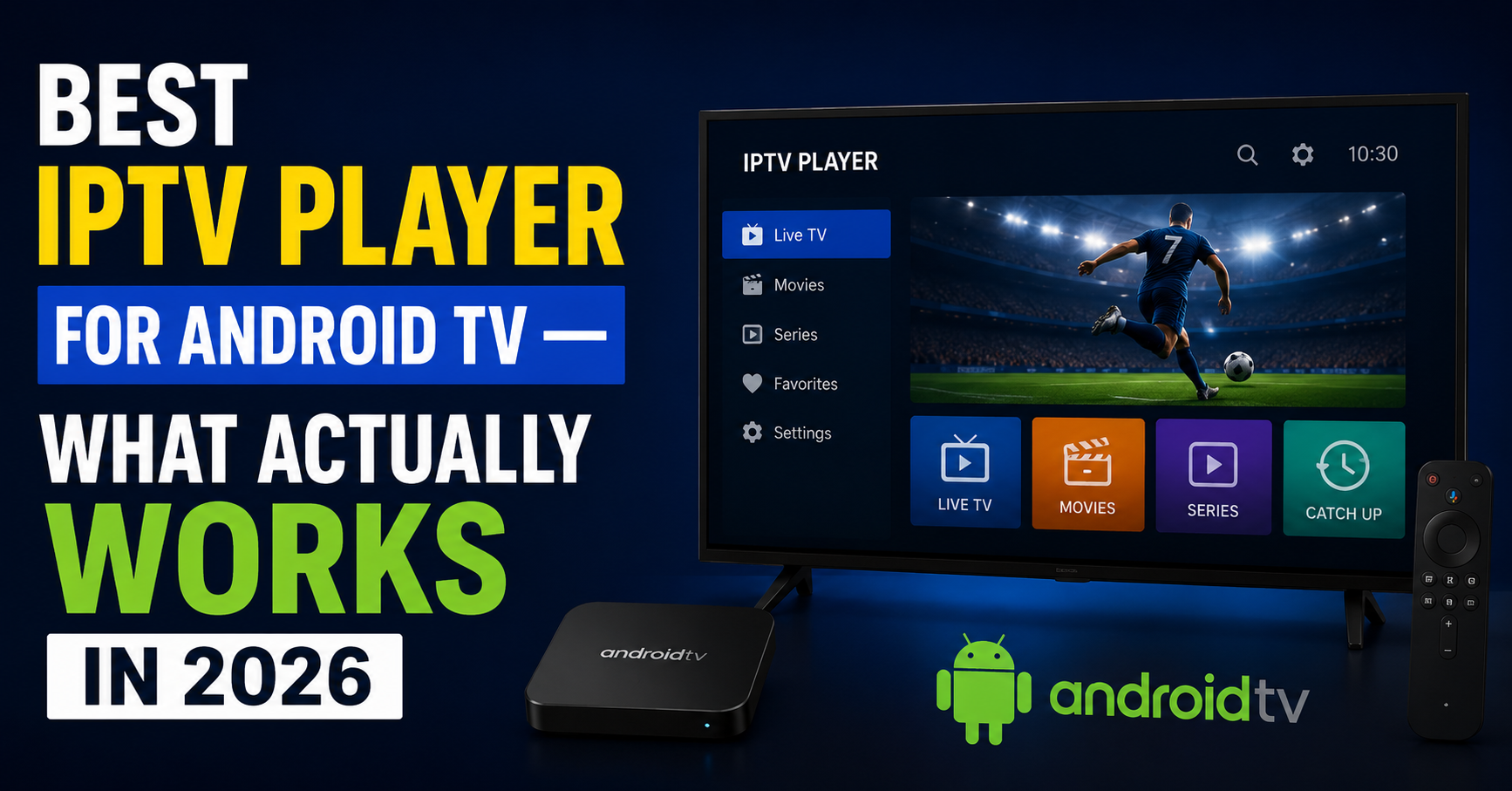

The Player Nobody Talks About Is Costing You Subscribers
Here’s a stat that should bother every reseller reading this: roughly 40% of “buffering” complaints that land in your inbox have nothing to do with your server. They’re player-side failures. Wrong codec negotiation, lazy EPG rendering, or a UI so sluggish your subscriber assumes the whole service is broken. They don’t file a ticket about the player, they file a ticket about you.
Choosing the best IPTV player for Android TV isn’t some cosmetic preference. It’s infrastructure. It sits between your panel and the customer’s screen, and when it fails, your brand takes the hit. Most UK IPTV reseller guides treat player selection like a listicle afterthought, five apps, five download links, goodbye. That’s not what this is.
This is what happens after you’ve tested players across three different Android TV chipsets at 2AM because a client in Manchester says his EPG won’t load, and you already know the server is clean because six other resellers on the same uplink are running fine. The problem is always downstream. Always.
Table of Contents
ToggleIf you’re running an IPTV reseller operation in 2026 and you haven’t standardised which player you recommend, or worse, you’re telling subscribers “just use whatever,” you’re engineering your own churn.
What Makes the Best IPTV Player for Android TV Actually “Best”
Forget star ratings. Forget Play Store reviews from people who can’t tell the difference between Wi-Fi congestion and HLS latency. A player earns the “best” label based on how it handles failure, not how pretty it looks when everything’s running perfectly.
The best IPTV player for Android TV needs to do three things under pressure. Codec fallback matters first, when a stream switches from H.265 to H.264 mid-session (and it will), the player should handle the transition without a black screen or audio desync. EPG parsing at scale matters too, if your panel pushes 8,000+ channels with full programme data, the player has to render that without freezing the UI for thirty seconds on boot. And buffer management rounds it out, adaptive buffer sizing that adjusts based on the connection, not a static 3-second buffer that either starves or bloats.
Pro Tip: Ask your panel provider which player their test team uses internally. If they can’t answer that, you’re buying from someone who doesn’t test their own product.
TiviMate: The Reseller’s Default (And Why That’s Both Good and Dangerous)
TiviMate has earned its reputation. Among every best IPTV player for Android TV discussion in reseller circles, it dominates, and for defensible reasons. The multi-playlist architecture lets subscribers manage separate connections without logging in and out. The EPG grid is fast. The catch-up integration actually works when the server supports it. Remote-friendly navigation is smooth enough that non-technical households can operate it without calling you.
But here’s the danger: TiviMate’s premium unlock model changed. Lifetime licences vanished. Subscription billing confused subscribers who thought they’d paid once. Resellers started fielding complaints about a third-party app as if it were their own product.
If you recommend TiviMate, and you probably should for most households, you need a fallback plan for the day the app changes its terms again. Standardise on it, but don’t marry it.
IPTV Smarters Pro: When Your Subscriber Base Isn’t Technical
There’s a reason IPTV Smarters Pro keeps showing up as a best IPTV player for Android TV in every starter pack recommendation. The Xtream Codes API login is one screen. Username, password, URL, done. No playlist file management, no manual EPG source configuration.
For resellers serving family subscribers who just want to press a button and watch, Smarters Pro removes the onboarding friction that kills conversions.
The tradeoff is performance ceiling. Smarters Pro struggles with large channel lists (5,000+) causing sluggish scrolling, limited buffer customisation compared to TiviMate, and inconsistent VOD artwork rendering on lower-end Android TV boxes.
Pro Tip: If you’re white-labelling, Smarters Pro’s rebrand options let you skin the app with your logo. That’s a retention tool, subscribers feel like they’re using your platform, not a generic third-party app.
OTT Navigator: The Underground Pick That Deserves More Attention
Most resellers overlook OTT Navigator entirely. That’s a mistake. In any serious conversation about the best IPTV player for Android TV, this app deserves a seat at the table specifically for its backend flexibility.
OTT Navigator supports Stalker portal, Xtream Codes API, and M3U, all three, within the same interface. For resellers running hybrid infrastructure or migrating between panel types, that cross-compatibility eliminates the “which player works with my new setup” headache entirely.
The channel grouping engine is more customisable than TiviMate’s. You can create nested categories, custom sort orders, and filtered favourites lists that persist across sessions. For subscribers managing 10,000+ channels, that organisational depth is the difference between usable and unusable.
Where OTT Navigator falls short is the UI, functional, not polished. It looks like it was designed by an engineer who cares about architecture more than aesthetics, because it was. Households expecting a Netflix-style interface will need a few days to adjust.
Cheap Hardware vs. Premium Hardware: How the Player Performs Differently
Choosing the best IPTV player for Android TV means nothing if you ignore the box it’s running on. A £20 unbranded Android box from a marketplace listing and a Chromecast with Google TV will run the same app in fundamentally different ways.
The table below breaks down how performance shifts across hardware tiers:
| Factor | Budget box (Allwinner/Amlogic S905W) | Mid-range (Amlogic S905X3/X4) | Premium (Shield / Chromecast 4K) |
|---|---|---|---|
| H.265 hardware decode | Partial — drops frames above 1080p | Full 4K support | Full 4K HDR + Dolby Vision |
| EPG load time (8,000 ch) | 25–40 seconds | 8–12 seconds | 3–5 seconds |
| App crash frequency | High under sustained use | Occasional | Rare |
| Wi-Fi stability | Poor — single band, weak antenna | Dual band, acceptable | Dual band AC/AX, reliable |
| Recommended player | Smarters Pro (lightweight) | TiviMate or OTT Navigator | Any — hardware carries it |
Pro Tip: If a subscriber complains about buffering and they’re on a budget box, don’t troubleshoot the server first. Ask what device they’re using. Half the time, upgrading the box fixes the problem permanently.
Why DNS Configuration Matters More Than the Player Itself
You can install the best IPTV player for Android TV on an NVIDIA Shield and still get blocked if the DNS resolution is pointing at the subscriber’s default ISP nameserver. DNS poisoning is the single most common disruption method used by major broadcasters’ enforcement partners in 2026, and most subscribers have no idea it’s happening.
The symptom looks like a dead stream. The subscriber opens the app, sees channel names load (because the EPG cached locally), presses play, and nothing. Black screen. They blame the player. They blame you. The actual problem is that their ISP’s DNS resolver is returning a poisoned response for the stream domain.
Every reseller recommending a player should also be recommending a DNS configuration. Build it into your onboarding instructions: set the Android TV network settings to manual DNS, use a reliable public resolver or a DNS-over-HTTPS provider, and test resolution with a simple ping before escalating buffering tickets.
This one step eliminates roughly 20% of your support volume overnight.
Load Balancing and the Player’s Role in Server Failover
Here’s something most best IPTV player for Android TV guides completely ignore: what happens when your primary uplink server goes down at 8PM on a Saturday during a premium sports event.
If your panel supports backup uplink servers (and it should, if it doesn’t, switch panels), the player needs to handle the redirect without manual intervention. TiviMate and OTT Navigator both handle HLS redirect responses gracefully. Smarters Pro sometimes doesn’t, it hangs on the dead connection and requires a manual channel change or app restart.
For IPTV resellers UK operating at scale, this isn’t academic. A five-minute outage during peak time with no automatic failover generates more cancellation requests than a full day of downtime on a Tuesday afternoon. The player’s ability to follow server-side load balancing instructions is a retention metric, not a technical footnote.
EPG Accuracy: The Silent Churn Driver Nobody Measures
A subscriber opens their best IPTV player for Android TV, scrolls to a sports channel, sees the EPG showing a programme that ended two hours ago, and assumes the whole service is unreliable. They don’t think “the EPG source is stale.” They think “this service is broken.”
EPG accuracy is a perception problem, and the player’s refresh cycle controls it. TiviMate lets you set EPG update intervals down to every two hours. Smarters Pro defaults to once daily and buries the setting. OTT Navigator lets you assign different EPG sources to different playlists, useful if you’re running multiple panel connections with varying EPG quality.
If you’re not auditing your EPG freshness weekly, you’re letting a cosmetic issue erode trust in your service. The player is the delivery mechanism. The data quality is on you and your panel provider.
Pro Tip: Set up a test device in your own home running the same player and playlist your subscribers use. Check it daily. If the EPG looks wrong to you, it looks wrong to them.
How Android TV’s 2026 Security Updates Affect Player Compatibility
Google’s 2026 Android TV security patches introduced stricter sideloading restrictions on some OEM firmware builds. If you’re recommending a best IPTV player for Android TV that requires sideloading, and several quality players do, you need to verify that the installation pathway still works on the subscriber’s specific device and firmware version.
Players available on the Google Play Store (TiviMate, Smarters Pro) avoid this problem entirely. OTT Navigator is also on the Play Store. But modified or white-labelled APKs, the kind resellers often distribute for branded experiences, now face additional permission prompts and, on some devices, outright installation blocks unless developer mode is enabled.
This is an operational concern, not a theoretical one. Every support ticket that begins with “I can’t install the app” is a subscriber who’s one frustration away from abandoning the setup entirely. Standardise on Play Store-available players wherever possible. Save sideloaded APKs for technically confident users who specifically request them.
The Player Settings Most Resellers Never Touch
Even after selecting the best IPTV player for Android TV, most resellers hand it to subscribers with default settings and hope for the best. That’s leaving performance on the table.
Three settings worth adjusting on every installation. Buffer size defaults to usually 2 to 3 seconds; for subscribers on unstable connections, increase to 5 to 8 seconds, adding a brief initial load delay but dramatically reducing mid-stream interruptions. Decoder priority should force hardware decoding when the device supports it, with software decoding as fallback only, reducing CPU load and preventing thermal throttling on budget boxes. And stream format preference matters too, if your panel serves both HLS and MPEG-TS, set the player to prefer HLS, since it handles adaptive bitrate switching better, meaning fewer resolution drops during congestion.
These three adjustments take sixty seconds per device and cut buffering complaints measurably.
Customer Churn Psychology: What the Player Experience Actually Controls
Subscribers don’t evaluate your IPTV service logically. They evaluate it emotionally. And the player, the thing they see, touch, and interact with every single session, shapes that emotional response more than your server uptime percentage ever will.
A fast, clean, responsive best IPTV player for Android TV experience creates a perception of premium quality. A laggy, confusing, or ugly player experience creates a perception of cheap, unreliable service, even when the streams themselves are identical.
This is why player selection is a business decision, not a technical one. The reseller who recommends TiviMate Premium with pre-configured settings and a branded quick-start guide retains subscribers longer than the reseller who sends a bare M3U link and says “good luck.”
Your player recommendation is your storefront. Treat it accordingly.
Frequently Asked Questions
Is TiviMate still the best IPTV player for Android TV in 2026?
TiviMate remains the strongest all-round option for most resellers and subscribers in 2026. Its EPG handling, multi-playlist support, and remote-friendly navigation keep it ahead. However, the shift from lifetime to subscription licensing and occasional update delays mean resellers should always maintain a tested alternative like OTT Navigator ready as a backup recommendation.
Can I use the same IPTV player on a Firestick and Android TV?
Most popular players, TiviMate, Smarters Pro, OTT Navigator, run on both platforms since Fire OS is Android-based. However, performance differs because Firestick hardware is generally weaker than mid-range Android TV boxes. Buffer settings and decoder priorities may need separate tuning for Firestick users to avoid stuttering on high-bitrate streams.
Why does my IPTV player buffer even though my internet speed is fast?
Speed alone doesn’t determine stream quality. DNS poisoning by ISPs, Wi-Fi interference, poor hardware decoding on budget devices, and static buffer settings all cause buffering independently of bandwidth. Testing with a wired ethernet connection and a changed DNS resolver isolates whether the issue is network-side or player-side.
How often should the EPG update in my IPTV player?
Set EPG refresh intervals to every 4 to 6 hours for the best balance between accuracy and data usage. Intervals longer than 12 hours frequently result in stale programme listings that confuse subscribers. TiviMate allows granular control over this setting, while Smarters Pro defaults to less frequent updates that most resellers should manually override.
What is the best IPTV player for Android TV if I have a white-label reseller brand?
Smarters Pro offers the most straightforward white-label rebrand options, letting you apply your logo, colour scheme, and app name. This creates a branded experience that improves subscriber retention. However, distributing rebranded APKs requires sideloading, which faces stricter restrictions on some 2026 Android TV firmware, test installation on your subscribers’ most common devices before rolling out.
Does the IPTV player affect stream quality or is it all server-side?
Both matter, but the player controls the last mile. Codec negotiation, buffer management, and adaptive bitrate handling all happen at the player level. A poorly optimised player on capable hardware can produce worse results than a well-configured player on modest hardware. Server quality sets the ceiling; player quality determines how close you actually get to it.
How do I stop ISP blocking from affecting my IPTV player?
ISP-level DNS poisoning is the most common block method in 2026. Changing your Android TV device’s DNS settings to a reliable public resolver or enabling DNS-over-HTTPS at the router level bypasses most DNS-based blocks. The player itself cannot override DNS resolution, this must be configured at the device or network level before the player connects.
Should resellers recommend one IPTV player or give subscribers a choice?
Standardise on one primary recommendation with one tested backup. Supporting a single player simplifies your troubleshooting, lets you create device-specific setup guides, and ensures your support team knows the settings inside out. Offering unlimited choice sounds customer-friendly but multiplies your support burden and makes quality control nearly impossible at scale.
Reseller Success Checklist
- Pick one best IPTV player for Android TV as your standard recommendation and test it monthly on the same devices your subscribers use.
- Pre-configure buffer size (5–8 seconds), hardware decoding priority, and HLS stream preference before handing any device to a subscriber.
- Build a one-page DNS setup guide with screenshots and include it in every onboarding message, this alone kills 20% of support tickets.
- Maintain OTT Navigator as your tested backup player so you’re never locked into a single app’s licensing decisions.
- Audit your EPG sources weekly using a dedicated test device running your live playlist, stale programme data erodes trust faster than occasional buffering.
- Standardise on Play Store-available players for household subscribers and reserve sideloaded APKs only for technically confident users.
- Create device-specific quick-start guides for your two or three most common Android TV boxes, generic instructions generate generic confusion.
- Test your panel’s server failover behaviour through your recommended player during off-peak hours so you know exactly what subscribers experience during an outage.
- Review britishreseller.com reseller resources for updated IPTV Reseller panel recommendations and infrastructure guidance that pairs with your player standardisation strategy.
- Treat your player recommendation as a business decision, not a technical afterthought, it’s the single touchpoint your subscriber interacts with every session.