
The Trial Nobody Talks About Is the One That Bankrupts You
Every reseller remembers the first month they went heavy on trials. You open the panel, generate fifty 24-hour lines, drop them across forums and WhatsApp groups, and wait. The credits drain. The conversions trickle. By week three, you’re staring at a panel balance that doesn’t justify the effort.
That’s not a marketing failure. That’s an infrastructure misunderstanding.
When you create IPTV trials from panel without a system behind it, you’re essentially handing out free product to people who were never going to pay. The panel doesn’t care whether the person on the other end is a serious buyer or someone collecting free lines across six resellers simultaneously. It subtracts credits the same way regardless.
This article isn’t about clicking the “create trial” button. You already know where it is. This is about everything surrounding that button, the timing, the targeting, the server load implications, the credit economics, and the psychology of converting a trial user into a subscriber who stays beyond thirty days.
Pro Tip: Track every trial line you generate in a separate spreadsheet with the date, source (where you shared it), and outcome. Within two weeks, you’ll see which channels produce buyers and which produce freeloaders. Kill the dead channels immediately.
What Actually Happens on the Backend When You Create IPTV Trials from Panel
Most UK IPTV resellers treat the trial function like a vending machine. Press button, get line. But behind that interface, several things fire simultaneously, and understanding them changes how you approach trials entirely.
When you create IPTV trials from panel, the system provisions a temporary connection against the server’s active capacity. That trial line consumes the same bandwidth, the same HLS stream processing, and the same server thread as a full paid subscription. The only difference is duration.
This means ten active trial users during a peak evening match have the same infrastructure footprint as ten paying subscribers. If your provider runs tight server margins, and most budget panels do, those trial connections directly contribute to buffering for everyone else.
The hidden cost breakdown includes each trial line using panel credits identical to a prorated subscription, active trials during peak hours competing for the same CDN resources, DNS resolution requests from trial users adding to the server’s query load, and failed trials (users who never even connect) still reserving a slot until expiry.
Credit Economics: The Maths Resellers Ignore
Here’s where it gets uncomfortable. Let’s say your panel charges 1 credit per trial line and 10 credits per monthly subscription. Sounds cheap to hand out trials, right? Run the actual numbers.
If you create IPTV trials from panel at a rate of 20 per day across a week, that’s 140 credits. If your conversion rate sits at the industry average of roughly 8 to 12 percent, you’re converting maybe 14 users. Those 14 subscriptions generate 140 credits in revenue.
You’ve broken even. Barely. And that assumes every converted user actually pays immediately and doesn’t request another “extended trial” first.
The table below compares a low-volume, qualified approach against a high-volume spray:
| Conversion rate | 15% | 6% |
| Paying subscribers gained | 4–5 | 9 |
| Credit ROI | Positive | Marginal or negative |
| Server load impact | Minimal | Noticeable during peaks |
| Support tickets generated | Low | High |
The high-volume approach looks like it produces more subscribers, but the credit cost, the server strain, and the support burden from 141 non-converting users eats the margin alive. Smart resellers create IPTV trials from panel in controlled batches, not broadcast blasts.
Timing Your Trials Around Server Load Cycles
Nobody talks about this, but when you issue a trial matters almost as much as who you issue it to.
A trial activated at 2 PM on a Tuesday will give the user a completely different experience than one activated at 8 PM on a Saturday. The Saturday user hits peak load. Streams buffer. Channels take longer to switch. The EPG might lag. That user walks away thinking the service is rubbish, not because it is, but because they sampled it at the worst possible moment.
When you create IPTV trials from panel, consider the server’s load calendar. Most IPTV traffic patterns follow predictable curves tied to broadcast schedules. Premium sports events, major league weekends, and prime-time evening slots all spike concurrent connections.
Pro Tip: Issue trials that start on Monday or Tuesday mornings. The user’s first experience happens during low-load hours, they see buttery-smooth playback, and by the time the weekend arrives, they’re already impressed enough to tolerate minor peak-hour hiccups. First impressions during off-peak hours convert at nearly double the rate of peak-hour first connections.
The Freeloader Problem and How to Filter Before You Generate
Every reseller community has them. Users who rotate across panels collecting 24-hour trials indefinitely, with zero intention of subscribing anywhere. They know the system. They join reseller Telegram groups, grab trials, and vanish.
Before you create IPTV trials from panel, you need a qualification step. It doesn’t have to be complicated.
Practical filtering methods include requiring a brief WhatsApp conversation before issuing any trial, since freeloaders avoid human interaction because it creates accountability. Ask what device they’ll use and what channels matter most, since genuine buyers answer specifically while freeloaders give vague responses. Limit trial duration to 4 to 8 hours instead of 24, since serious buyers don’t need a full day to evaluate picture quality and channel availability. And never post open trial lines in public groups, generate individually per request instead.
This single habit, qualifying before generating, can shift your conversion rate from the 8 percent average to 20 percent or higher. You create IPTV trials from panel only for people who’ve already demonstrated buying signals.
Why 24-Hour Trials Are Outdated and What to Use Instead
The 24-hour trial became the industry default because panels made it the default option. Not because it’s optimal. It’s actually terrible for conversion psychology.
A 24-hour window gives the user permission to procrastinate. They activate it, watch for twenty minutes, plan to “test properly later,” forget, and the trial expires. You spent the credit. They experienced nothing meaningful.
Shorter trials, 4 to 8 hours, create urgency without feeling stingy. The user knows the clock is running. They test immediately. They check their must-have channels, verify device compatibility, and assess stream quality within the first hour. By hour three, they’ve already decided.
When you create IPTV trials from panel with a compressed window, you also reduce server exposure. A 4-hour trial uses roughly one-sixth the connection time of a 24-hour one. Multiply that across fifty trials and the infrastructure savings are significant.
Pro Tip: Some panels allow custom trial durations. If yours does, set trials to 6 hours and issue them at noon. The trial expires at 6 PM, right when the user wants to watch evening content. They’ve just lost access at the moment they want it most. That’s when your conversion message lands perfectly.
Panel-Specific Settings That Most Resellers Never Touch
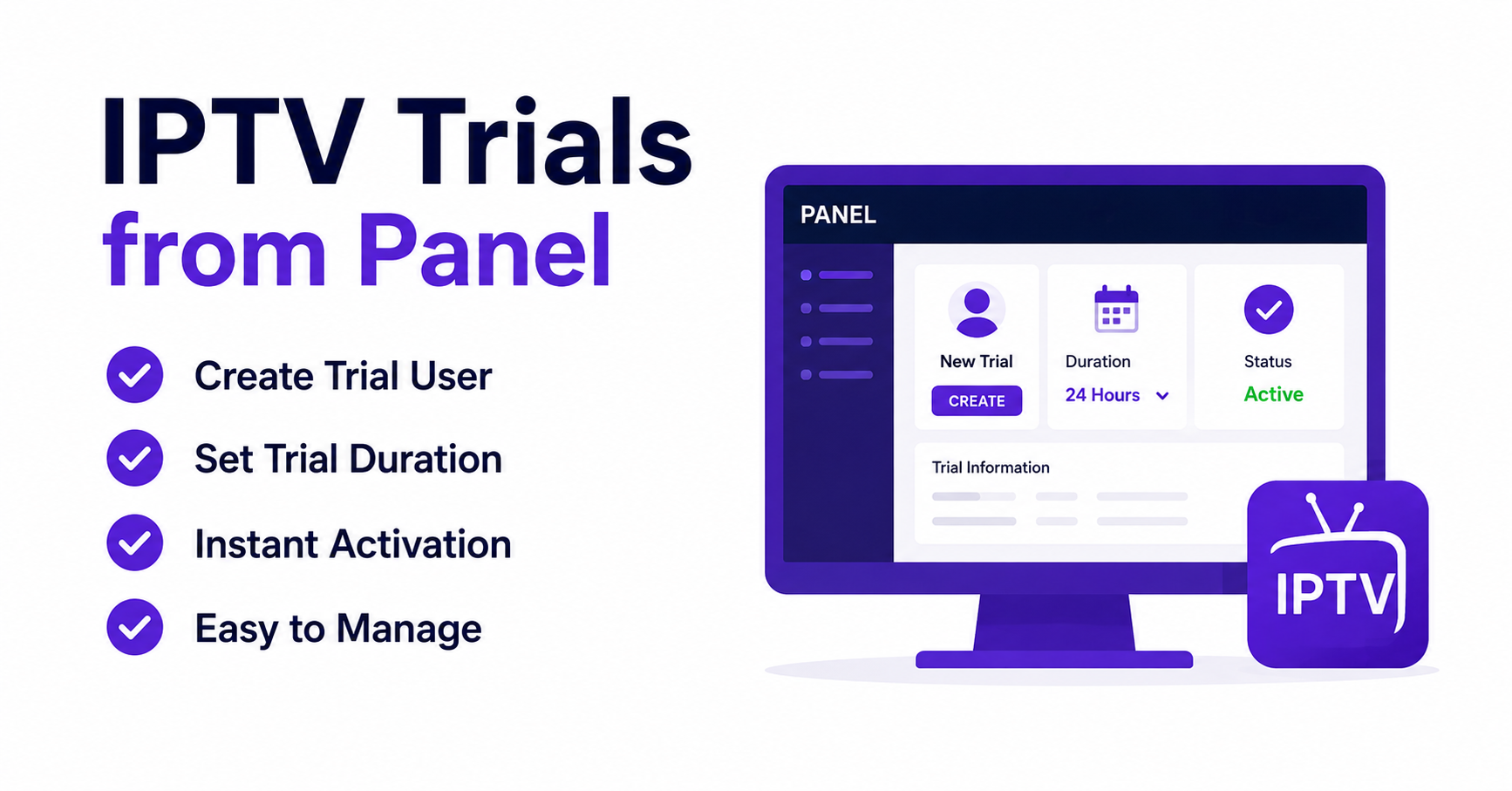
The trial creation screen in most Xtream-based panels has more options than resellers typically use. Beyond the username, password, and duration fields, there are configuration choices that directly affect both the trial experience and your operational control.
When you create IPTV trials from panel, pay attention to these often-ignored settings. Set max connections to 1 for trials, always. A trial user running two simultaneous streams is either sharing the line or testing multi-room capability they haven’t paid for yet. Either way, one connection is sufficient for evaluation.
Match the output format to the user’s stated device. If they’re on a MAG box, set it to TS. If they’re using a mobile player like TiviMate or XCIPTV, HLS works better. Mismatched output formats cause unnecessary buffering that the user blames on your service quality.
And if bouquet restrictions are available, use them. Not every panel supports this for trials, but if yours does, limit the trial bouquet to your strongest, most stable channel groups. Don’t give trial users access to every single category including the ones you know are unreliable.
Automating Trial Delivery Without Losing the Personal Touch
Scaling means you can’t personally message every trial request. But full automation, bots that dump trial credentials into group chats, attracts freeloaders and kills conversion rates.
The middle ground exists, and it’s where the best-performing IPTV resellers operate when they create IPTV trials from panel at volume.
A hybrid automation system works like this: a Telegram or WhatsApp bot receives the trial request and asks two qualifying questions (device type and preferred content category). Based on answers, it either flags the request for manual review or auto-generates a trial with appropriate settings. The bot delivers credentials with a personalised message that includes a follow-up time: “Your trial runs for 6 hours. I’ll check in at 5 PM to see how it’s going.” And at the follow-up time, the bot sends a pre-written message linking to your subscription page.
That follow-up message is where conversions happen. Not at trial creation. Not at expiry. During the active window, when the user is watching and engaged.
ISP Blocking, DNS Poisoning, and Why Trials Fail Silently
Here’s a scenario that costs resellers money every single day. You create IPTV trials from panel, send credentials to a user in the UK, and hear nothing back. No feedback, no complaint, no subscription. You assume they weren’t interested.
In reality, their ISP blocked the stream. The user saw a loading screen, waited thirty seconds, closed the app, and moved on to the next reseller offering trials. Your service worked perfectly. The user’s ISP intercepted the DNS request or throttled the connection, and neither of you knew.
AI-driven ISP blocking in 2026 has moved beyond simple URL blacklists. Major UK providers now use traffic pattern analysis to identify IPTV streams regardless of the domain. The stream’s packet signature, the consistent bitrate pattern, and the HLS segment request frequency all create a detectable fingerprint.
What this means for trial strategy: always include setup instructions with DNS configuration (recommend 1.1.1.1 or 9.9.9.9 as alternatives to ISP default DNS). Suggest the user enables any available VPN if their initial connection fails. Ask which ISP they use before generating the trial, since some ISPs block more aggressively than others. And if your provider offers backup uplink servers, ensure trial lines route through the most resilient node.
Ignoring ISP blocking when you create IPTV trials from panel is like opening a shop and not checking whether the front door is locked. The product might be perfect, but nobody can get in.
Turning a Trial Into a Subscription: The 90-Minute Window
Conversion doesn’t happen at the end of the trial. It happens within the first 90 minutes.
Research across multiple reseller operations shows that users who don’t engage within the first 90 minutes of activation almost never convert. They either forget, get distracted, or were never serious to begin with.
This gives you a very specific operational window. When you create IPTV trials from panel, start a 90-minute timer. At the 60-minute mark, send a check-in message. Not a sales pitch. A genuine question: “How’s the picture quality looking on your end?”
That single message accomplishes three things simultaneously. It demonstrates active support, which budget IPTV services never provide. It opens a conversation channel for troubleshooting, which prevents silent churn from fixable problems. And it positions you as an operator, not a link dumper.
Here’s how the timing sequence lays out:
| Action | Timing | Purpose |
|---|---|---|
| Trial activation | T+0 | Begin the evaluation window |
| Check-in message | T+60 min | Open dialogue, troubleshoot issues |
| Subscription offer | T+90 min | Present pricing while engagement is high |
| Expiry reminder | T-30 min before end | Create urgency with clear next step |
Pro Tip: Never send the subscription link in the first message alongside the trial credentials. It feels pushy and signals that the trial is just a sales funnel. Let the user experience the service first. The offer lands harder after they’ve already been watching for an hour.
Scaling Trials Across Multiple Panels Without Losing Track
Resellers running credits across two or three panels face a unique tracking nightmare. You create IPTV trials from panel A for UK-focused content, panel B for sports-heavy packages, and maybe panel C as a backup during outages. Each panel has its own credit system, its own trial duration settings, and its own server infrastructure.
Without centralised tracking, you lose visibility on which panel converts best, which one burns credits fastest, and which one delivers the smoothest trial experience.
Build a simple tracking sheet with columns for date and time of trial creation, panel used (A, B, or C), user source (which group, ad, or referral), trial duration set, user’s ISP (if known), and outcome (converted / no response / complained about buffering / ISP block suspected).
After thirty days of consistent logging, patterns emerge that no amount of guesswork can replicate. You’ll discover that panel A converts at 18 percent from Telegram but only 5 percent from Facebook. Or that panel B’s trials buffer during weekends because the provider oversells server capacity.
This data turns trial generation from a gamble into a strategy.
Frequently Asked Questions
How many credits does it cost to create IPTV trials from panel?
Credit costs vary between panel providers, but most Xtream-based systems charge between 0.5 and 2 credits per trial line. This is typically equivalent to a prorated fraction of a full monthly subscription credit cost. Always check your specific panel’s pricing structure before scaling trial distribution, as high-volume trial generation can drain credits faster than new subscriptions replenish them.
Can I create IPTV trials from panel with custom durations?
Most modern panels support custom trial durations beyond the default 24-hour option. You can typically set trials anywhere from 1 hour to 48 hours depending on your panel software. Shorter durations between 4 and 8 hours tend to convert better because they create urgency and reduce server load compared to full-day trials that users often waste.
Why do some trial users report buffering even though my service works fine?
Buffering during trials frequently results from ISP-level interference rather than server issues. In 2026, major providers use AI-driven traffic analysis to detect and throttle IPTV streams. Recommending alternative DNS servers and suggesting VPN usage in your trial setup instructions eliminates most of these silent failures before the user blames your service quality.
Is it better to create IPTV trials from panel individually or in bulk?
Individual generation with pre-qualification consistently outperforms bulk creation. Targeted trials issued after a brief conversation with the potential subscriber convert at roughly double the rate of lines distributed publicly. Bulk generation attracts freeloaders who collect trials across multiple resellers without any intention of subscribing.
How do I stop people from abusing free trials repeatedly?
Track device MACs and usernames across your trial logs. Most panels display the user agent or device identifier when a line connects. Flag duplicate devices requesting new trials and either decline or require a direct conversation before issuing another. Some resellers also limit trial availability to specific days of the week to reduce exposure to serial trial collectors.
What panel settings should I change before generating a trial line?
Set maximum connections to 1, match the output format to the user’s device type, and restrict the bouquet to your most stable channel categories. These three adjustments prevent stream sharing during trials, reduce unnecessary buffering from format mismatches, and ensure the user only samples your strongest content rather than discovering unreliable channels.
Does creating too many trials at once affect my existing subscribers?
Yes. Every active trial consumes the same server resources as a paid subscription. During peak viewing hours, a surge of concurrent trial connections competes directly with your paying subscribers for bandwidth and CDN capacity. Stagger trial issuance across off-peak hours and limit the number of simultaneously active trials to protect service quality for existing customers.
Can I create IPTV trials from panel and track which ones convert?
Panels themselves rarely offer built-in conversion tracking. The most effective approach is maintaining an external spreadsheet or simple database that logs each trial alongside its source, duration, and outcome. Cross-referencing this data monthly reveals which acquisition channels, trial durations, and panel providers deliver the highest return on your credit investment.
Your Trial Operations Checklist
- Stop issuing 24-hour trials by default, switch to 4 to 8 hour windows and measure the conversion difference over two weeks
- Build a qualification step before every trial, even a two-question WhatsApp exchange filters out the majority of freeloaders
- Set all trial lines to single-connection maximum, no exceptions
- Include DNS configuration instructions with every set of trial credentials you send out
- Log every trial in a tracking sheet with source, panel, duration, and outcome columns
- Send a check-in message at the 60-minute mark after activation, not a sales pitch, a genuine quality check
- Present your subscription offer at the 90-minute mark while engagement is highest
- Review your trial data monthly to identify which channels and panels deliver actual conversions
- During peak broadcast evenings, cap active trials to protect service quality for paying subscribers
- Visit britishreseller.com for IPTV reseller panel packages built around sustainable trial-to-subscription workflows that protect your credit margins