
The Question We Get Asked Three Times a Week
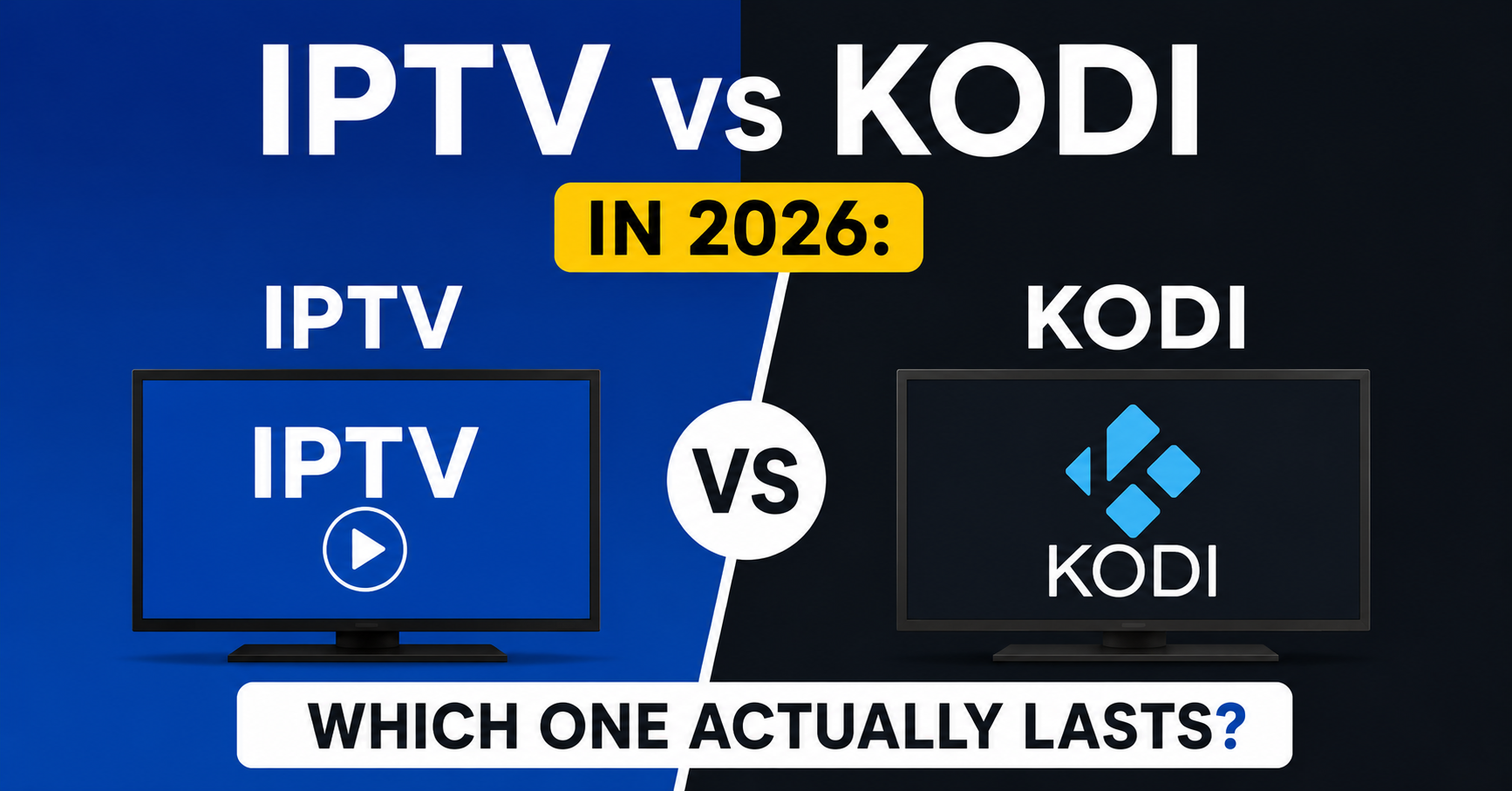
Someone messages the support line, almost always on a Sunday, almost always frustrated: “Should I just switch to Kodi instead?” And almost always, that question hides a misunderstanding that’s been quietly spreading for years. Because the IPTV vs Kodi debate isn’t a fair fight between two equal things, it’s a comparison between a service and a shelf. One delivers the content. The other is the cabinet you put it in. Confuse the two and you’ll waste months chasing the wrong fix.
We’ve run reseller panels through enough enforcement waves, ISP throttling experiments, and 2 a.m. outages to have strong opinions here. So let’s drop the marketing gloss and talk about what IPTV vs Kodi actually means when real households and real UK IPTV resellers are involved.
First, Untangle What Each Thing Really Is
Here’s the confusion at the root of nearly every IPTV vs Kodi argument: people treat them as competing products. They aren’t.
IPTV is a delivery method, television signals streamed over the internet from a provider’s servers to your device, usually through a subscription and a panel managed by an operator. Kodi is a media player, a free, open-source piece of software that organizes and plays content, but produces none of its own. Kodi is empty until you point it at a source. And very often, that source is an IPTV stream loaded through an add-on.
So in many real setups, it isn’t IPTV vs Kodi at all. It’s IPTV through Kodi.
That single realization changes how the whole comparison should be read. Here’s the split laid out plainly:
| What it is | IPTV | Kodi |
|---|---|---|
| Category | Streaming service | Media player app |
| Provides content? | Yes | No |
| Needs a subscription? | Usually | No (the player is free) |
| Runs by itself? | Yes, with an app | No, needs sources added |
| Who maintains it | The operator | The user |
Why Households Keep Choosing the Service Over the Software
When families weigh IPTV vs Kodi, the deciding factor is rarely features. It’s patience.
Kodi rewards tinkerers. You install it, add repositories, sideload add-ons, troubleshoot broken sources when they stop updating, and repeat that maintenance roughly every few months as things break. For someone who enjoys the process, it’s a hobby. For a household that just wants the football on at 3 p.m., it’s a part-time job nobody asked for.
A mistake we repeatedly see: a customer cancels their subscription, sets up Kodi to “save money,” and is back within six weeks asking for a trial, because the unpaid add-ons they relied on went dark and there was no one to call.
Pro Tip: When you evaluate IPTV vs Kodi for a non-technical household, count the number of people who’ll need to fix it when it breaks. If the answer is “just me, and I’m not always home,” the maintenance-free service wins on day one. Reliability beats flexibility for the average living room.
Where the Buffering Problem Actually Lives in Each Setup
This is where the IPTV vs Kodi distinction gets technical, and where most blog comparisons fall apart because they’ve never watched logs during a live event.
With a managed IPTV service, buffering is usually an infrastructure issue: server load, a saturated uplink, CDN routing taking a bad path, or your ISP throttling video traffic during peak hours. The operator can see it and fix it, rebalance load, fail over to a backup uplink, reroute through a cleaner path.
With Kodi, buffering is usually a source issue: a free add-on pulling from an overloaded public stream that nobody is paid to maintain. There’s no failover. There’s no monitoring. When it lags, it lags, and your only option is to find another add-on.
During a major boxing event last year, we watched two groups of viewers on the same broadband line, one on a properly load-balanced service, one on a popular Kodi add-on. The service viewers had a clean stream. The Kodi viewers spent the undercard restarting the app. Same internet. Completely different experience. That’s the IPTV vs Kodi gap in one night.
How the delivery path differs under load
- Managed IPTV: provider monitors stream health, balances traffic across servers, and can route around congestion in real time.
- Kodi add-on: depends entirely on whoever runs the upstream source, often unpaid, often unmonitored, often gone without warning.
- The hybrid (IPTV via Kodi): stability comes from the IPTV provider; Kodi is just the window you’re watching through.
The Legality Confusion Nobody Explains Properly
Let’s be precise, because this is where the IPTV vs Kodi conversation gets people into actual trouble.
Kodi itself is completely legal. It’s open-source software with legitimate uses, organizing your own media library, playing local files, running official add-ons from legitimate services. The Kodi Foundation has spent years distancing the project from piracy.
IPTV as a technology is equally legal. Plenty of major broadcasters and telecom companies deliver television over IP. What creates legal risk in either case is the content source, specifically, accessing copyrighted material from providers who don’t hold the rights to distribute it.
So in the IPTV vs Kodi question, neither tool is the legal problem. The source is.
Pro Tip: If anyone tells you “Kodi is illegal” or “IPTV is illegal,” they don’t understand the stack. The software and the delivery method are neutral. Always evaluate the licensing of the content, not the player or the protocol. This is the single most misunderstood point in the entire IPTV vs Kodi debate.
A Setup Comparison Based on Real Support Tickets
Forget the glossy tutorials. Here’s roughly what each path costs you in time and frustration, based on what support tickets actually look like.
| Factor | IPTV service | Kodi |
|---|---|---|
| Initial setup | Install app, enter login | Install, add repos, configure add-ons |
| Time to first stream | Minutes | 30 to 90 minutes for newcomers |
| Ongoing maintenance | Operator handles it | User handles everything |
| When something breaks | Contact support | Self-diagnose |
| Best suited for | Households, families | Hobbyists, tinkerers |
| Cost model | Subscription | Free software, variable sources |
After reviewing hundreds of support requests, the pattern is consistent: IPTV tickets are about accounts and billing. Kodi questions are about the thing stopped working and I don’t know why. That difference tells you everything about who each option is built for.
What This Means If You’re a Reseller
Here’s the angle most consumer guides ignore entirely. If you’re building a business, the IPTV vs Kodi question reframes itself completely.
You cannot resell Kodi. It’s free software, there’s no subscription, no panel, no credits, no recurring revenue. What resellers actually sell is a managed, supported, reliable service, and the entire value proposition is the maintenance Kodi makes the customer do themselves. When a reseller understands this, the comparison stops being a threat and becomes a selling point.
One reseller lost a chunk of customers because he kept telling prospects “you could just use Kodi for free”, technically true, commercially suicidal. He was selling against his own product. The operators who grow are the ones who explain the IPTV vs Kodi difference honestly: free software with no support versus a managed service someone is accountable for.
If you’re weighing how to position a properly managed offering against the DIY route, working with an established UK IPTV Reseller panel like British Seller gives you the infrastructure and support layer that Kodi, by design, can never provide.
Step-by-step: explaining IPTV vs Kodi to a hesitant customer
- Confirm what they actually want, channels that just work, or a project to tinker with.
- Explain Kodi is a free player, not a content source.
- Be honest that Kodi requires ongoing setup and self-maintenance.
- Position the subscription as buying reliability and support, not just streams.
- Offer a short trial so the stability speaks for itself.
Device Compatibility: A Closer Match Than You’d Expect
In the IPTV vs Kodi matchup, device support is one area where they overlap heavily, which surprises people.
Both run on Firestick, Android TV boxes, and most smart TVs. Kodi installs on more types of hardware overall, desktops, Raspberry Pi, older devices, because it’s a flexible open application. Managed IPTV apps tend to be optimized for the living-room devices people actually stream on.
We noticed unusual behaviour on certain budget Android boxes: Kodi would run fine but stutter on heavier add-ons because the hardware couldn’t decode the stream efficiently, while a lightweight IPTV app on the same box played cleanly. The lesson: when comparing IPTV vs Kodi on cheap hardware, the lighter, purpose-built app often wins simply because it asks less of the device.
Pro Tip: On low-powered devices, decoding overhead matters more than software features. A bloated Kodi build with ten add-ons can choke a box that streams a single IPTV app perfectly. Match the tool to the silicon, not to the hype.
Why Most People Get the Long-Term Cost Wrong
People frame IPTV vs Kodi as “paid versus free.” That math is incomplete.
Kodi’s software costs nothing. But the real cost is your time: the hours spent installing, fixing, re-sourcing, and troubleshooting. Multiply your hourly value by those hours across a year and “free” often isn’t.
A managed IPTV subscription has a clear monthly cost and near-zero time cost. For a busy household, that trade is usually worth it. For a hobbyist who enjoys the tinkering, Kodi’s time cost isn’t a cost at all, it’s the fun. This is why there’s no universal winner in IPTV vs Kodi. There’s only the right fit for your tolerance for maintenance.
During a migration project moving customers between server clusters, the people who handled the change effortlessly were on managed apps, the switch was invisible. The self-built Kodi users felt every bump, because nobody was smoothing it out behind the scenes.
So Which One Actually Wins?
The honest answer to IPTV vs Kodi: they’re not really competitors, and the “winner” depends entirely on who you are.
Choose a managed IPTV service if you want reliability, support, and something that works without you becoming the family IT department. Choose Kodi if you genuinely enjoy configuring software, want maximum flexibility, and don’t mind being your own support desk. And remember that the most common real-world setup, IPTV delivered through Kodi, means you don’t always have to choose at all.
What you should never do is pick based on the myth that one is inherently legal and the other isn’t, or that “free” has no cost. Both myths have cost people real money and real weekends.
Frequently Asked Questions
Is IPTV vs Kodi even a fair comparison?
Not really, and that’s the core confusion. IPTV is a content delivery service; Kodi is a free media player that holds no content of its own. They operate at different layers of the stack. In many homes, IPTV streams are actually played through Kodi, so the two often work together rather than competing directly.
Which is more reliable for live sports, IPTV or Kodi?
A properly managed IPTV service is generally more reliable for live events because the operator monitors stream health, balances server load, and can reroute around congestion. Kodi’s reliability depends entirely on the source add-on, which is often unpaid and unmonitored, so it tends to fail during high-demand moments with no failover available.
Is Kodi legal compared to IPTV?
Both Kodi and IPTV are legal technologies on their own. Kodi is open-source software and IPTV is a standard delivery method used by major broadcasters. Legal risk comes only from the content source, specifically accessing copyrighted material without rights. Neither the player nor the protocol is the issue; the licensing of what you watch is.
Can I resell Kodi like I resell IPTV?
No. Kodi is free, open-source software with no subscription model, panel, or recurring revenue. Resellers sell a managed, supported IPTV service, and the value is precisely the maintenance and reliability Kodi leaves to the user. The IPTV vs Kodi distinction is actually a strong selling point when explained honestly to prospects.
Does IPTV vs Kodi differ much by device?
They overlap heavily. Both run on Firestick, Android boxes, and most smart TVs. Kodi installs on more hardware types overall, but purpose-built IPTV apps often perform better on low-powered devices because they place less decoding strain on the hardware. On cheap boxes, the lighter app usually delivers a smoother stream.
Why does my Kodi setup keep breaking?
Most Kodi issues come from add-on sources going offline or stopping updates, since many are maintained by unpaid volunteers with no guarantees. Unlike a managed IPTV service with support and monitoring, Kodi expects you to self-diagnose and re-source content when things fail. That ongoing maintenance is the real, hidden cost of the free-software route.
Is IPTV faster to set up than Kodi?
Generally yes. A managed IPTV service usually takes minutes, install the app, enter login details, and start watching. Kodi often needs 30 to 90 minutes for newcomers to install repositories, configure add-ons, and troubleshoot. Support tickets consistently show IPTV questions are about billing, while Kodi questions are about things not working.
In the IPTV vs Kodi choice, what matters most?
Your tolerance for maintenance. If you want reliability and support with no tinkering, a managed IPTV service fits. If you enjoy configuring software and being your own support desk, Kodi suits you. There’s no universal winner in IPTV vs Kodi, only the right match for how much time you’re willing to spend keeping it running.
Your Execution Checklist
For subscribers
- Confirm whether you want a maintenance-free service or a tinkering project before choosing.
- Don’t assume “free” Kodi has zero cost, count your time spent fixing it.
- Judge legality by the content source, never by the player or protocol.
- On cheap hardware, test a lightweight app before loading a heavy Kodi build.
- Keep a backup viewing option ready for big live events.
For resellers
- Never sell against your own product by pushing free Kodi to prospects.
- Frame the IPTV vs Kodi difference as reliability and support versus DIY maintenance.
- Offer short trials so stream stability proves the value itself.
- Train support staff to explain the player-versus-service distinction clearly.
- Track which objections mention Kodi and prepare honest, confident answers.
For sub-resellers
- Understand the stack before reselling, so you can answer technical questions.
- Set realistic expectations with customers about what they’re actually buying.
- Lean on your upstream provider’s infrastructure rather than improvising fixes.
- Document common Kodi-related questions to handle them faster.
- Position yourself as the accountable point of contact Kodi can’t offer.
This article cut through the IPTV vs Kodi confusion the way an operator sees it, not as a contest between rivals, but as the difference between a managed service and a free player that often work side by side. Whether you stream at home or build a IPTV Panel reseller business, the smartest move in any IPTV vs Kodi decision is to judge reliability, maintenance, and the content source honestly. Written in 2026 from the server room, not the marketing desk.