
The Phrase Everyone Searches But Few Understand
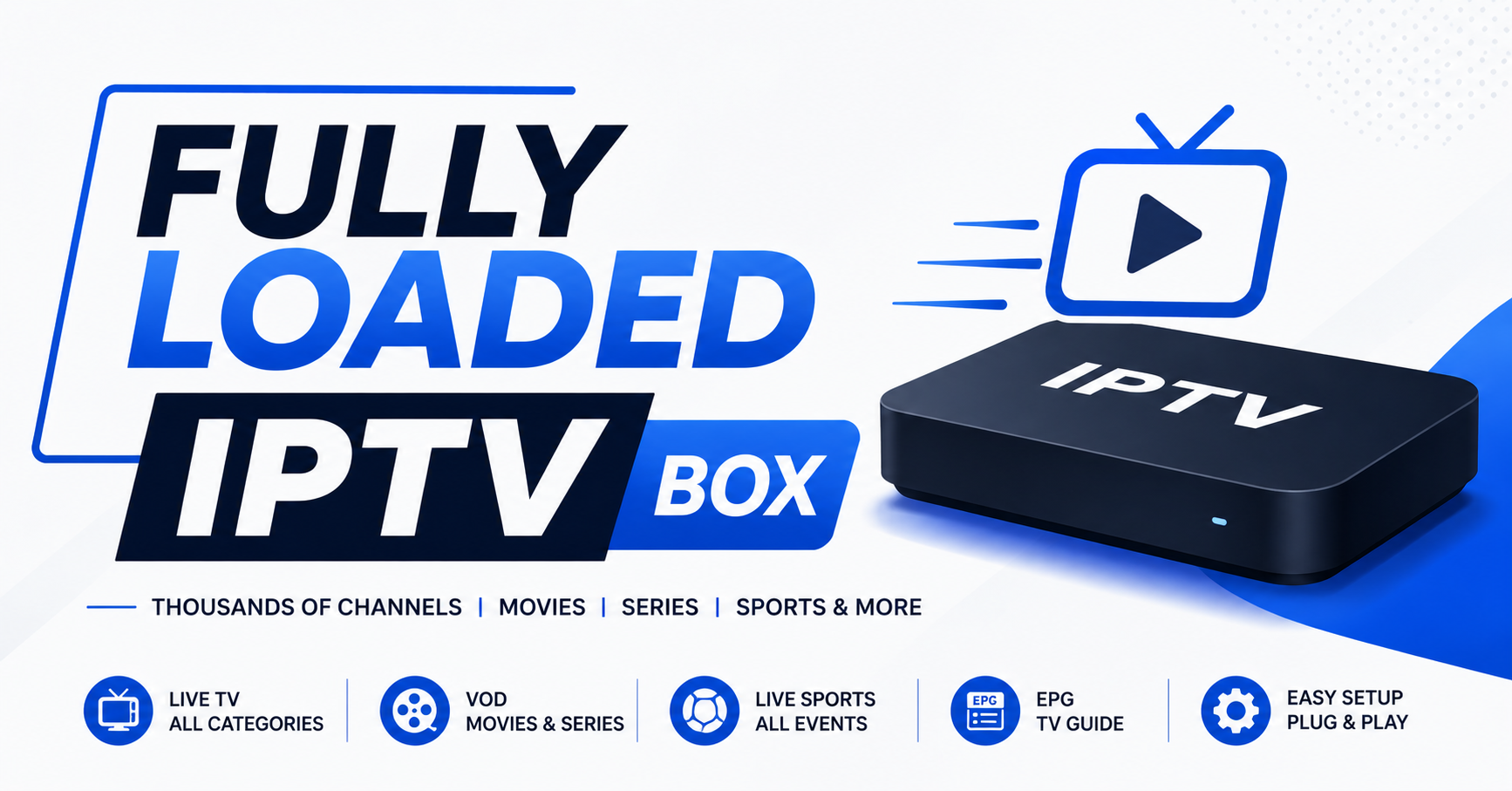
There’s a reason “fully loaded IPTV box” dominates search volume year after year. It promises simplicity. Plug it in, connect to Wi-Fi, and watch everything under the sun without juggling five different apps or subscriptions. That promise sells hardware by the thousands every single month.
But here’s the uncomfortable part nobody in the reseller game likes to admit: most of what gets marketed as a fully loaded IPTV box is a generic Android device with a pre-installed APK and a prayer that the server holds up past the first weekend of live sports. The phrase itself has become a marketing shortcut, a way to signal “everything included” without explaining what “everything” actually means from an infrastructure standpoint.
If you’re a household buyer, you need to understand what you’re actually paying for. If you’re an UK IPTV reseller, you need to understand why the fully loaded IPTV box model either builds your reputation or buries it. This isn’t a product review. This is a breakdown of how the entire ecosystem around these devices works in 2026, what’s changed, and where the real leverage sits.
What’s Actually Inside a Fully Loaded IPTV Box?
Strip away the branding stickers and custom boot logos and you’re left with a handful of components that determine whether the experience is premium or painful.
The hardware is almost always an Android-based set-top device, Formuler, Buzz TV, or unbranded Chinese OEM boxes running Android 10 or 11. Some sellers use Amazon Firesticks repackaged with sideloaded apps. The “fully loaded” label comes from pre-installed IPTV applications configured with an active subscription line, an EPG (electronic programme guide), and sometimes a VOD library.
What separates a genuinely well-configured fully loaded IPTV box from a throwaway unit comes down to three layers. App selection matters first, is the seller using a reliable player like TiviMate, XCIPTV, or a custom-branded APK built on Xtream Codes API? Or is it some abandoned open-source fork that hasn’t been updated since 2023? Server backend matters just as much, does the subscription line connect to a panel with redundant uplink servers, or a single overloaded origin that drops connections during peak hours? And post-sale support rounds it out, can the buyer actually reach someone when their EPG breaks or their VOD library disappears overnight?
Pro Tip: If a seller can’t tell you what player their fully loaded IPTV box runs or what panel system powers the subscription, that’s your sign the setup is disposable.
The Hardware Trap Most Buyers Fall Into
Here’s a pattern that plays out constantly. A buyer sees a fully loaded IPTV box listed for £120 on a marketplace. The listing promises 20,000 channels, 80,000 VOD titles, and “lifetime access.” They purchase, it works beautifully for a month, and then the streams start buffering during every live match.
The instinct is to blame the box. But the hardware was never the problem.
A £40 Firestick 4K Max and a £200 branded Android box will perform almost identically if they’re connected to the same IPTV server. The bottleneck is never the device, it’s the server infrastructure, the CDN routing, and the DNS resolution chain behind the subscription. Yet sellers continue to charge premium prices for hardware because that’s where the visible margin sits.
For families looking at a fully loaded IPTV box as a household entertainment solution, the hardware only needs to meet three thresholds: dual-band Wi-Fi support, at least 2GB RAM, and a processor that handles HLS streams without thermal throttling. Everything beyond that is cosmetic.
Why the “Fully Loaded” Label Creates Churn for Resellers
If you’re building a reseller business around the fully loaded IPTV box model, you need to confront a brutal reality about customer psychology.
The word “loaded” sets an expectation of permanence. Buyers interpret it as a finished product, something that should work indefinitely without intervention. But IPTV subscriptions expire. Server providers go offline. Apps need updating. DNS gets poisoned by ISP-level blocks. Nothing about this ecosystem is static.
When that first renewal notice hits, or when a channel group disappears because the server provider restructured their playlist, the customer doesn’t think “I need to renew.” They think “this thing is broken.” And they blame you.
Pro Tip: Resellers who frame their fully loaded IPTV box as a “managed entertainment system” with a transparent renewal cycle see 40 to 60% better retention than those who sell it as a one-time purchase. Language shapes expectation, and expectation drives churn.
The smarter play is to separate hardware from service in your pitch. Sell the box as the platform. Sell the subscription as the fuel. When they understand both components, the renewal conversation becomes routine instead of adversarial.
ISP Blocking in 2026: What Changed and Why Your Box Feels Slower
The landscape shifted hard in late 2025. Major broadband providers across the UK and parts of Europe deployed AI-driven deep packet inspection systems that go beyond simple DNS blocking. Traditional DNS poisoning, where an ISP redirects known IPTV domains to a dead page, was the standard enforcement method for years. Now, the newer systems analyse traffic patterns in real time.
They don’t just look at where you’re connecting. They look at how the traffic behaves. Sustained high-bitrate UDP or HLS streams to unfamiliar CDN endpoints during peak sports hours trigger automated throttling on some networks. Your fully loaded IPTV box isn’t broken in those moments, it’s being deliberately slowed.
This matters for resellers because support tickets spike every time a major sporting event airs. The customer says “it’s buffering.” The real answer is their ISP is flagging the traffic pattern.
Mitigation strategies that actually work in 2026 include configuring a lightweight VPN directly on the router rather than the box itself, so all traffic from the fully loaded IPTV box exits through an encrypted tunnel before the ISP can inspect it. Using IPTV Panels providers whose panel systems support server-side DNS rotation, cycling origin domains every few hours, helps too. And advising customers to switch from Wi-Fi to wired ethernet during live events maintains stable throughput above 25 Mbps.
The table below shows the difference this makes in practice:
| Scenario | Without VPN | With router-level VPN |
|---|---|---|
| Live sports peak hours | Frequent buffering, ISP throttling | Stable stream, no pattern detection |
| VOD playback | Usually fine | No difference |
| EPG loading | Occasional DNS timeout | Consistent loading |
| Multi-device household | Bandwidth strain visible | Encrypted traffic, less ISP scrutiny |
Choosing the Right Panel Backend for a Fully Loaded IPTV Box Operation
The box is the front end. The panel is the engine room. And the panel you choose, or that your upstream provider runs, determines everything from channel reliability to how gracefully the system handles three thousand concurrent connections on a Saturday evening.
Resellers operating at any meaningful scale need to evaluate their panel infrastructure against five criteria. Load balancing capability comes first, does the panel distribute connections across multiple uplink servers, or does every line funnel through one origin? A single point of failure means your entire customer base goes dark simultaneously. HLS latency management matters too, cheap panels introduce 15 to 30 seconds of stream delay, while premium setups with properly configured edge servers keep latency under 8 seconds, which matters enormously for live sports viewers.
Credit system flexibility is worth checking, can you issue trial lines? Do credits roll over? Can you create sub-reseller tiers? Your panel’s credit architecture directly affects your pricing model and your ability to onboard new sellers underneath you. Automated playlist updates matter as well, when a channel source changes or a category gets restructured, does the panel push updates to active lines automatically, or do your customers need to re-enter a new URL into their fully loaded IPTV box manually? And backup uplink servers round out the list, this is non-negotiable in 2026. Any panel running without at least two redundant uplinks is a liability. When a primary server gets flagged or goes down, the failover should be instant and invisible to the end user.
Pro Tip: Before committing credits to any panel, request a 48-hour trial during a live football weekend. That stress test reveals more about server quality than any spec sheet or sales pitch ever will.
Cheap Infrastructure vs. Premium: What the Price Gap Actually Buys
Resellers constantly face this tension. Cheaper panels mean wider margins per line. But cheap infrastructure costs you in ways that don’t appear on a spreadsheet until your reputation is already damaged.
Here’s how the two tiers compare across the metrics that actually matter:
| Factor | Budget infrastructure | Premium infrastructure |
|---|---|---|
| Uplink servers | 1 shared origin | 3+ dedicated with failover |
| Peak-hour stability | Drops above 500 concurrent | Handles 3,000+ without degradation |
| HLS stream latency | 20–35 seconds | 5–10 seconds |
| DNS rotation | None or manual | Automated every 4–6 hours |
| VOD library uptime | Frequent 404 errors | 98%+ availability |
| Reseller panel speed | Slow, laggy interface | Responsive, real-time stats |
| Support response | Telegram group, maybe | Direct contact, SLA-backed |
A fully loaded IPTV box connected to budget infrastructure is a ticking clock. It works long enough to collect the sale, then fails loudly enough to generate a chargeback. Resellers who survive beyond year one almost universally migrate toward premium panels, even at tighter margins, because the cost of customer replacement exceeds the cost of better servers.
Setting Up a Fully Loaded IPTV Box the Right Way: A Reseller’s Workflow
This section isn’t theoretical. This is the actual sequence a competent reseller follows when preparing a unit for a customer.
Step one is hardware prep. Factory reset the device. Remove bloatware. Disable automatic firmware updates from the manufacturer that might break sideloaded apps. Install a clean file manager and a downloader app.
Step two is app installation. Sideload your chosen IPTV player. If you’re using a custom-branded APK, verify the build version matches your panel’s API. Mismatched API versions are the number one cause of “app won’t load channels” tickets.
Step three is line activation. Generate the subscription line from your panel. Input the server URL, port, username, and password into the player. For Xtream Codes-based panels, use the API connection method rather than M3U, it handles EPG and VOD categories more reliably.
Step four is EPG and VOD verification. Load the electronic programme guide and confirm it syncs. Spot-check at least five live channels across different categories and three VOD titles. A fully loaded IPTV box that ships without EPG verification is a support ticket waiting to happen.
Step five is network advisory. Include a printed card or a saved note on the device advising the customer on minimum internet speed requirements (25 Mbps for HD, 50 Mbps for 4K), the benefits of ethernet over Wi-Fi, and basic VPN setup guidance for their router.
Pro Tip: The five minutes you spend verifying the EPG and testing channels before shipping a fully loaded IPTV box saves you thirty minutes of remote troubleshooting later. Every single time.
Scaling Beyond Single-Box Sales: The Sub-Reseller Model
Selling individual units of a fully loaded IPTV box is a viable starting point, but it’s a linear income model. You trade time for money on every sale. The real leverage in this industry comes from building a reseller network underneath you.
Here’s how the economics shift. Instead of selling one box with one subscription, you purchase panel credits in bulk at wholesale rates and distribute them to sub-resellers who handle their own customers. Your role transitions from retailer to distributor. Your margin per line drops, but your volume scales without proportional increases in support workload.
The critical infrastructure requirement for this model is a panel that supports multi-tier reseller hierarchies. You need visibility into how many lines your sub-resellers have activated, the ability to set their pricing floors, and a credit allocation system that prevents overselling.
Common failure point: sub-resellers who undercut your pricing and cannibalise your direct sales. The fix is contractual, set minimum advertised prices and enforce them by revoking credit access for violators. This isn’t theory. It’s how every reseller network that lasts more than a year actually operates.
What Buyers Should Demand Before Purchasing a Fully Loaded IPTV Box
If you’re on the consumer side of this equation, someone looking at a fully loaded IPTV box for household use, here’s your due diligence shortlist. Not every seller will answer these honestly, but asking forces the ones who can’t to reveal themselves.
Ask what IPTV app is pre-installed and whether it receives regular updates. Ask how long the included subscription lasts and what renewal costs. Ask whether the seller provides a server URL and login credentials you can transfer to another device if the box fails. Ask about their refund or replacement policy for hardware defects.
And critically, ask whether they offer a trial line before you commit to a 12-month subscription. Any confident seller running a fully loaded IPTV box on solid infrastructure will offer at least a 24-hour trial. If they refuse, the infrastructure probably can’t survive scrutiny.
The VOD Library Problem Nobody Talks About
Every listing for a fully loaded IPTV box advertises tens of thousands of VOD titles. The real number that actually plays without buffering, broken audio, or hardcoded foreign subtitles is usually a fraction of that headline figure.
VOD content on IPTV panels is sourced from scraped hosting servers. Those sources rotate, go offline, or get DMCA’d constantly. A library that shows 80,000 titles today might have 60,000 working links tomorrow. The remaining 20,000 will throw 404 errors or play at 240p.
Resellers who build their reputation around VOD volume are building on sand. The smarter positioning is VOD curation, fewer titles, all verified, all HD or above. Customers would rather browse 5,000 reliable titles than scroll through 80,000 entries wondering which ones actually work.
Pro Tip: Audit your VOD library monthly. Spend one evening checking popular categories, new releases, trending series, top films. Remove dead links from your recommended lists. A fully loaded IPTV box with a clean, curated VOD section gets recommended to friends. One with broken content gets returned.
Frequently Asked Questions
What exactly does “fully loaded” mean on an IPTV box?
A fully loaded IPTV box is a pre-configured streaming device with IPTV applications already installed and an active subscription line entered. It typically includes live channels, an electronic programme guide, VOD libraries, and catch-up content ready to watch out of the box. The “fully loaded” label means you shouldn’t need any additional setup beyond connecting to your internet.
How long does the subscription last on a fully loaded IPTV box?
Subscription duration varies by seller. Most include 1, 3, 6, or 12 months of active service. After expiry, you’ll need to purchase a renewal. Be cautious of any listing advertising “lifetime” access, IPTV servers require ongoing maintenance and uplink costs, making genuine lifetime subscriptions economically unsustainable for any provider.
Can I use my own device instead of buying a fully loaded IPTV box?
Yes. Most IPTV subscriptions work on any Android device, Firestick, Smart TV, or even smartphones and tablets. If a seller only provides a pre-configured box and refuses to share login credentials separately, that’s a control tactic rather than a technical requirement. Reputable resellers will provide your Xtream Codes API details for use on any compatible device.
Why does my fully loaded IPTV box buffer during live sports?
Live sports generate peak concurrent connections on IPTV servers, which exposes infrastructure weaknesses. Beyond that, ISPs in 2026 use AI-driven traffic pattern analysis that can throttle sustained high-bitrate streams. A router-level VPN and a wired ethernet connection are the two most effective solutions for stable playback during high-demand events.
Is a fully loaded IPTV box legal to buy?
The hardware itself is entirely legal, it’s an Android device. The legality depends on the content accessed through the subscription. This article doesn’t provide legal advice, but buyers should understand the regulatory environment in their country. Sellers should ensure transparency about what their service includes and how the content is sourced.
How do I know if the panel behind my fully loaded IPTV box has good infrastructure?
Request a trial line and test it during a busy evening, ideally when live sports are airing. Check for buffering, stream delay compared to real-time, EPG accuracy, and VOD playback. If the provider uses backup uplink servers, load balancing, and automated DNS rotation, you’ll notice consistent performance even during peak hours.
What internet speed do I need for a fully loaded IPTV box?
A minimum of 25 Mbps is recommended for reliable HD streaming. For 4K content or households running multiple devices simultaneously, 50 Mbps or higher is advisable. Equally important is connection stability, use ethernet instead of Wi-Fi where possible, and ensure no other devices are consuming heavy bandwidth during streaming.
Can I resell fully loaded IPTV boxes as a business?
Yes, many resellers build businesses around pre-configured devices paired with subscription lines from their panel. The key is sourcing reliable infrastructure, offering transparent renewal cycles, and providing genuine post-sale support. Starting with a reputable panel provider and testing thoroughly before selling to customers is essential for building long-term credibility.
Your Fully Loaded IPTV Box Success Checklist
- Test every unit on a live sports evening before shipping, no exceptions
- Separate hardware pricing from subscription pricing in all customer communications
- Configure a VPN at router level for demo units and advise customers to do the same
- Audit your VOD library monthly and remove dead or low-quality links
- Use Xtream Codes API connections instead of M3U playlists for better EPG stability
- Ensure your panel provider runs at least two backup uplink servers with automatic failover
- Include a printed setup card with every fully loaded IPTV box covering internet speed requirements and basic troubleshooting
- Offer 24-hour trial lines to serious buyers, it filters tyre-kickers and proves your infrastructure
- Set minimum advertised prices for sub-resellers and enforce them consistently
- Frame renewals as routine service continuity, not an unexpected cost, reduce churn before it starts
- Build your IPTV reseller panel operation on infrastructure you’ve personally stress-tested, not on promises from a Telegram group