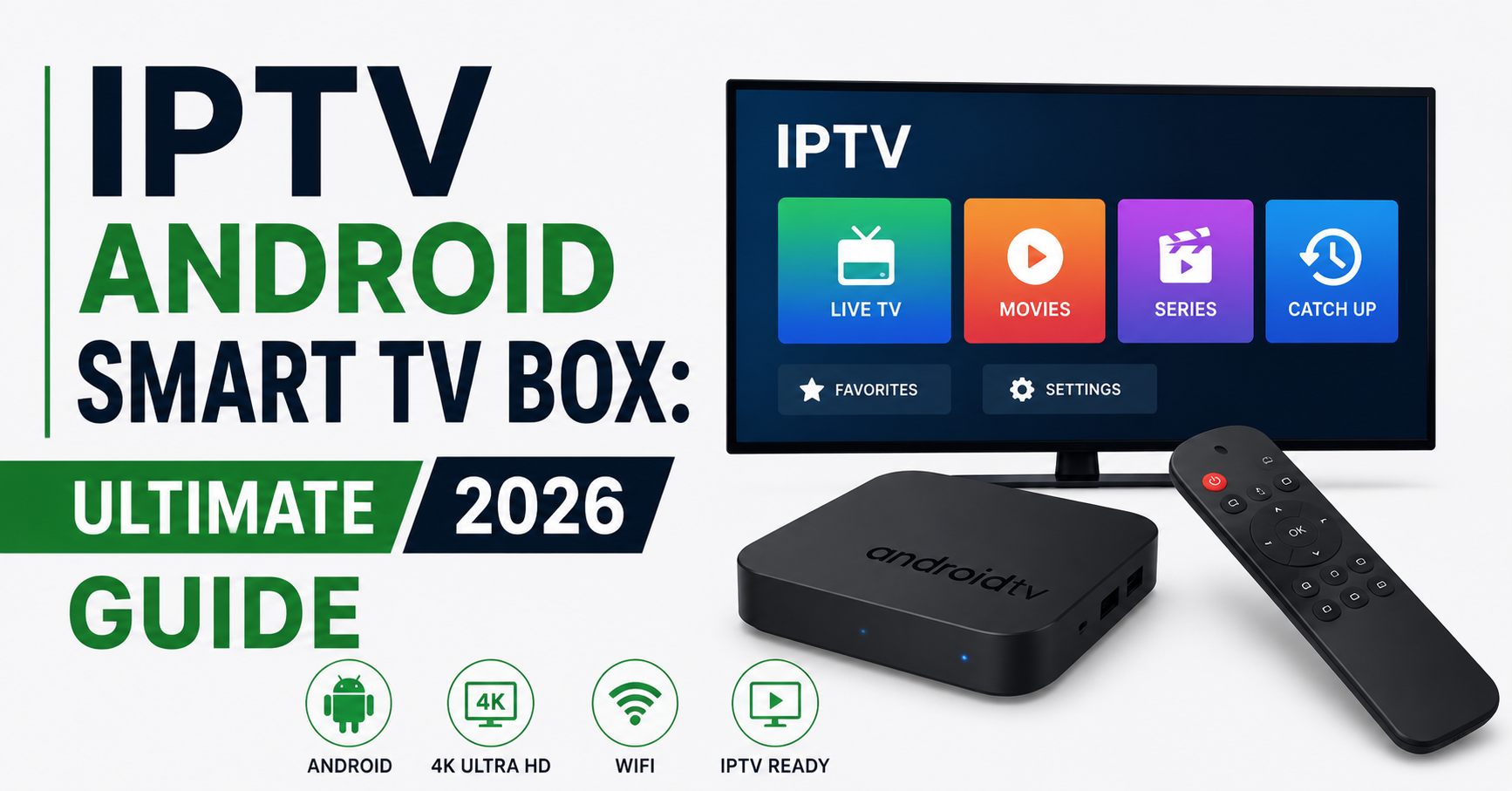

Somewhere right now, a reseller is fielding an angry message from a customer whose streams died mid-match. The culprit isn’t the server. It isn’t the panel. It’s the cheap IPTV Android Smart TV Box sitting behind the television, choking on a feed it was never built to handle. This is the hardware problem nobody talks about in the reseller world, and it’s costing operators customers every single week.
I’ve spent years watching resellers obsess over panel credits, DNS configurations, and uplink redundancy while completely ignoring the endpoint device. That’s like tuning a race car engine and fitting bicycle tyres. The IPTV Android Smart TV Box your subscriber uses determines whether your service looks premium or broken. And once a customer decides your streams buffer, they don’t troubleshoot. They leave.
This article isn’t a product catalogue. It’s a breakdown of what actually matters when hardware meets live streaming infrastructure in 2026, from chipset architecture to thermal throttling, from Wi-Fi negotiation failures to the hidden firmware traps that silently degrade performance over months.
What Actually Happens Inside an IPTV Android Smart TV Box During a Live Stream
Most people treat these devices like magic rectangles. Plug them in, install the app, press play. But what’s happening under the surface is a cascade of processes that any serious UK IPTV reseller should understand.
When a subscriber hits play on a live channel, the IPTV Android Smart TV Box initiates an HLS or MPEG-TS handshake with the server. The stream arrives in segmented chunks. The box’s processor decodes each segment in real time, the GPU handles rendering, and the RAM buffers upcoming segments to prevent stutter. All of this happens simultaneously, hundreds of times per minute.
Here’s where cheap hardware fails. Budget chipsets can’t decode and buffer concurrently without dropping frames. The Wi-Fi module contests bandwidth with Bluetooth. Thermal paste dries within months, causing the CPU to throttle silently.
Pro Tip: Ask your hardware supplier for the specific SoC (System on Chip) model, not just “quad-core” marketing language. An Amlogic S905X4 and an unbranded quad-core are entirely different animals under streaming load.
Chipset Wars: Why the Processor Decides Everything
Not all quad-core processors are equal. The IPTV Android Smart TV Box market is flooded with devices running outdated or relabelled chipsets that crumble under 4K streaming demands. Resellers who ignore this pay the price in support tickets.
Here’s the landscape in 2026:
| Feature | Budget chipset | Mid-range chipset | Premium chipset |
|---|---|---|---|
| Typical SoC | Allwinner H313 | Amlogic S905X3 | Amlogic S928X |
| 4K60 decode | Partial | Yes | Yes + AV1 |
| RAM standard | 1-2 GB | 2-4 GB | 4 GB DDR4 |
| Thermal behaviour | Throttles in 20 min | Stable under 45 min | Sustained performance |
| HLS latency handling | Poor | Adequate | Optimised |
| Price range | £15-£25 | £35-£55 | £70-£120 |
A subscriber running premium sports streams on a budget chipset will experience micro-buffering that looks like your server is failing. As a reseller, you’ll chase phantom server issues for hours before realising the endpoint hardware was the bottleneck all along.
The RAM Trap That Catches Every New Reseller
Here’s a pattern I’ve watched repeat for years. A reseller recommends “any Android box” to their customer. The customer buys a 1 GB RAM device off a marketplace. The IPTV Android Smart TV Box works fine for standard definition channels. Then the customer switches to a high-bitrate sports event, and the device freezes.
The issue isn’t just total RAM. It’s available RAM after the Android operating system, background processes, and the IPTV player have each taken their share. A 1 GB device often has less than 300 MB free for actual stream buffering. That’s not enough for stable 1080p, let alone 4K.
1 GB RAM boxes: Viable only for SD channel packages
2 GB RAM boxes: Handle 1080p if background apps are killed manually
4 GB RAM boxes: Comfortable headroom for 4K, EPG loading, and catch-up features simultaneously
Pro Tip: Tell your subscribers to disable automatic app updates and clear the IPTV app cache weekly. A 2 GB IPTV Android Smart TV Box with a clean OS outperforms a 4 GB box running twelve background services.
Wi-Fi vs Ethernet: The Argument That Settles Itself
Every reseller forum has the same thread. Someone asks whether Wi-Fi is fine. Half the responses say yes. The experienced operators say one word: Ethernet.
The reality is nuanced but leans heavily toward wired connections for any IPTV Android Smart TV Box handling live content. Wi-Fi introduces three problems that directly impact streaming stability.
First, channel congestion. Most households now have dozens of Wi-Fi devices competing on the same frequency bands. A smart TV box streaming at 15 Mbps needs consistent throughput, not average throughput. Wi-Fi delivers averages. Ethernet delivers consistency.
Second, interference. Walls, microwaves, neighbouring networks, all of these create micro-interruptions that a buffering algorithm can sometimes mask, but not always. During peak viewing hours, these interruptions stack.
Third, negotiation drops. Cheap Wi-Fi modules in budget boxes periodically renegotiate their connection with the router. Each renegotiation causes a brief dropout. On a web browser, you’d never notice. On a live stream, it’s a freeze frame followed by a catch-up glitch.
Dual-band 5 GHz Wi-Fi: Acceptable if the router is in the same room
Single-band 2.4 GHz: Avoid for anything above SD
Ethernet via Cat6: The only recommendation that eliminates the variable entirely
Firmware: The Silent Killer of IPTV Performance
Your subscriber’s IPTV Android Smart TV Box arrived working perfectly. Three months later, it’s sluggish, apps crash, and streams take fifteen seconds to start. The hardware didn’t degrade. The firmware did.
Most budget Android TV boxes ship with a stock firmware image that never receives updates. Over time, Android system services accumulate cached data, background processes multiply, and security patches remain unapplied. The device slowly becomes its own worst enemy.
Worse, some manufacturers ship firmware with pre-installed bloatware that phones home constantly, consuming bandwidth and processing power your subscriber doesn’t realise they’re losing.
Pro Tip: Before recommending any IPTV Android Smart TV Box to your subscribers, factory reset it yourself, remove all non-essential pre-installed apps, and install only the IPTV player and a file manager. Ship a clean device, not a cluttered one.
For resellers operating at scale, managing hundreds of subscribers, consider partnering with a hardware supplier who provides custom firmware images. A clean Android build with only the essential streaming components pre-loaded eliminates ninety percent of device-related support tickets.
Android Version Compatibility and What It Means for Your Panel
Not every IPTV player app runs well on every Android version. And not every IPTV Android Smart TV Box ships with the Android version its listing claims.
In 2026, the functional minimum for stable IPTV playback is Android 10. Devices shipping with Android 7 or 8 lack modern codec support, have outdated security libraries, and struggle with newer IPTV player interfaces that rely on updated API calls.
The practical breakdown:
Android 7-8: End of life for streaming. Apps crash, DRM modules fail, no AV1 decode support.
Android 9-10: Functional but approaching obsolescence. Works with most Xtream Codes API-based players.
Android 11-12: Current sweet spot. Native HLS improvements, better memory management, wider codec support.
Android 13-14 (TV OS): Emerging standard on premium boxes. Google-certified builds offer smoother EPG integration and voice search.
A mismatch between your panel’s player APK and the subscriber’s Android version creates a ghost problem, the service technically works, but performance is degraded in ways that are difficult to diagnose remotely.
Thermal Management: Why Boxes Die in Summer
Here’s something almost no reseller considers. The IPTV Android Smart TV Box sits behind a television, usually in an enclosed media cabinet, often stacked on top of a games console or router. Ambient temperature around that device can exceed 45°C during summer months.
Cheap boxes have no active cooling. Many don’t even have adequate passive heatsinks. When the SoC temperature climbs above its rated threshold, the processor throttles, reducing clock speed to prevent hardware damage. The subscriber experiences this as sudden buffering on a stream that was playing perfectly five minutes earlier.
This is seasonal churn that resellers rarely connect to hardware. Every summer, support tickets spike, and operators blame their server infrastructure when the real culprit is thermal throttling at the endpoint.
Solutions are simple but require proactive communication:
Recommend boxes with aluminium casings or internal heatsinks
Advise subscribers to keep the device in open air, not enclosed shelving
Suggest a £3 USB fan for devices in particularly warm environments
Avoid boxes with glossy plastic casings, they trap heat
Pro Tip: If your subscriber reports buffering only during afternoon and evening hours in warm months, it’s almost certainly thermal throttling. Have them touch the top of their IPTV Android Smart TV Box, if it’s too hot to hold comfortably, the device is throttling.
Storage Speed and Why eMMC Matters More Than Capacity
A common mistake when choosing an IPTV Android Smart TV Box is prioritising storage capacity over storage speed. A 128 GB device with slow eMMC flash is worse for streaming than a 32 GB device with fast eMMC.
The IPTV player uses local storage for EPG caching, catch-up downloads, and temporary stream buffering. Slow read/write speeds on budget eMMC modules create delays when switching channels, loading the electronic programme guide, or starting catch-up content.
eMMC 5.0 is the minimum standard worth considering. Older eMMC 4.5 modules bottleneck every I/O operation the player attempts. The difference shows most during channel zapping, the rapid switching between channels that subscribers do constantly during live events.
| Storage type | Sequential read | Channel zap time | EPG load time |
|---|---|---|---|
| eMMC 4.5 | ~80 MB/s | 3-5 seconds | 8-12 seconds |
| eMMC 5.0 | ~150 MB/s | 1-2 seconds | 3-5 seconds |
| eMMC 5.1 | ~250 MB/s | Under 1 second | 1-3 seconds |
Subscribers don’t know what eMMC is. They just know your service feels slow. And slow-feeling service drives churn regardless of how powerful your backend infrastructure might be.
DNS and Network Configuration on the Device Itself
Resellers spend significant effort configuring DNS on their server infrastructure, implementing load balancing, failover routing, and anti-DNS-poisoning measures. But the subscriber’s IPTV Android Smart TV Box often ships with default DNS settings pointing to the ISP’s own resolver.
This matters because ISP-level DNS resolvers in certain regions actively interfere with IPTV traffic. Some redirect requests. Others inject latency. A few block known IPTV domains outright through DNS poisoning techniques.
Configuring the box itself to use a privacy-focused DNS resolver bypasses this layer of interference entirely. It’s a two-minute configuration change that IPTV resellers should include in every setup guide they send to subscribers.
Set primary DNS to a reliable public resolver
Set secondary DNS to a different provider for redundancy
Disable “Smart DNS” features built into some router firmware, as these can override device-level DNS settings
This is one of the simplest interventions a reseller can make, and it eliminates an entire category of connectivity complaints before they start.
How ISP Blocking in 2026 Affects Device-Level Performance
AI-driven ISP blocking has changed the landscape dramatically. In previous years, ISPs blocked IPTV traffic primarily through DNS blacklists and port blocking. In 2026, major ISPs deploy deep packet inspection augmented by machine learning models that identify streaming traffic patterns regardless of port or protocol.
This means the IPTV Android Smart TV Box itself needs to be configured to work within this new enforcement environment. Devices that support encrypted DNS (DoH or DoT) and apps that utilise modern transport protocols handle ISP-level interference significantly better than older hardware running unencrypted connections.
Resellers who ignore this reality will see geographically clustered complaints, entire batches of subscribers on the same ISP suddenly experiencing degraded service, even though the server is performing normally.
Pro Tip: When a subscriber reports sudden service degradation, ask which ISP they use before checking your server. If multiple subscribers on the same ISP report issues simultaneously, it’s an ISP-level block, not an infrastructure problem. Guide them through backup uplink server configuration on their IPTV Android Smart TV Box.
Choosing the Right IPTV Player App for the Box
The hardware is only half the equation. The IPTV player application running on the IPTV Android Smart TV Box determines how efficiently the device uses its hardware resources.
Some players are built for low-resource devices and handle stream decoding with minimal overhead. Others are feature-rich but consume so much RAM and CPU that they effectively downgrade the hardware they run on.
For resellers, the player choice should align with the hardware tier you’re recommending:
Budget boxes (1-2 GB RAM): Lightweight players with minimal UI elements. Skip players with built-in browsers or social features.
Mid-range boxes (2-4 GB RAM): Full-featured players with EPG, catch-up, and multi-screen support.
Premium boxes (4 GB+ RAM): Any player works, but prioritise those with hardware-accelerated decoding and adaptive bitrate support.
Mismatching a heavy player with light hardware is the single most common reason subscribers report “your service buffers” when the real issue is local resource exhaustion.
The Reseller’s Hardware Recommendation Strategy
Smart resellers don’t just sell subscriptions. They control the hardware narrative. By recommending, or even supplying, a tested IPTV Android Smart TV Box, you eliminate the largest variable in subscriber satisfaction.
This isn’t about becoming a hardware vendor. It’s about reducing support overhead and customer churn by standardising the endpoint.
Test three to four box models personally before recommending any
Document exact setup steps for each recommended model
Create a one-page quick start guide with DNS, player, and network settings pre-configured
Offer a “supported hardware” tier for subscribers who want guaranteed performance
Resellers who take this approach consistently report forty to fifty percent fewer support requests related to buffering and playback issues. The upfront effort pays for itself within weeks.
Frequently Asked Questions
What is the best IPTV Android Smart TV Box for 4K streaming?
Any box running an Amlogic S905X4 or newer chipset with 4 GB RAM and Android 11 or higher handles 4K streams reliably. Avoid unbranded boxes claiming 4K support without specifying the SoC. The chipset determines real-world capability, not the marketing label on the packaging. Ethernet connectivity further improves 4K stability by removing Wi-Fi variables from the equation.
How much RAM does an IPTV Android Smart TV Box need?
For standard definition and 1080p content, 2 GB is the practical minimum once you account for Android OS overhead. For 4K, EPG-heavy interfaces, or catch-up features, 4 GB provides comfortable headroom. Devices with 1 GB RAM should only be considered for the most basic SD-only channel packages with lightweight player apps.
Can I use a firestick instead of an IPTV Android Smart TV Box?
Firestick devices work for basic IPTV viewing but limit reseller control over DNS settings, firmware customisation, and pre-configuration. Dedicated Android boxes allow deeper system-level optimisation, sideloading without restrictions, and hardware options like Ethernet ports that streaming sticks typically lack. For resellers managing large subscriber bases, dedicated boxes reduce support complexity.
Why does my IPTV Android Smart TV Box buffer only during peak hours?
Peak-hour buffering typically stems from either Wi-Fi congestion in the subscriber’s household or thermal throttling after the device has been running for several hours. Less commonly, ISP-level traffic shaping during high-demand periods can degrade streams. Testing with an Ethernet connection and ensuring adequate ventilation around the box isolates the cause quickly.
How often should I factory reset my IPTV Android Smart TV Box?
A factory reset every three to four months keeps performance stable on budget and mid-range devices. Between resets, clearing the IPTV app cache weekly and removing unused applications prevents the gradual slowdown caused by accumulated system data. Premium devices with 4 GB RAM and clean firmware can go six months or longer between resets.
Is Android TV OS better than stock Android for IPTV?
Android TV OS offers a remote-friendly interface, Google-certified app store access, and better memory management for media playback. Stock Android on cheap boxes often ships without optimisation for television use, resulting in clunky navigation, missing codec support, and no automatic updates. For resellers, Android TV OS devices generate fewer interface-related support requests.
Do IPTV Android Smart TV Box devices work with VPN apps?
Most boxes running Android 10 or higher support VPN applications natively. However, running a VPN on the device itself adds processing overhead that budget chipsets struggle with, potentially introducing latency. A better approach for performance-sensitive setups is configuring the VPN at router level, keeping the box’s resources fully available for stream decoding and playback.
How do backup uplink servers improve IPTV Android Smart TV Box performance?
Backup uplink servers provide automatic failover when a primary stream source experiences downtime or ISP-level blocking. When configured correctly in the IPTV player app, the box switches to an alternative server without subscriber intervention. This redundancy is invisible to the end user but dramatically reduces the frequency of reported outages and improves perceived service reliability.
IPTV Android Smart TV Box Success Checklist for Resellers
- Test at least three IPTV Android Smart TV Box models under real streaming load before recommending any to subscribers.
- Standardise on devices with Amlogic S905X4 or newer chipsets, 4 GB RAM, and Android 11 minimum.
- Factory reset and strip bloatware from every device before deployment or recommendation.
- Configure device-level DNS to a privacy-focused public resolver, never rely on ISP defaults.
- Create a written setup guide covering Ethernet connection, DNS, player installation, and cache management for each supported device.
- Advise all subscribers to connect via Ethernet and position the device in open air for thermal management.
- Set up backup uplink server addresses in the IPTV player so failover is automatic during ISP blocking events.
- Schedule quarterly firmware audits, check for Android OS updates and player app compatibility on every recommended device.
- Track support tickets by device model to identify which IPTV Android Smart TV Box hardware generates the most complaints, and remove underperformers from your recommended list.
- Build a trusted hardware ecosystem around your reseller brand, visit britishreseller.com for reseller-tested infrastructure and IPTV Reseller panel solutions that complement your endpoint strategy.