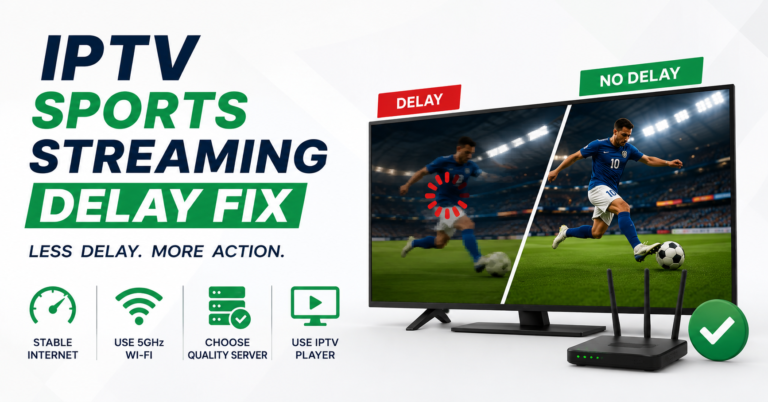

Most people lose their weekend football stream right when it matters, kickoff. The screen freezes, the spinner spins, and by the time it reloads the goal’s already been scored and ruined by a notification. After years running streaming infrastructure for IPTV operators, I can tell you this almost never comes down to the match itself. It comes down to what’s happening behind the scenes during the busiest three hours of the broadcast week.
So here’s the short version before we go deep.
If you want to watch weekend football on IPTV without buffering, the single biggest factor is whether your provider runs multiple streaming sources with automatic failover during peak load. Saturday afternoons in the UK, Sunday game windows in the US, and overlapping European fixtures create the heaviest concurrent traffic any IPTV service handles all week. Cheap setups buckle under it. Properly engineered ones barely notice. The fix on your end is usually smaller than you think, a wired connection, the right player, and a provider that doesn’t oversell its capacity.
Let me explain why that holds up.
The Three Hours That Break Weak Servers
Football traffic isn’t steady. It spikes. When you watch weekend football on IPTV, you’re joining tens of thousands of other viewers hitting the same streams in a tight window. A server that runs flawlessly on a Wednesday evening can collapse at 3pm Saturday simply because everyone arrives at once.
We saw this during a Champions League midweek-to-weekend shift a couple of seasons back: the same infrastructure that handled a Tuesday fixture comfortably started dropping frames on Saturday because three leagues kicked off within ninety minutes of each other. The hardware hadn’t changed. The concurrency had.
Pro Tip: Test your provider on a busy Saturday, not a quiet weeknight. Anyone can stream clean football at 11pm Tuesday. The honest test is 3pm Saturday with five matches live. If it holds then, it’ll hold anytime.
What’s Actually Buffering: Your Line or Their Server?
This is where most people misdiagnose the problem. Before blaming the service, it helps to know which side is failing.
| Symptom | Likely your connection | Likely the server |
|---|---|---|
| Only buffers during big matches | No | Yes |
| Buffers on every channel, all day | Yes | No |
| Other devices in the house also slow | Yes | No |
| Fine on Wi-Fi phone, bad on TV box | Yes | No |
| Whole region’s customers complain at once | No | Yes |
If freezing only happens when you watch weekend football on IPTV and everything else streams fine, the bottleneck is almost certainly server-side capacity, not your broadband. A UK IPTV reseller cutting corners on uplink bandwidth shows their hand at exactly these moments.
Why Your Hardware Setup Matters More on Weekends
Here’s an uncomfortable truth: a lot of “the stream is broken” complaints trace back to Wi-Fi, not the source. During peak load, a marginal wireless signal that coped fine all week suddenly can’t keep a high-bitrate football feed steady.
Quick wins before you blame anyone: connect your Firestick, Android box, or smart TV by Ethernet for match days, since this single change fixes more weekend buffering than any other tweak. Close background apps and pause other downloads in the house during kickoff windows. Set your player buffer slightly higher, a 2-3 second cache, so brief network dips don’t show as freezes. Reboot your device before a big fixture so it isn’t running on days of accumulated memory load. Pick a player that handles reconnection gracefully, since TiviMate and IPTV Smarters recover faster than older apps when a stream blips.
Why Your Player App Choice Actually Matters
Not all apps behave the same under stress. A good player reconnects silently when a stream stutters; a weak one dumps you to a black screen and makes you reload manually.
| Player | Reconnect behaviour | Best for weekend football |
|---|---|---|
| TiviMate | Smooth auto-reconnect, strong EPG | Excellent |
| IPTV Smarters Pro | Reliable, wide device support | Very good |
| OTT Navigator | Good buffering controls | Good |
| GSE Smart IPTV | Basic, more manual recovery | Acceptable |
The difference rarely shows on a calm channel. It shows the moment a goal-line scramble pushes bitrate up and the feed wobbles, that’s when a serious player earns its place.
Time Zones, Overlaps, and Why “Weekend” Means Different Things
Because the target here is everyone from London to Sydney to Toronto, it’s worth saying: peak load isn’t one global moment. UK 3pm Saturdays, US Sunday afternoon NFL-and-soccer overlaps, and Australian early-morning kickoffs each create their own concurrency spike. A provider strong in one region can be weak in another if their server locations don’t match where their customers actually are.
Pro Tip: Ask your provider where their servers are physically located relative to you. A feed routed through a distant data centre adds latency that turns a clean broadcast into a laggy one, especially noticeable when you watch weekend football on IPTV across time zones.
What Separates a Stable Service From a Fragile One
This is the part resellers don’t advertise. Two services can look identical on a sales page and behave completely differently at kickoff.
| Fragile setup | Engineered setup |
|---|---|
| Single streaming source | Multiple redundant sources |
| No failover | Automatic failover mid-stream |
| Oversold capacity | Headroom for peak concurrency |
| One uplink | Backup uplinks ready |
| No load monitoring | Active monitoring during matches |
The engineered version costs the operator more, which is exactly why bargain-basement services struggle every single weekend. When you watch weekend football on IPTV through a provider that’s quietly stuffed too many customers onto one box, you feel it the instant load peaks.
Why the Weekend Is Where Reseller Reputations Are Made
If you’re an IPTV reseller or sub-reseller, weekends are when you win or lose customers. After reviewing hundreds of support tickets across UK IPTV reseller panels, a clear pattern emerges: churn spikes on Monday mornings, and the complaints almost always reference a frozen Saturday match.
A few things every panel owner should internalise: most reseller refund requests cluster around major sporting weekends, not random weekdays. One reseller we worked with cut churn noticeably just by warning customers to use Ethernet on match days, half their “outage” tickets were home Wi-Fi. Trial users decide whether to buy based on their first weekend, and a buffered debut match kills conversion faster than any pricing objection. Credit resellers who oversell capacity to maximise panel credits in the short term lose more in churn than they gain in sales.
Pro Tip: As an IPTV operator, send a short pre-weekend message to customers before marquee fixtures: wired connection, restart the box, expect heavy traffic. It costs nothing and visibly reduces the Monday complaint pile.
The Reseller Pricing Trap Nobody Talks About
A common mistake we see repeatedly: new resellers compete purely on price, buy the cheapest panel credits available, and inherit infrastructure that can’t survive a busy Saturday. The IPTV reseller panel behind your brand determines whether your customers can actually watch weekend football on IPTV when it counts.
The IPTV business owners who last aren’t the cheapest, they’re the ones whose customers never think about the technology on match day. A reliable IPTV reseller panel with genuine failover is worth more to your retention than any discount. If you’re sourcing a panel or subscription, it’s worth checking established providers like britishreseller.com rather than chasing the lowest credit price you can find, because the distribution network underneath you is what your reputation rides on.
Frequently Asked Questions
Why does my stream only buffer when I watch weekend football on IPTV?
Because weekends create the heaviest concurrent traffic of the week. Multiple leagues kick off in tight windows, flooding the server with simultaneous viewers. If everything else streams fine and only big matches freeze, the bottleneck is server capacity on your provider’s side, not your home broadband.
What’s the fastest fix for football buffering at home?
Connect your streaming device by Ethernet instead of Wi-Fi. During peak load a marginal wireless signal can’t hold a high-bitrate feed steady. A wired connection, a rebooted device, and a slightly larger player buffer solve most weekend freezing before you ever need to contact support.
Can I watch weekend football on IPTV across different time zones reliably?
Yes, but server location matters. Peak load differs by region, UK Saturday afternoons, US Sunday windows, Australian early mornings. A provider whose servers sit close to your location will deliver a smoother feed than one routing your stream through a distant data centre.
Which IPTV player is best for live football?
TiviMate and IPTV Smarters Pro handle live sport best because they reconnect smoothly when a feed wobbles, rather than dropping you to a black screen. The difference is invisible on calm channels but obvious during a fast-moving match when bitrate spikes.
As an IPTV reseller, how do I stop weekend churn?
Don’t oversell capacity for short-term panel credits, and pick a reseller panel with real failover. Warn customers to use wired connections on match days. Most reseller refund requests cluster around major sporting weekends, so a stable Saturday directly protects your retention.
Is buffering always the provider’s fault?
No. Roughly half of “outage” complaints trace back to home Wi-Fi, background downloads, or an overloaded device. Check whether the problem appears on every channel all day (your connection) or only during big matches (server capacity) before assigning blame.
Does a more expensive IPTV service guarantee better football streaming?
Not directly, price isn’t the signal. Redundant streaming sources, automatic failover, and headroom for peak concurrency are. A modestly priced service with engineered infrastructure will outperform a cheap one that oversells its servers every weekend.
The Takeaway
Whether a match streams cleanly comes down to engineering you never see: redundant sources, real failover, and a provider that left headroom for the busiest hours of the week. On your end, a wired connection and a capable player handle most of the rest.
Action Checklist
Resellers:
- Choose a UK IPTV reseller panel with genuine failover, not the cheapest credits
- Monitor server load during peak fixtures
- Send customers a pre-weekend connection reminder
- Track Monday churn against the weekend’s fixtures
- Never oversell capacity for short-term panel credits
Sub-Resellers:
- Confirm your upstream panel owner’s infrastructure before reselling
- Set realistic customer expectations about peak-time load
- Keep a backup line ready for your own testing
- Flag recurring weekend complaints to your IPTV operator early
- Build your pricing around reliability, not the lowest possible number
The operators who survive aren’t the ones with the flashiest channel lists, they’re the ones whose customers never have to think about the technology when the whistle blows. Build for the busiest three hours of the week, and the rest takes care of itself.