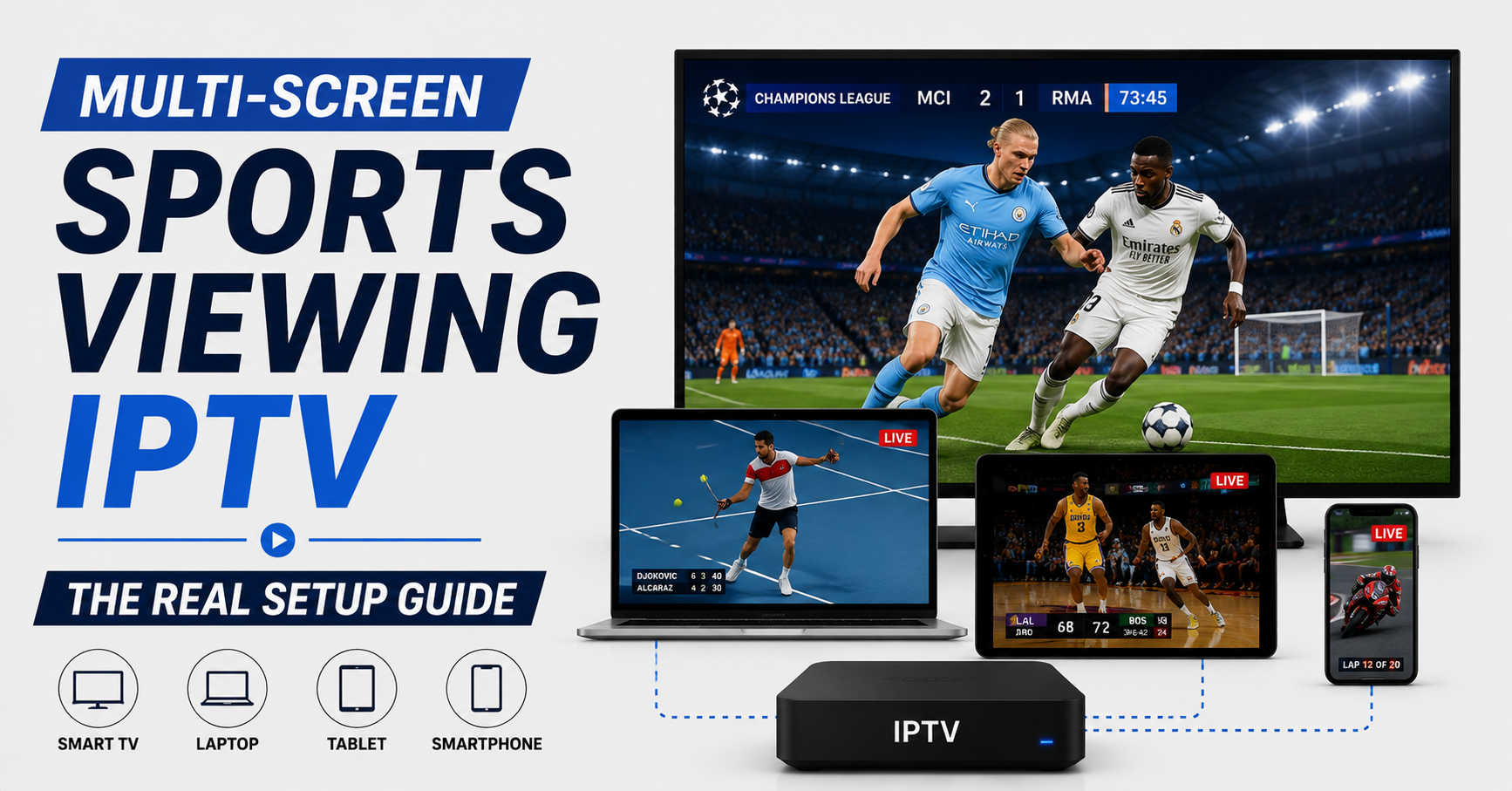

Most people set up multi-screen sports viewing IPTV wrong on the first try, and the failure shows up at the worst possible moment, kickoff, with four streams open and the picture freezing on every one of them. The problem is almost never the service. It’s bandwidth math nobody did beforehand.
Here’s the short version: multi-screen sports viewing IPTV works fine when your connection, your router, and your device hardware can each handle the combined load of every simultaneous stream. A single 1080p sports feed eats roughly 8-12 Mbps. Run four at once and you need 40+ Mbps of stable throughput, not the headline speed on your broadband bill. When screens freeze during a big match, the cause is usually local congestion, a router that can’t juggle concurrent connections, or a service running a single source with no failover, and the fix is to test your real load before the event, not during it.
Everything below explains why that’s true and how operators actually keep dozens of screens alive when a title fight or a Champions League night hits all at once.
What “Multi-Screen” Actually Demands From Your Network
The marketing makes it sound like a toggle. Reality is more arithmetic. Each concurrent stream is a separate connection negotiating its own bitrate, and they don’t politely share, they compete.
A practical breakdown of what simultaneous sports streams pull: a 720p stream needs roughly 5-7 Mbps. A 1080p stream needs roughly 8-12 Mbps. A 4K stream, where available, needs roughly 25-40 Mbps. Audio-only or radio commentary needs under 1 Mbps.
Pro Tip: Your download speed is the ceiling, not the floor. The number that breaks multi-screen sports viewing IPTV is your sustained throughput during peak evening hours when your whole street is online. Run a speed test at 8pm on a Saturday, not at noon on a Tuesday, the gap between those two numbers is where most freezing lives.
The second silent killer is your router’s connection-handling capacity. Cheap ISP-supplied routers often choke on concurrent sessions long before bandwidth runs out. Four devices each opening multiple connections to a streaming server can overwhelm a router’s NAT table while the speed test still reads green.
Where the Real Hardware Bottleneck Hides
A mistake we repeatedly see: people blame the IPTV service when the bottleneck is a £30 router from 2018. During one household setup we walked through, the customer had gigabit fibre and still got buffering on a third screen, because every device was on 2.4GHz WiFi fighting for the same crowded channel.
| Weak multi-screen setup | Stable multi-screen setup |
|---|---|
| Single 2.4GHz WiFi band | Dual-band, 5GHz for primary screens |
| ISP default router | Router with strong concurrent-session handling |
| All devices on WiFi | Main TV on Ethernet, others on 5GHz |
| Untested peak-hour speed | Verified sustained throughput |
| One streaming source | Service with backup uplinks |
Wiring your primary television directly to the router with an Ethernet cable removes it from the WiFi fight entirely, freeing wireless bandwidth for tablets and phones on the secondary screens. It’s the single cheapest upgrade most multi-screen households never make.
Why Big Sports Nights Break Setups That Worked All Week
Here’s the part that confuses people. Your four screens ran flawlessly through a quiet Wednesday, then collapsed during Saturday’s marquee fixture. That’s not coincidence.
During a major sports event, two things happen at once. Your local ISP segment gets congested as the entire neighbourhood streams the same match, and the streaming infrastructure behind your service hits its heaviest concurrent load of the month. We’ve watched ISP behaviour shift noticeably during title fights, throughput that’s rock-solid at 9pm sags by 30% the moment the main event starts and everyone piles on simultaneously.
Pro Tip: If your setup only fails during big events, the problem isn’t your equipment, it’s load. Either your household is saturating its own uplink during peak demand, or your service provider is running thin infrastructure without redundancy. A provider running multiple uplinks and proper load balancing absorbs event-night spikes; a single-source operation falls over exactly when you most want it working.
This is where service quality stops being a marketing claim and becomes measurable. The difference between a stream that holds through extra time and one that freezes at the 89th minute usually comes down to whether the backend has failover at all.
How Serious IPTV Infrastructure Keeps Many Screens Alive
Most subscribers never think about what sits behind the app. But for anyone running an IPTV reseller business, multi-screen reliability is the product, and event nights are when reputations are made or destroyed.
The infrastructure that survives a concurrent-streaming surge typically includes multiple source uplinks so no single failure takes down the channel, automatic failover that reroutes within seconds when a source drops, load balancing spreading concurrent viewers across servers, geo-routing to send each region’s traffic to its nearest edge, and active monitoring flagging strain before customers feel it.
A reseller panel that runs on a single source might look identical to a robust one on a calm Tuesday. The gap only appears under load.
Pro Tip: If you’re evaluating a service for serious multi-screen sports viewing IPTV, ask the provider one question: “What happens to my streams if your primary source goes down mid-match?” A vague answer tells you everything. Operators with real redundancy answer instantly and specifically.
For households that watch sport across the house, this backend strength is the actual thing being paid for, and it’s why the cheapest subscription is frequently the most expensive once you count the matches it ruined.
Multi-Screen Demand Has Become the Default Expectation
A shift worth naming for 2026: subscribers no longer treat multi-screen as a luxury add-on. They expect it. After reviewing hundreds of support requests, the single most common complaint pattern from any IPTV reseller’s customer base is “works on one TV, freezes when the kids open a second screen.”
For a panel owner, this changes the economics of the business. Every customer is now effectively a multi-stream customer, which means your IPTV reseller panel has to be provisioned for concurrent load, not headline subscriber counts.
A short field lesson on how this plays out: a new IPTV reseller buys cheap panel credits from an unstable source. Customers sign up, test multi-screen sports viewing IPTV on a quiet night, all good. A major fixture lands, every household opens three or four screens at once. The underpowered source buckles, mass freezing hits, support tickets flood in. Churn spikes the following week, and the reseller blames marketing instead of infrastructure.
One reseller lost nearly a third of their base in a single month because their distribution network had no failover during a heavily-watched tournament. The customers didn’t leave because of price. They left because the screens froze when it mattered.
Pro Tip: Sub-reseller pricing should never be set purely on subscriber count. Calculate your worst-case concurrent stream load, assume every active customer opens at least two screens on event night, and confirm your upstream IPTV operator can carry it. The credit reseller who skips this math is selling a product that’s guaranteed to fail on its busiest day.
The smartest IPTV business owners now market multi-screen reliability directly, because it’s become the clearest differentiator between a professional operation and a credit reseller flipping cheap panel credits.
Simple Device Settings That Fix More Than People Expect
Before blaming bandwidth or the provider, there are local levers most people never touch. On many IPTV player apps you can set a buffer size, increasing it slightly trades a second of startup delay for far steadier playback across multiple screens.
A quick checklist of device-side fixes worth trying first: set each player’s buffer to medium or high rather than minimum. Match stream resolution to screen size, since there’s no point pushing 4K to a phone. Close background apps eating bandwidth on tablets and phones. Keep the IPTV player app updated, since concurrent-stream handling improves between versions. Reboot the router before a big event to clear a clogged connection table.
These cost nothing and resolve a surprising share of “the service is broken” complaints that are really just a tablet running fourteen background apps.
Frequently Asked Questions
How many screens can multi-screen sports viewing IPTV actually handle at once?
It depends on your connection allowance and your provider’s concurrent-stream limit, not just the app. Most quality services permit two to five simultaneous streams per account. The real constraint is usually your home bandwidth, budget roughly 8-12 Mbps per 1080p stream and confirm your peak-hour speed supports the total.
Why does multi-screen sports viewing IPTV freeze only during big matches?
Because that’s when both your local ISP segment and the streaming infrastructure hit peak concurrent load simultaneously. If your setup runs fine on quiet nights but fails during major events, the cause is congestion or thin provider infrastructure without failover, not your equipment. Providers with multiple uplinks and load balancing absorb these spikes.
Do I need a special router for multiple sports streams?
Often, yes. Cheap ISP-supplied routers can choke on concurrent connections long before your bandwidth runs out, because their connection-handling capacity is limited. A dual-band router, with your main TV on Ethernet and other screens on 5GHz WiFi, handles simultaneous streams far more reliably than a single-band default unit.
As an IPTV reseller, how do I provision for multi-screen demand?
Stop pricing on subscriber count alone. Calculate worst-case concurrent load by assuming each active customer opens at least two streams on event night, then confirm your upstream IPTV operator and reseller panel can carry that combined throughput. A panel with proper failover and load balancing is non-negotiable for serious resellers.
Will lowering stream quality stop the buffering?
Usually, yes, as a quick fix. Dropping from 1080p to 720p roughly halves the bandwidth each stream needs, which can immediately stabilise a strained connection. Match resolution to screen size, phones and small tablets gain nothing visible from full HD, so reducing their quality frees capacity for the main television.
Is Ethernet really better than WiFi for the main screen?
Significantly. Wiring your primary television directly to the router removes it from the wireless competition entirely, giving it a stable dedicated path while freeing WiFi bandwidth for secondary screens. For any serious multi-screen sports viewing IPTV household, it’s the single most effective and cheapest improvement available.
What concurrent-stream limit should I look for when subscribing?
Look for a clearly stated multi-connection allowance, two to five streams is standard for household use. Vague or unstated limits often signal a provider that throttles concurrent streams under load. A reputable service publishes its limit and backs it with infrastructure that can actually deliver every permitted stream at once.
Execution Checklist
For Subscribers:
- Run a speed test at peak evening hours, not midday
- Budget 8-12 Mbps per 1080p stream you plan to run
- Wire your main TV to the router via Ethernet
- Put secondary screens on the 5GHz band
- Set player buffers to medium or high before event nights
- Reboot your router an hour before a major match
- Confirm your subscription’s concurrent-stream allowance
The Bottom Line
Multi-screen sports viewing IPTV rarely fails because the technology is bad. It fails because nobody did the bandwidth math, the router was never built for concurrent load, or the provider cut corners on infrastructure that only matters one night a month. Get those three right and the screens stay alive through extra time. For households and IPTV Panel resellers who want infrastructure that holds under event-night pressure, providers like panelsellers.com are worth comparing against whatever single-source option looks cheaper today.
The lesson underneath all of it: smooth multi-screen viewing is a load problem, not a luck problem. Test your real peak-hour capacity before the big match, not during it, because the moment four screens freeze at kickoff is the moment you learn what your setup was actually built to handle.