
IPTV Player Zero: What It Is and How to Use It
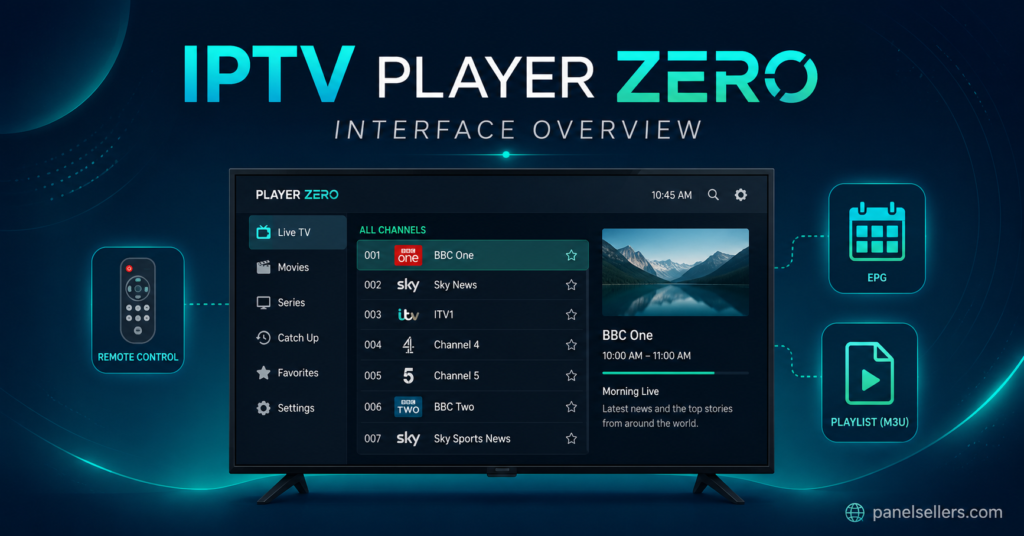
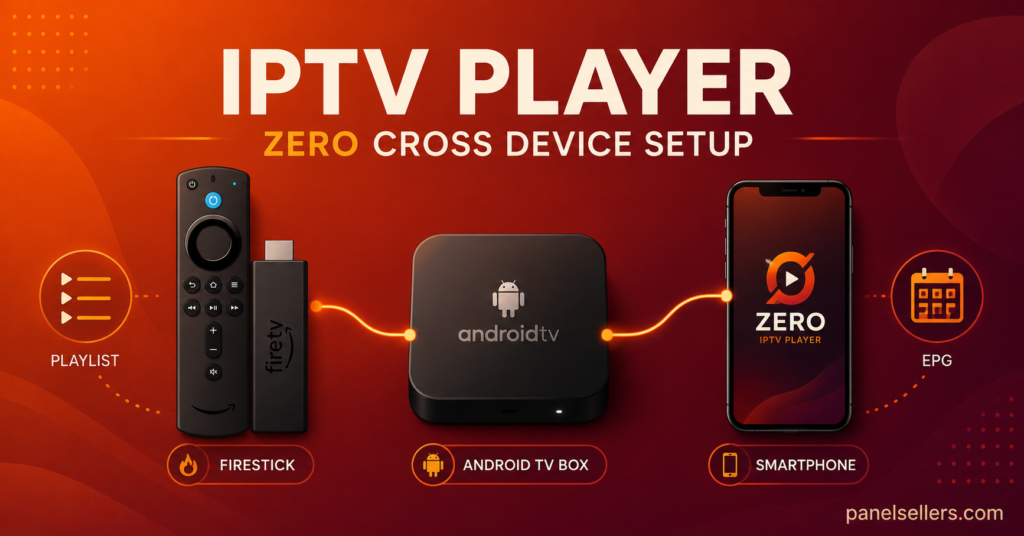
IPTV Player Zero is a lightweight streaming app that lets you load M3U playlists or Xtream Codes logins from your provider and play the streams on Android, Firestick, Android TV, and select Smart TV platforms. It focuses on the basics done well, a clean channel list, working EPG, decent buffer handling, and a simple remote-friendly layout, which is why a lot of new users and resellers keep it in their toolkit alongside heavier players. If you were searching to find out whether IPTV Player Zero is worth installing, the short answer is yes for most casual setups, and this guide walks you through everything you need to know before you commit.
What Is IPTV Player Zero
IPTV Player Zero is a third party IPTV playback app, not a content provider. That distinction matters. The app itself does not sell channels, movies, or subscriptions. It simply reads the playlist file or login credentials your provider gives you and renders those streams on your screen. Think of it the same way you think of a music player on your phone: the player is empty until you load a library into it. That is why the same app can look completely different from one user to the next, because two people using IPTV Player Zero can be pointed at two entirely different sources.
The name “Zero” refers to its stripped back design philosophy. The developer aimed for near zero clutter, minimal permissions, and a small install size so it runs on older sticks and boxes that struggle with heavier apps like some of the flagship players in the market.
Why IPTV Player Zero Became Popular in 2026
Two things pushed IPTV Player Zero into wider use in 2026. First, several older free players started injecting ads or requiring accounts, which pushed users to look for a cleaner alternative. Second, resellers began recommending it to end customers because it is easy to walk someone through the setup over WhatsApp or a phone call, which cuts down on support tickets. A reseller who spends less time troubleshooting player quirks spends more time actually selling, and if you run a IPTV reseller panel you already know how much of your week goes to handholding new subscribers through their first login.
The other quiet reason for its rise is that IPTV Player Zero handles slower connections better than some of its competitors. On a rural broadband line of around 15 to 25 Mbps, it tends to buffer less than heavier players, which matters a lot in areas where fibre has not fully rolled out yet.
Key Features of IPTV Player Zero
Here is what you actually get when you install it, without the marketing spin:
- Playlist support for M3U, M3U8, and Xtream Codes API logins
- Built in EPG reader that pulls from the provider or a custom XMLTV URL
- Parental lock with a PIN
- Favourites and recently watched lists
- Multiple audio track and subtitle selection
- External player fallback for streams the internal engine cannot handle
- Cache and buffer size controls in the settings menu
What you do not get is a built in recording function, catch up TV integration on every provider, or a mobile hotspot mode. If those are must haves for you, IPTV Player Zero probably is not your final pick, and that is fine. It is honest about what it is.
How to Install IPTV Player Zero on Firestick
Firestick is where most UK users end up, so this is the setup people ask about most often. The app is not on the standard Amazon store in every region, so you install it through the Downloader app or a sideload route.
- On your Firestick, go to Settings, then My Fire TV, then Developer Options, and enable Apps From Unknown Sources.
- Install the Downloader app from the Amazon Appstore.
- Open Downloader and enter the direct APK link that your provider or the official IPTV Player Zero source shares. Do not grab it from random forums.
- Let it download, install it, then delete the APK file to save space.
- Open IPTV Player Zero, agree to the permissions, and you land on the playlist entry screen.
If your provider gave you an Xtream Codes login rather than an M3U URL, you can switch the input mode at the top of the screen before pasting your details.
Setting Up IPTV Player Zero with a Playlist
Once the app is open, the setup itself is quick. You either paste an M3U URL, upload a local M3U file, or type in your Xtream Codes host, username, and password. The app will then pull the channel list, sort it by category if the provider tagged it correctly, and fetch the EPG in the background.
A common mistake at this stage is loading the playlist over a shaky connection, which can leave you with a half loaded channel list. If that happens, do not panic. Delete the playlist inside the app and reload it once your connection is stable. Do not keep hammering refresh, because some providers throttle repeated pulls from the same IP.
IPTV Player Zero Settings Worth Changing First
The default settings are fine for most people, but three tweaks make a real difference:
- Buffer size: bump it up if you see frequent short freezes. Bring it down if you see long delays when switching channels.
- Hardware decoder: switch between hardware and software if a specific channel fails to play. Some encodes prefer one over the other.
- EPG source: if the built in guide looks empty or wrong, paste a custom XMLTV URL from your provider.
Pro Tip Callout
If you plan to use IPTV Player Zero on more than one device in the same house, load the same playlist on each one but stagger the channel changes by a few seconds when you first open them. Some providers count rapid simultaneous requests as concurrent connection abuse and will briefly lock the account.
IPTV Player Zero on Android TV and Android Phones
On Android TV boxes and phones, installation is simpler because you can sideload the APK directly using a file manager, or in some cases pull it from a supported store listing. The interface adapts to whichever device you are on. On a phone, gestures replace remote clicks. On a TV box, the D-pad handles everything.
One thing to watch on Android phones is battery optimisation. If your phone aggressively kills background apps, the EPG can fail to refresh overnight. Whitelist IPTV Player Zero in your battery settings and that problem disappears.
IPTV Player Zero vs Other Popular Players
Here is a straight comparison so you can see where it sits in the market. No favouritism, just the practical differences.
| Feature | IPTV Player Zero | TiviMate | IPTV Smarters Pro |
|---|---|---|---|
| Free tier | Yes, full features | Yes, limited | Yes, full |
| EPG quality | Good | Excellent | Good |
| Learning curve | Easy | Moderate | Easy |
| Best for | Casual and reseller support | Power users | New subscribers |
IPTV Player Zero sits in a sweet spot for people who want more control than IPTV Smarters Pro but do not want to pay for TiviMate Premium. Resellers who run a UK IPTV reseller panel tend to recommend it as the default because it works out of the box for the widest range of customers.
Is IPTV Player Zero Legal to Use
The app itself is legal. It is a media player. The legal question is entirely about what you point it at. If your playlist comes from a properly licensed source, you are fine. If it comes from an unlicensed reseller pushing premium sports and pay TV content that the provider has no rights to distribute, you are in the grey area that has drawn increasing enforcement attention across the UK and EU in 2026.
This is worth being honest about rather than glossing over. The player is a tool. The responsibility for what plays through it sits with the subscriber and the provider, not the app itself.
Common IPTV Player Zero Problems and Fixes
Most complaints about IPTV Player Zero trace back to the source, not the app. Still, a few issues do come from the player itself:
- Blank EPG: swap the EPG source or wait 30 minutes for the initial load.
- Audio out of sync: switch the decoder between hardware and software.
- App crashes on launch: clear the app cache in Firestick settings, then reopen.
- Channels load but no video: check whether your provider limits concurrent connections and close other devices.
- Slow channel switching: reduce the buffer size in settings.
If none of those help, the issue is almost certainly the playlist or the provider, and a UK IPTV subscription support team on the reseller side will usually solve it faster than tinkering with the app for hours.
IPTV Player Zero for Resellers
If you sell IPTV subscriptions, IPTV Player Zero is worth learning inside out for one simple reason: your support load drops. When a customer calls saying “it does not work,” you can walk them through a reset in under five minutes if you already know the menu structure. Compare that to a heavier app with 40 settings screens and you can see why resellers gravitate toward simpler tools for their entry level customers.
Providers like britishseller.co.uk are one illustrative example of a reseller storefront where staff will often preconfigure IPTV Player Zero for new customers, though plenty of other panels do the same. The point is not the brand, it is the workflow: preload the playlist, hand the customer a device that already works, and cut support time by more than half.
Using IPTV Player Zero on a Sub Reseller Setup
Sub resellers, the middle layer between the main panel and end customers, benefit even more from a simple player. When you are managing 20, 50, or 200 end users with different technical skill levels, the app you recommend has to be forgiving. IPTV Player Zero forgives a lot. Wrong playlist URL? It tells you clearly. Expired subscription? It shows a specific error rather than a blank screen. Those small feedback details save hours of phone time each month.
Pro Tip Callout
Build a one page cheat sheet with screenshots of the IPTV Player Zero setup screen and send it as a PDF to every new customer at the point of sale. Nine out of ten support tickets never happen because the answer is already in their hand.
How IPTV Player Zero Handles EPG and Catch Up
The EPG in IPTV Player Zero is competent rather than class leading. It reads XMLTV files, supports timeshift for providers that offer it, and shows a rolling now and next bar at the bottom of the video. What it does not do well is deep catch up navigation. If catch up is a big part of your usage, you might pair it with a second player rather than relying on this one alone.
IPTV Player Zero on Older Devices
Older Firestick 4K units, Android boxes from 2019 and 2020, and budget MAG style devices all run IPTV Player Zero well because it does not demand much. It is one of the few modern IPTV players that still installs cleanly on Android 7 and 8 devices, which is a genuine advantage for anyone with a drawer full of older kit they do not want to throw out.
When You Should Pick a Different Player
Be honest with yourself. IPTV Player Zero is not the answer for everyone. If you want:
- Deep multi playlist management with tagging and grouping, TiviMate is better.
- Extreme customisation and skinning, look at OTT Navigator.
- The absolute lowest learning curve for a first time subscriber, IPTV Smarters Pro is often kinder.
There is no shame in using more than one player. Many resellers keep two or three installed and switch depending on the customer.
Conclusion
IPTV Player Zero earns its place in 2026 because it does the boring things well. It plays your playlist, shows a working guide, gives you enough settings to fix the common issues, and stays out of your way. It will not win awards for flashiest interface, and it will not replace a premium player for power users, but as a daily driver for subscribers and a support saver for resellers, IPTV Player Zero has quietly become one of the most sensible choices on the market. If you were on the fence, install it, load your playlist, and give it a week. That is genuinely all the commitment it needs to prove itself.
Subscriber Checklist
- Install IPTV Player Zero from a trusted source, not a random forum link.
- Load your playlist once on a stable connection, do not repeatedly refresh.
- Set the buffer size based on your internet speed.
- Whitelist the app in battery settings if you use it on a phone.
- Save your provider support contact somewhere you can find at 9 pm on a Sunday.
Reseller Checklist
- Test IPTV Player Zero on at least three device types before recommending it.
- Build a one page setup cheat sheet with screenshots for new customers.
- Preconfigure devices where possible before shipping or handover.
- Track which player each customer uses so you can give faster support.
- Keep a backup player suggestion ready for customers whose device does not get along with IPTV Player Zero.
Sub Reseller Checklist
- Confirm the main panel supports the playlist format IPTV Player Zero reads.
- Standardise on one or two players across your customer base to simplify support.
- Log common IPTV Player Zero fixes in a shared document your team can search.
- Watch for concurrent connection limits when customers add extra devices.
- Review your player recommendation every six months as the app market moves fast.
Frequently Asked Questions
Is IPTV Player Zero free?
Yes, the core app is free. Some builds may offer optional donations or a supporter tier, but the main features do not sit behind a paywall.
Does IPTV Player Zero work on Smart TVs?
It works on Android TV based Smart TVs directly. On Samsung Tizen and LG WebOS you usually need a separate compatible build or a workaround, so check before buying.
Can I use IPTV Player Zero on multiple devices at once?
The app allows it. Your provider decides whether your subscription allows simultaneous connections, so check your plan.
Does IPTV Player Zero record live TV?
Not natively. You would need an external solution if recording is important to you.
Is IPTV Player Zero safe to install?
The app itself is safe when downloaded from the official source. Avoid modified APKs from unknown websites, because those carry real risk.
How much internet speed does IPTV Player Zero need?
Around 10 Mbps for HD and 25 Mbps or more for 4K, though the exact number depends on your provider’s stream quality.