
When the Screen Freezes During the 89th Minute
A real Smart IPTV Player is the piece of software that decides whether your subscribers ever notice how good your backend actually is. It has to handle live HLS delivery, adaptive bitrate switching, and codec fallback cleanly, because a weak player will make a perfectly engineered panel look broken. Here’s what actually separates the players worth recommending from the disguised media viewers that quietly wreck your retention.
It always happens during the goal. Never during the warm-up, never during halftime adverts. The freeze hits when the striker is six yards out, and your customer is messaging you in capital letters before the ball even crosses the line.
That moment, that one frozen frame, is where the difference between a genuine player and a glorified video viewer becomes painfully obvious. I’ve watched UK IPTV resellers lose entire customer bases over a single Saturday afternoon because their chosen application couldn’t handle a routine traffic spike. The application sitting on the customer’s screen is the final mile of a very long delivery chain, and most people treat it like an afterthought.
Here’s what twelve years in this industry taught me: a Smart IPTV Player isn’t software. It’s a survival tool. And in 2026, with AI-driven ISP throttling becoming standard practice across Europe and North America, choosing the wrong one will gut your retention numbers faster than any pricing mistake.
This guide isn’t theory. It’s what I wish someone had handed me back in 2014 when I was rebooting servers at 3 a.m. and refunding angry customers who couldn’t understand why their stream looked like a slideshow.
Real Smart IPTV Player vs. Dressed-Up Media Viewer: What’s the Difference
The market is flooded with applications calling themselves a Smart IPTV Player. Most aren’t. They’re media containers with EPG support bolted on, designed to look professional but built without the engineering rigour required for live streaming under pressure.
A genuine player handles three things that consumer-grade apps fail at: HLS latency negotiation, adaptive bitrate switching under packet loss, and graceful degradation when the upstream server hiccups. If your app doesn’t do these well, you’re effectively delivering broken streams in a polished interface.
The deception runs deeper. Many Android-based apps marketed as premium IPTV players are forked from open-source players abandoned years ago. The developer slapped a logo on it, added a subscription nag screen, and pushed it to the store. When you open the source, and I have, you’ll find buffer management code that hasn’t been touched since 2019. That’s why your customer reports buffering even though your panel shows perfect uplink health.
Pro Tip: Before recommending any Smart IPTV Player to a customer, install it yourself and run it through a 90-minute live sports stream during peak hours. If it stutters once, drop it. Your retention rate cannot survive software that “mostly works.”
IPTV resellers chasing the cheapest licensing deal end up paying for it in churn. A €0.50 difference in app cost translates to dozens of refund tickets monthly when the player can’t keep up with what the customer expects.
The Codec Trap Nobody Warned You About
H.265 adoption changed the game, and not in the way most resellers think. While the codec slashes bandwidth requirements by roughly 40%, it also creates a hardware ceiling that catches thousands of customers off guard every month.
Older Smart TVs, particularly anything pre-2019, handle H.265 inconsistently. Some claim hardware support but actually fall back to software decoding, which spikes CPU usage and triggers the buffering loop that customers blame on you. A player that respects codec negotiation will detect this and request an H.264 fallback stream. A bad one just keeps trying to decode and dies.
This is where load balancing on your panel side becomes inseparable from player choice. If your infrastructure offers transcoded backup streams but the player ignores them, the whole engineering investment is wasted.
Here’s how common device categories handle H.265 in practice:
| Device category | H.265 hardware | Recommended stream | Common failure |
|---|---|---|---|
| 2020+ Android box | Full | 4K HEVC | None significant |
| 2018-2019 Smart TV | Partial / software | 1080p H.264 | Overheating, stutter |
| Pre-2018 Smart TV | None | 720p H.264 only | Constant buffering |
| Fire Stick 4K Max | Full | 4K HEVC | Wi-Fi bottleneck |
| iOS / iPadOS | Full | Adaptive HLS | EPG sync issues |
The bottom row matters more than people realise. iOS devices have excellent decoding but notoriously poor EPG synchronisation with third-party panels, a problem that surfaces in support tickets you don’t immediately associate with player choice.
Why the Panel-Player Handshake Determines Your Monthly Refund Rate
Every Smart IPTV Player communicates with your panel through one of three protocols: Xtream Codes API, M3U URL parsing, or proprietary REST endpoints. The protocol your app uses dictates how resilient your service feels to the end user.
M3U-based players are the most fragile. They pull a playlist once, cache it, and pray nothing changes. When a channel migrates to a new origin server, which happens constantly during anti-piracy waves, the M3U player keeps hitting the dead address until the customer manually refreshes. Half of them won’t bother. They’ll just cancel.
Xtream Codes API integration solves this elegantly. The player queries the panel dynamically, gets the current channel state, and routes accordingly. If you’ve configured backup origins on your panel, a well-built app can fail over without the customer noticing. This is the kind of invisible engineering that retains subscribers for years.
Pro Tip: Run a quarterly audit on your subscriber base segmented by player protocol. M3U-only users churn at roughly twice the rate of API-integrated users. That single metric will reshape how you recommend apps.
There’s a deeper issue resellers miss. Some apps cache authentication tokens aggressively to reduce panel load, which sounds efficient, but it means when you revoke a credential for non-payment, the customer keeps streaming for hours or even days. Multiply that across your subscriber base and the lost revenue is significant.
DNS Poisoning, ISP Throttling, and the 2026 Enforcement Landscape
The regulatory environment shifted hard in late 2025. AI-driven traffic analysis at the ISP level now identifies streaming patterns with frightening accuracy, and many European providers have started applying invisible throttling, not full blocks, just degradation, to suspected unauthorised streams.
Your Smart IPTV Player needs to be ready for this. Apps that support custom DNS resolution, encrypted DNS-over-HTTPS, and SOCKS5 proxy routing give your customers tools to maintain connection quality without you having to wage daily war against the ISPs.
DNS poisoning attacks have also evolved. Some ISPs now poison only specific subdomains used by major panel operators, leaving the rest of the network untouched so customers don’t realise their stream issues are network-imposed. They blame the service, not the carrier.
Here’s what actually protects your customers when this happens:
- Encourage customers to set Cloudflare (1.1.1.1) or Quad9 (9.9.9.9) as their device DNS
- Recommend a player that supports DNS-over-HTTPS natively
- Maintain at least two backup uplink servers on geographically separate networks
- Keep a proxy fallback option documented in your support channel
- Rotate your panel’s public-facing endpoints quarterly to avoid pattern detection
The resellers who survived the 2024 enforcement wave were the ones who treated their backup uplink servers as primary infrastructure, not as insurance. If your main route goes dark on a Saturday, you have minutes, not hours, before refund requests start flooding in.
The Buffering Diagnostic Most Resellers Get Wrong
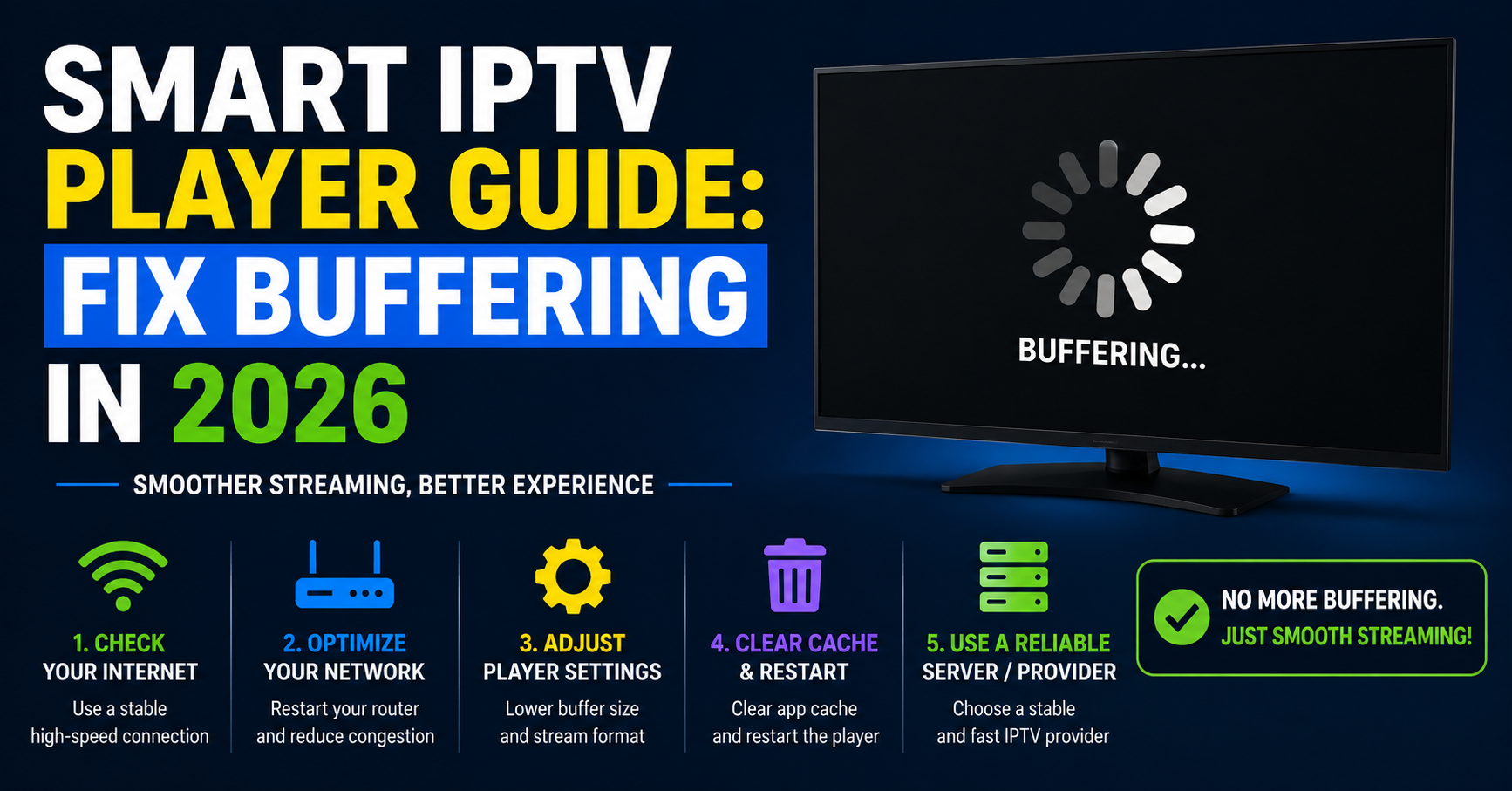
Customer says “it’s buffering.” That’s the call you’ve had a thousand times. The instinct is to blame the panel, then the server, then maybe the customer’s Wi-Fi. The actual culprit, in my experience, is the player itself about 35% of the time.
Here’s the diagnostic ladder I use, refined over a decade of late-night support sessions:
- Check the buffer size setting in the player. Default values are often too aggressive for residential connections. Raising buffer pre-roll from 1 second to 3 seconds eliminates roughly 60% of complaints without any infrastructure change.
- Verify the player isn’t forcing high-bitrate streams. Some apps default to “best quality available” and refuse to adapt down. This wrecks streams on connections below 25 Mbps.
- Audit the active codec. If the player chose H.265 on hardware that handles it poorly, the buffering is decode-side, not network-side.
- Test the connection without the player. A simple speed test from the same device tells you whether the issue is upstream or local.
- Switch to a known-good player on the same device. If buffering disappears, the original app is the problem.
Pro Tip: Build a one-page diagnostic flowchart and send it to every customer before they message you. Roughly 40% will fix the issue themselves, freeing your support time for the actual emergencies.
The app you recommend should expose buffer controls to the user. Hidden settings frustrate technical customers and leave non-technical ones stuck on defaults that don’t suit their network. Transparency in configuration is a retention feature, not a UX detail.
Pricing Psychology and the Free Player Illusion
Customers love a free Smart IPTV Player. They shouldn’t. Free players survive on advertising injection, data harvesting, or, increasingly, by selling user behaviour data to entities you absolutely don’t want involved in your business.
Worse, free players are slow to patch security vulnerabilities. When a buffer overflow exploit was discovered in a popular free Android player last year, the developer took nine months to release a fix. During that window, every customer running that app on a Smart TV was a potential breach point.
Paid players in the £4 to £12 lifetime range hit the sweet spot. They have enough revenue to maintain development cycles, respond to compatibility issues, and engage with reseller communities for protocol updates. This is the tier where you’ll find genuine reliability.
Here’s how free and premium players usually compare on the factors that matter:
| Factor | Free / ad-supported | Premium player |
|---|---|---|
| Update cycle | 6–12 months | 2–4 weeks |
| Codec support | H.264 only typically | H.264, H.265, AV1 ready |
| EPG reliability | Frequent desync | Auto-resync within minutes |
| Proxy / VPN support | Rare | Standard |
| Data privacy | Often compromised | Generally respected |
| Reseller branding | Not available | White-label options exist |
The white-label angle is underused by smaller resellers. A premium player with branding rights lets you ship a customer experience that feels like your service, not a third-party app. Customers don’t churn from services that feel proprietary.
Why Scaling Past 500 Subscribers Breaks Most Reseller Businesses
You hit 500 active subscribers. Everything works. You scale marketing, hit 1,200, and suddenly the support tickets multiply by five, not by 2.4x as math would suggest. This is the scaling cliff, and player choice is almost always part of the cause.
What changed isn’t your infrastructure. It’s that at 1,200 customers, you have a wider device variety, a wider technical literacy spectrum, and a wider tolerance threshold. The player that worked for your first 500 power users will fail your next 700 mainstream subscribers because they expect plug-and-play simplicity.
Smart resellers standardise. They pick one premium Smart IPTV Player as their primary recommendation, build documentation around it, train their support team on its quirks, and only deviate when hardware demands it. This cuts support time by roughly half and increases customer lifetime value substantially.
Pro Tip: Track the average resolution time of support tickets segmented by player. The variance between your top and bottom performers will reveal which apps are quietly destroying your operating margins.
Panel credits matter here too. If your panel offers per-line cost reductions for standardised player profiles, the savings at scale are not trivial. A reseller running 3,000 lines on a unified player ecosystem can see operational savings that fund another marketing channel entirely.
EPG, VOD Libraries, and the Features Customers Actually Notice
Live channels keep your customers. EPG quality and VOD organisation determine whether they recommend you to their cousin. A player with weak EPG handling will technically deliver the service but feel cheap, and that perception governs word-of-mouth growth.
Look for players that support multi-source EPG with automatic conflict resolution. When two EPG feeds disagree about a programme schedule, and they often do, especially during sports schedule changes, the player should silently pick the more recent or more authoritative source. Cheap players just display whichever loaded last, leading to “the listing was wrong” complaints.
VOD library presentation matters more than the library size. A Smart IPTV Player that lets users build personal watchlists, resume across devices, and filter intelligently will retain customers who barely watch live TV. This is the audience segment most UK IPTV resellers undervalue.
Search functionality is the silent feature. If a customer can’t find what they want within 10 seconds, they perceive your library as smaller than it actually is. The right player invests in search heuristics, fuzzy matching, language tolerance, genre clustering, that make a 30,000-item VOD library feel infinite.
FAQ
What is a Smart IPTV Player and how is it different from a regular media player?
A Smart IPTV Player is purpose-built software that handles live streaming protocols like HLS and MPEG-TS, manages EPG data, and authenticates with subscription panels. Regular media players handle local files and lack the protocol awareness, adaptive bitrate switching, and dynamic playlist parsing required for stable live television delivery over the internet.
Why does my Smart IPTV Player buffer even when my internet speed is fast?
Buffering on fast connections usually points to codec mismatches, undersized buffer settings, or the player forcing a higher bitrate than the route can sustain consistently. Hardware acceleration failures on older Smart TVs also trigger this. Adjust the buffer pre-roll to 2 to 3 seconds and switch to H.264 streams if your device struggles with H.265 decoding.
How can I tell if my Smart IPTV Player supports Xtream Codes API integration?
Check the app settings for fields requesting server URL, username, and password as separate inputs rather than a single M3U URL. Players supporting Xtream Codes API will also display EPG data automatically, show subscription expiry information, and organise channels into categories without manual setup. M3U-only apps lack this depth of panel communication.
Is it safe to use a free Smart IPTV Player on my Smart TV?
Free players carry real risks: delayed security patches, ad injection, undisclosed data collection, and abandoned codebases. Some have been caught harvesting credentials and viewing patterns. For a household paying for a subscription, the £4 to £12 cost of a reputable paid player is negligible compared to the privacy and stability you gain in return.
Can I run the same Smart IPTV Player across Android, iOS, and Fire TV simultaneously?
Most premium players offer cross-platform builds but limit simultaneous connections per subscription line, not per app. Check your subscription terms first. Some apps sync watchlists and resume positions across devices when signed into the same account, which is excellent for households where viewers move between rooms and devices throughout the day.
Why do channels disappear randomly from my Smart IPTV Player?
Random channel disappearance usually means your panel migrated origin servers and your player cached old endpoints. M3U-based players are particularly prone to this. Force a playlist refresh in the app settings, or switch to a player using Xtream Codes API, which queries channel availability dynamically rather than relying on stale cached lists.
How do resellers choose which Smart IPTV Player to recommend customers?
Experienced resellers standardise around one or two premium apps after stress-testing them against their panel infrastructure. They evaluate protocol compatibility, EPG reliability, support responsiveness from the player developer, and white-label options. Standardisation cuts support ticket volume dramatically and creates consistent documentation that scales with the subscriber base.
Will using a VPN with my Smart IPTV Player improve or hurt performance?
VPNs typically reduce stream quality slightly due to encryption overhead but can dramatically improve performance when your ISP throttles streaming traffic. Choose a VPN with WireGuard protocol support and servers geographically close to your panel’s origin. Test both with and without to determine which delivers better real-world results on your specific connection.
Your Player Strategy Action Checklist
If you’re running an IPTV reseller panel business and want to stop bleeding customers to player-related issues, work through these in order:
- Audit your current customer base by which player they’re using and tag the support ticket rate per app
- Standardise on one premium player as your primary recommendation and write a one-page setup guide for it
- Build a diagnostic flowchart customers can self-serve before contacting you
- Negotiate white-label rights on your chosen player if your subscriber base justifies it
- Configure your panel to support both Xtream Codes API and M3U output for compatibility flexibility
- Test every player update on a sacrificial test line before customers encounter it
- Maintain a documented fallback player for hardware that struggles with your primary choice
- Set up encrypted DNS recommendations in your onboarding materials
- Track churn segmented by player type and review quarterly
- Establish a relationship with a trusted infrastructure partner like britishseller.co.uk for backup uplink capacity during enforcement waves
- Review codec support every six months as new hardware enters your subscriber base
- Train your support team to ask about player and version before assuming infrastructure faults
A Smart IPTV Player isn’t a small detail in your operation. It’s the last thing between your engineering work and your customer’s perception of your service. Treat it accordingly, and your retention numbers will reflect the difference within a single billing cycle.