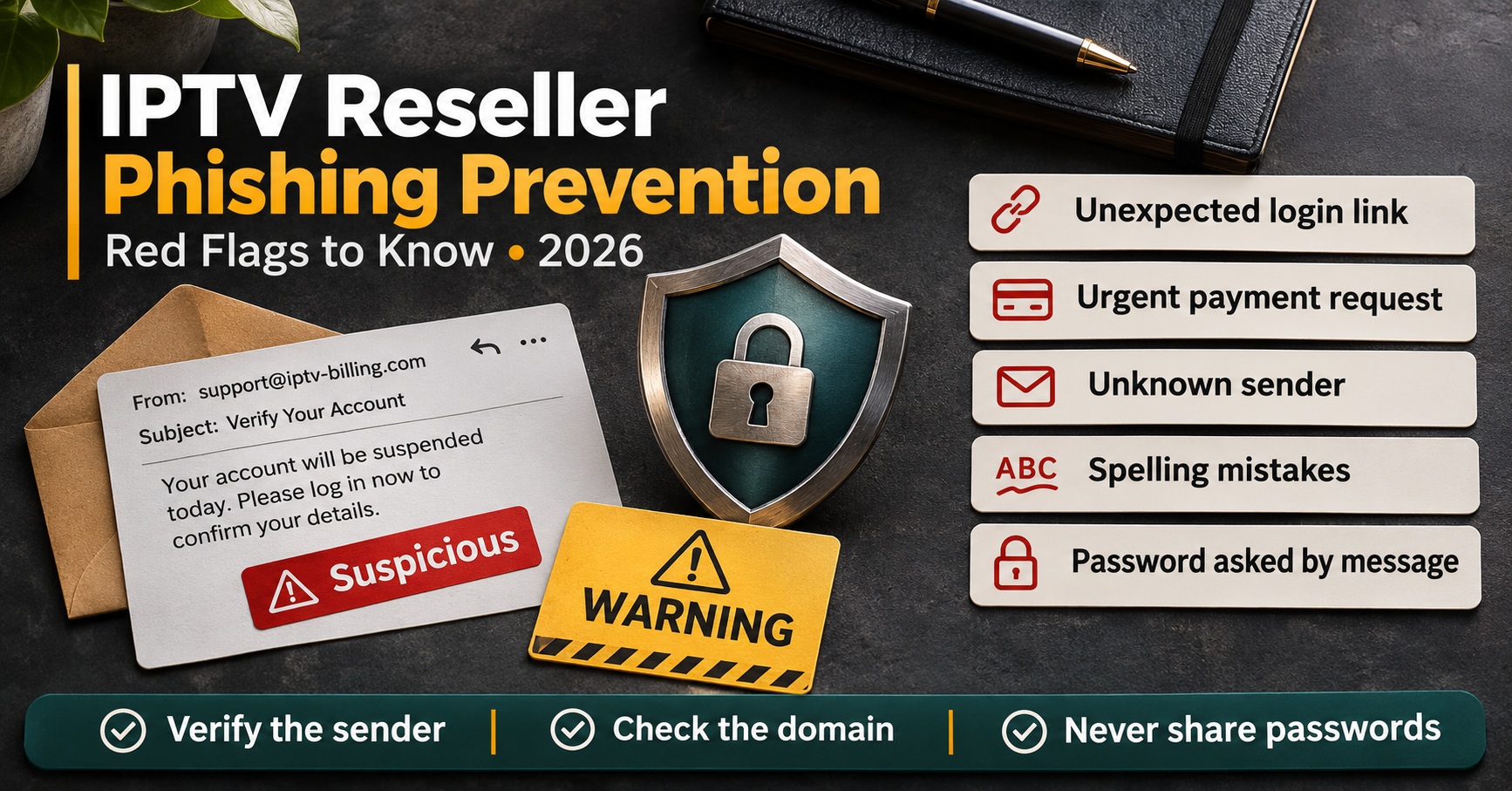

IPTV Reseller Phishing Prevention rests on one habit that defeats most tricks: never act on a message using the link, number or payment details inside it. If an email warns that your panel is about to be suspended, a chat asks for this month’s top-up to a new account, or your “provider” sends a fresh login page, close it and check through the bookmark, contact or dashboard you already trust. Add an authenticator app to your panel login and you’ve closed the two routes that do the most damage: a stolen panel account and money sent to the wrong place.
A IPTV panel reseller makes a tempting target because you sit between two parties who each trust messages from the other side. Someone posing as your provider wants your credits and your login. Someone posing as you wants your customers’ renewal money, and that version tends to stay invisible until a customer says they paid and their line still expired. Securing your own account is only half the work; the other half is making sure your customers can tell the real you from a copy.
Four Places a Phisher Aims at a Reseller Business
Phishing against an IPTV reseller business rarely looks like a random spam campaign. It’s aimed at the specific things a reseller controls, and each target needs a slightly different defence.
| Target | What the attacker wants | First line of defence |
|---|---|---|
| Panel login | Credits, customer lines, the power to create sub-accounts | Authenticator-based two-step verification and a bookmarked login address |
| Payments and top-ups | Money redirected to their account or wallet | A call-back rule for any change in payment details |
| Your customers | Renewal fees paid to a forged version of you | Published official channels and a stated list of things you never ask for |
| Your support inbox | A foothold through a malicious file sent as a “problem report” | Screenshots pasted into chat, unknown attachments left unopened |
The panel login deserves the most attention. Credits behave like cash, and an account in the wrong hands can create lines, push balance into a new sub-account or delete customers outright. The real takeover moment, though, is usually quieter: a changed recovery email or a new two-step method. Once those are swapped, the attacker can lock you out of your own reseller dashboard, so they’re the first settings to check after any suspicious login.
Six Lures, and the Detail That Gives Each One Away
The messages below are hypothetical composites written to show the pattern. They aren’t copies of real messages, but each one reflects a pressure point that genuinely exists in reseller work.
The suspension notice
“Unusual activity detected on your reseller account. Your panel and remaining credits will be frozen in 12 hours unless you verify your login here.”
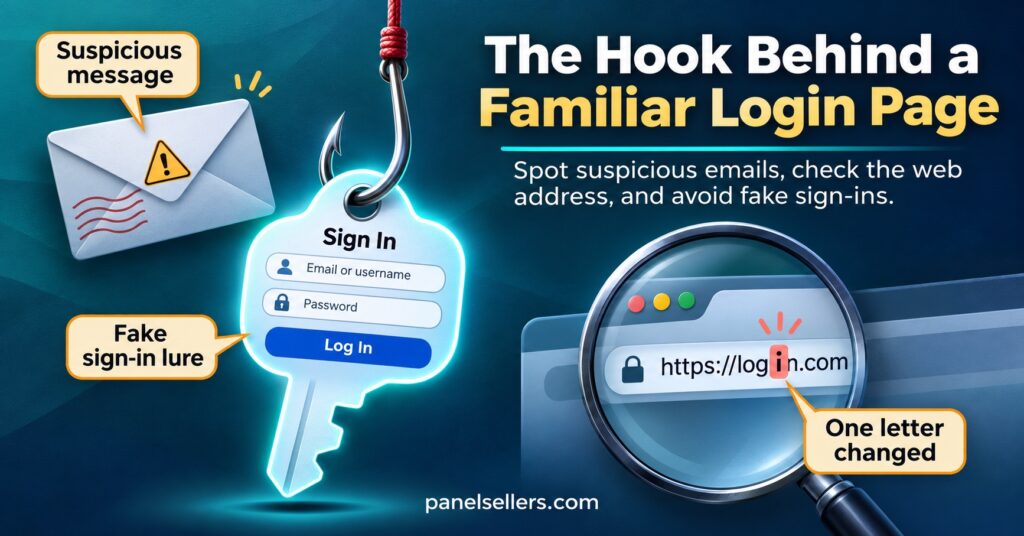
Urgency, a threat to your credits and a link: that combination is the giveaway. Look at the address the link points to before anything else. A page on something like examplepanel-verify-login.net is not your provider just because the logo matches. A useful practical check is your password manager. It fills in passwords by matching the exact web address, so if it suddenly refuses to autofill on a page that looks identical to your panel, treat that refusal as a warning rather than a glitch.
The “new server address” message
This one works because it’s plausible. Providers do change portal and server addresses, and Panel resellers do have to pass those changes on. A fake version asks you to log in at a new portal or, worse, to forward a new address to all your customers, which can send every one of them to a page that collects their usernames and passwords.
Confirm any address change inside the panel itself or through the conversation you already have with your provider, never through the message announcing the change. If you buy credits through panelsellers.com, the official contact page lists the channels that are genuinely in use, so anything arriving from elsewhere can be checked against it.
The changed bank details
“We’ve moved to a new payment processor. Please send this month’s credit top-up to the account details below. Old details will no longer work.”
A change in where money goes, announced by message, is the single most expensive red flag on this list. Requests to pay in gift cards or to an unfamiliar crypto wallet belong in the same category. Ring or message the provider on the contact you held before the request arrived and confirm the change in their words, not by replying “is this real?” to the message itself. A small test payment proves nothing, because the fraudster’s account will happily accept it.
The cloned chat profile
Someone copies your provider’s name and profile picture onto a new messaging number and opens with “lost my old phone, use this one now.” The same trick is used in reverse against your customers, with your name and your photo. The tell is the new number combined with a request. Check with the original contact before doing anything, and if that contact has genuinely gone quiet, verify through a second channel you already trust.
The customer who sends a “screenshot”
A message lands in your support inbox: “the app shows this error, see attached.” The attachment is a compressed file, an installer or a document asking you to enable editing. Real screenshots are images. Ask customers to paste the picture directly into the chat, and don’t open files that need unpacking, installing or extra permissions. The same caution applies to requests to install a remote access tool so that “support can see the problem”.
The forged renewal reminder
“Your subscription expires today. Renew now at the link below to avoid losing your channels list.”
This one is aimed at your customers rather than you, and it’s sent under your name. It often arrives from a number or address you’ve never used, and the payment link goes somewhere you don’t control. You won’t see this message, which is exactly why your customers need to know what your real reminders look like before a fake one turns up.
IPTV Reseller Phishing Prevention Built Into Daily Operations
Recognising lures helps, but people get tired, busy and rushed. The safeguards that last are the ones that work even when someone has a bad day.
Lock the panel login properly
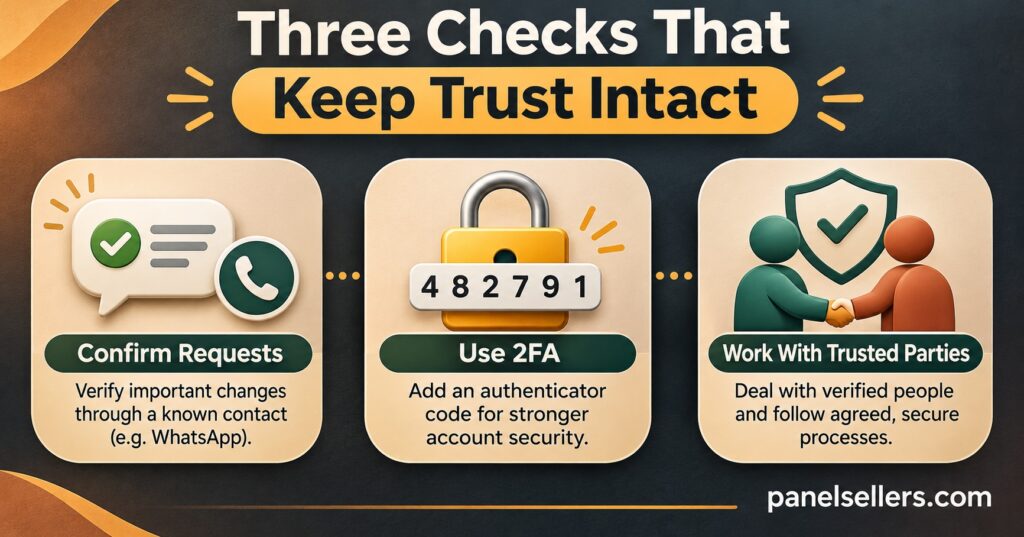
Use an authenticator app or a passkey for two-step verification wherever the panel offers it. Codes sent by text message are better than nothing, but they can be intercepted if a criminal convinces a mobile network to move your number to their SIM. Passkeys go further, because they’re tied to the genuine website and simply won’t work on a lookalike.
Give the panel a long, unique password stored in a password manager, and protect the email account linked to the panel just as carefully. That inbox is effectively a master key, since password resets go there. Each person who needs access should have their own login with only the permissions their work needs; shared logins make it impossible to tell who clicked what. If you haven’t checked that recently, a regular permissions audit is the place to start.
Pro tip: Bookmark your panel’s login page and only ever reach it through that bookmark. If you find yourself on a login page you arrived at from a message, close the tab and start again from the bookmark.
Make payment changes slow on purpose
Write down a simple rule: no change to where money is sent, by you or by anyone who helps you, without confirming it on a contact you held before the request. Speed is the fraudster’s main tool, so a deliberate delay costs them far more than it costs you. Buy credits only through the provider’s own dashboard or the checkout you’ve used before, and make sure anyone handling payments knows they’re allowed to say “I’ll confirm and come back to you” without being blamed for slowing things down.
Treat the support desk as a way in
Attackers sometimes pose as customers rather than providers. A common pattern is “I’ve changed phone, please send my login details to this new number.” Before resending credentials or changing a device registration, confirm the request through the contact details already on that customer’s record. Never ask customers for their passwords in chat, and never post credentials in a public comment thread or group. When a staff member or helper leaves, remove their access the same day; the steps for handing over panel access safely cover the details, including resetting two-step verification.
Giving Customers a Way to Recognise the Real You
Your customers can’t inspect email headers or compare web addresses character by character, and they shouldn’t have to. What they can do is follow a short, clear statement you give them at sign-up and repeat now and then. Something along these lines works well:
- We only contact you from this number and this email address.
- We will never ask for your password.
- We will never send a payment link from a new or unknown number.
- If a message claiming to be us looks wrong, reply here before paying anything.
Keep your renewal reminders consistent in timing, wording and sender, so a forged one feels out of place. If you send email from your own domain, ask whoever manages it to set up SPF, DKIM and DMARC records. These help receiving mail services reject messages that forge your exact address, although they do nothing against a lookalike domain with one letter changed, which is why the customer statement still matters.
Watch your public pages too. Impostors sometimes reply to customer complaints on social media posing as your support team and offering a “quick fix” by private message. A pinned note saying which accounts are genuinely yours makes that trick much harder to pull off.
The First Hour After Someone Clicks
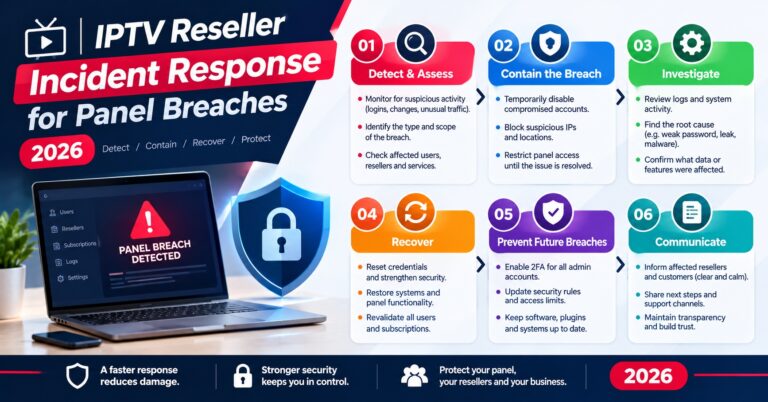
If a link was clicked, a password typed into the wrong page or a payment sent, the order of what you do next matters more than how quickly you panic. Work through it in this sequence:
- From a device you trust, change the panel password, then the password for the email account linked to it. Sign out other sessions if the panel allows it.
- Check the recovery email, phone number and two-step method on both accounts. Put back anything that has changed.
- Look through the panel for new sub-accounts, credit transfers, edited lines and deletions. If you’re not used to doing this, the guide to reviewing your panel activity logs explains what to look for.
- Contact your provider through the channel you already know and tell them what happened, including any activity you can’t explain.
- If money left your account, call your bank or payment provider straight away and report the fraud to your country’s official reporting service. Keep the original messages as evidence rather than deleting them.
- If customer details may have been exposed, reset the affected lines and tell those customers plainly what happened and which channel is genuinely yours.
Once things are stable, work out which lure succeeded and why. Usually the answer is a missing rule rather than a careless person, and fixing the rule protects everyone.
Questions Resellers Ask About Phishing
Is text message two-step verification good enough for a reseller panel?
It’s far better than a password alone, but an authenticator app or passkey is stronger because it can’t be moved to another SIM card. Use the strongest option your panel supports, and apply the same standard to the linked email account.
My provider really has changed its server address. How do I tell customers without looking like a phisher?
Send the update through the channel your customers already know, keep it free of payment links, and say clearly that the change requires no payment and no new password. Inviting them to reply and confirm before acting reassures cautious customers rather than annoying them.
A customer paid someone pretending to be me. What should I do?
Help them contact their bank or payment provider quickly, since speed affects what can be recovered. Then post a warning on your genuine channels and review how the impostor reached them. Responsibility depends on the circumstances and local law, and this isn’t legal advice.
Do sub-resellers need the same protections?
Yes. A sub-reseller’s login can move credits and edit lines within your account tree, so require two-step verification for them as well and include them when you circulate warnings about a new lure.
Does a secure, well-run panel mean the service behind it is legitimate?
No. Good security protects your account and your customers’ payments, but it says nothing about whether a service holds proper distribution rights. That remains a separate check every reseller should make.
Making the Habit Stick
IPTV Reseller Phishing Prevention isn’t a tool you install once; it’s a small set of rules that hold up when a convincing message arrives at a busy moment. Verify through channels you already trust, protect the panel login and its email with strong two-step verification, slow down every payment change, and give your customers a simple way to recognise the real you. No setup makes fraud impossible, but these steps make you a much harder target than the next IPTV panel reseller. If you only do one thing this week, switch your panel and email to an authenticator app, then send your customers that short statement of how you’ll always contact them.

[…] on the email account linked to the panel, because whoever controls that inbox can usually reset the reseller panel again. If two-step authentication wasn’t switched on, switch it on […]