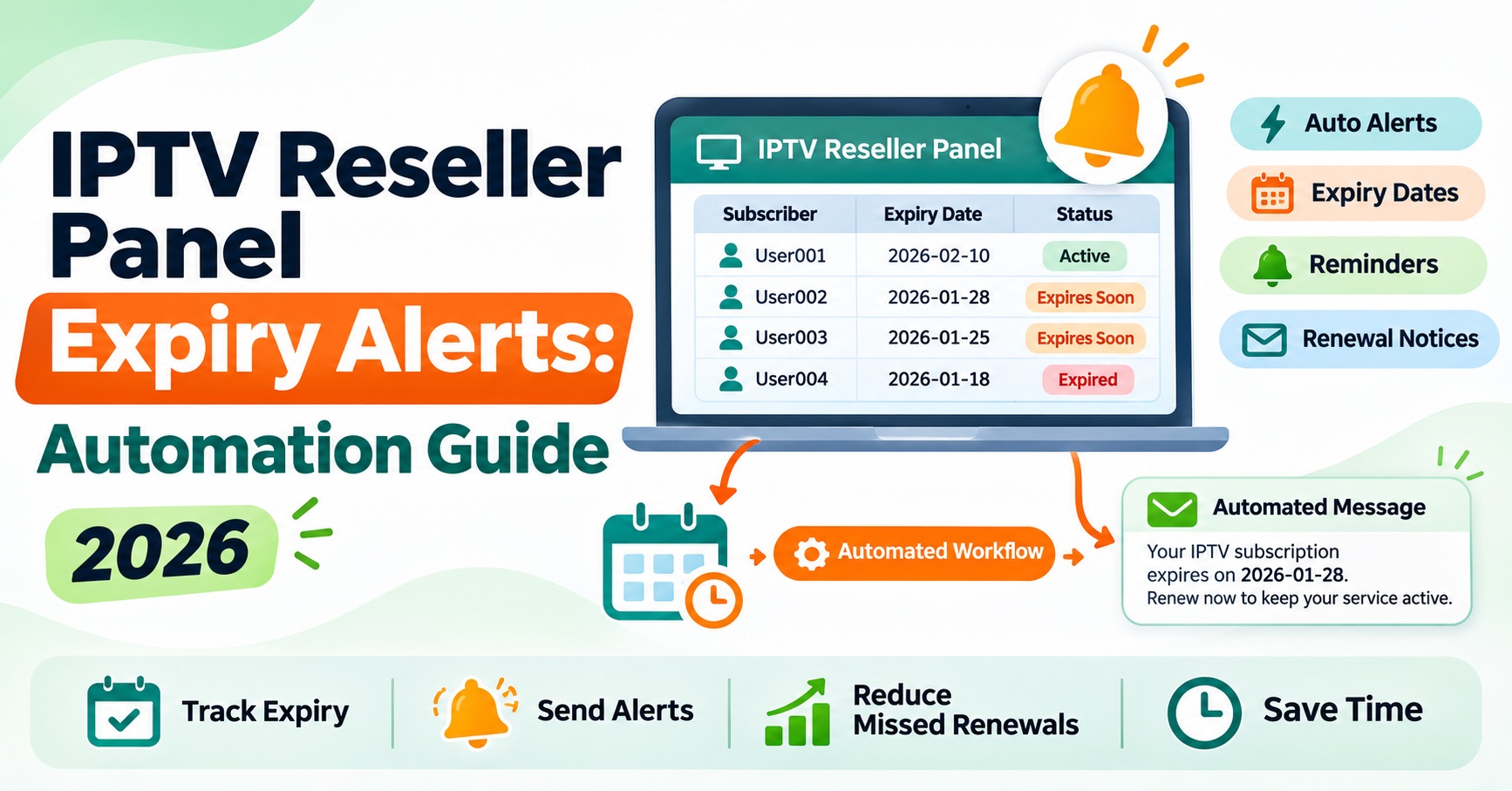

Good IPTV Reseller Panel Expiry Alerts come from one reliable expiry date per line, read straight from the panel, feeding a short reminder schedule that runs without you having to remember it. Most reseller dashboards show expiry dates and let you sort or filter by them, but very few send anything to your customers. So the automation is usually something you build around the panel: a synced spreadsheet, a store plugin, or an API connection that turns dates into timed messages.
Before choosing a tool, separate the alerts you need from the ones you’re sending. Your customers need to know their line is about to lapse. You need to know which lines are lapsing, whether you have enough credits to renew them, and whether your own panel access is approaching any limit set by your provider. Those are different signals with different audiences, and mixing them is the reason many reminder systems either nag the wrong people or stay silent at the worst moment.
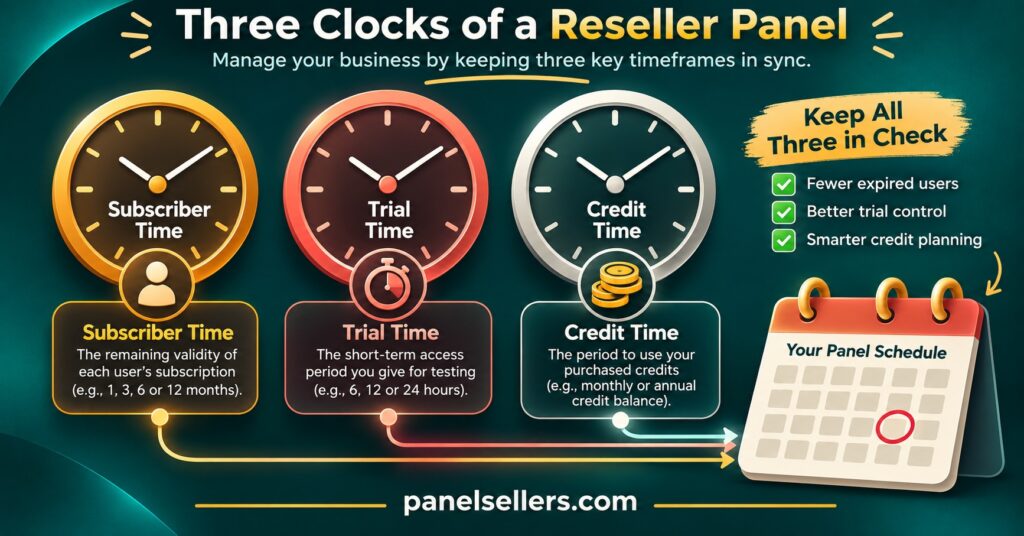
Three Clocks Running Inside One Panel
A reseller account is rarely tracking just one deadline. Thinking of them as separate clocks makes it much easier to decide what to automate first.
| Clock | What runs out | Who needs the alert |
|---|---|---|
| Customer line expiry | A paid subscription line reaches its end date | The customer first, then you |
| Trial expiry | A short test line closes | You, so you can follow up while interest is fresh |
| Your credit balance | Not enough credits left to renew upcoming lines | Only you |
The customer line clock is the one people mean when they talk about expiry alerts, and it carries the most revenue. The trial clock is short and easy to overlook because trial lines often cost nothing, which means nobody is watching them. The credit clock is the quiet one. It doesn’t expire on a date, but it fails on a date: the day several customers want to renew and the balance can’t cover them.
If your provider attaches validity terms to the panel itself, that becomes a fourth clock. Check your own agreement rather than assuming. Some providers state that credits never expire, others set conditions, and the only reliable answer is the one written in your terms.
Where IPTV Reseller Panel Expiry Alerts Get Their Dates
Every alert is only as accurate as the date behind it, and this is where most automation quietly breaks.
Your panel is the source of truth. A spreadsheet you updated by hand last Tuesday is not, and neither is the date you remember quoting to the customer. When a customer renews early, gets a goodwill extension, or has their line moved by support, the panel changes and your copy doesn’t. An alert built on the stale copy then tells a paid-up customer they’re about to be cut off, which costs more trust than a missed reminder ever would.
There are three common ways to get dates out of a panel:
Manual export. Many dashboards let you filter active lines by expiry window or copy the list out. It works, but it is a weekly chore, and the data starts ageing the moment you paste it.
Store or billing integration. Some IPTV panel resellers sell through a WooCommerce shop with a plugin that connects to the panel and reads expiry dates directly. This is convenient, but you are trusting the plugin’s interpretation of the panel. One such plugin’s public changelog records a fix for a panel layout that displayed a “Days” column instead of a fixed date, which made every line appear to expire 24 hours after the page loaded and threw off its expiry reminders. The lesson isn’t to avoid plugins. It’s to check a handful of lines against the panel after every update.
Panel API. If your provider offers API access, a small script or automation service can pull expiry dates on a schedule. This is the cleanest route for larger customer bases, but access levels vary between providers and between reseller and sub-reseller accounts, so confirm what your login can actually read.
Whichever route you choose, keep your own customer reference alongside the panel username. A record that links one customer to one line, with contact details and preferred channel, is what lets an alert reach a person instead of a username. The fields worth tracking for every line are covered in detail in our CRM guide, and expiry date is only useful when it sits next to the rest.
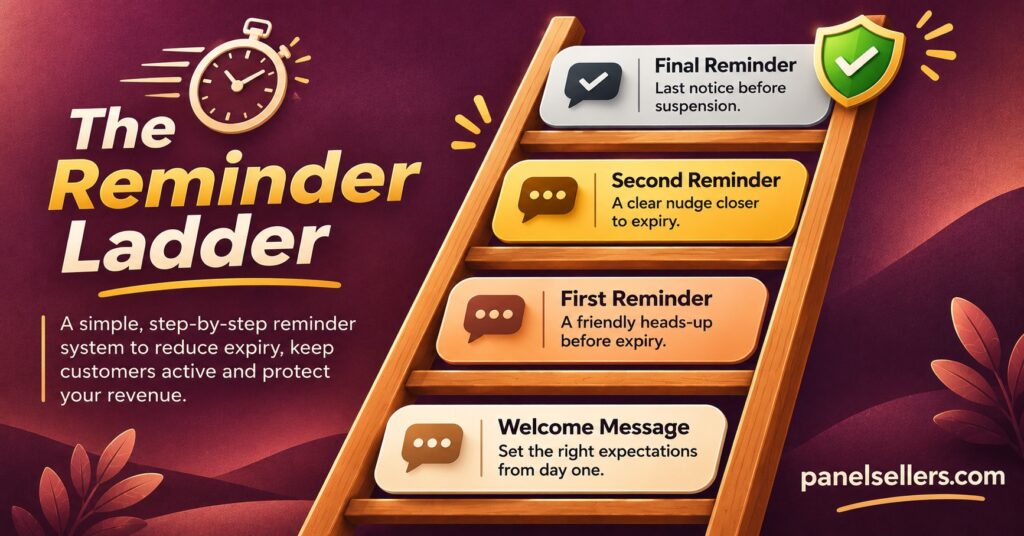
Building the Reminder Ladder
Once the dates are reliable, the schedule matters more than the tool. A single reminder on the expiry day arrives too late for anyone who pays by bank transfer or needs to check with someone else in the household. Too many reminders, and customers start ignoring them.
A practical ladder has four rungs. The exact day counts below are an example, not a rule, and you should adjust them to how your customers pay.
Seven days out
A calm, informational note. The line ends on a stated date, here is how to renew, and nothing changes if they do. This is the reminder that catches people who need time to arrange payment.
Two or three days out
Shorter, and only sent if the line hasn’t been renewed. Your automation must check the panel again before this fires. If it reads from a list built a week ago, it will remind people who already paid.
Expiry day
A plain statement that the line ends today, with the renewal route repeated. Send it at a sensible local hour for the customer, not at midnight server time.
After expiry
One follow-up a couple of days later for customers who didn’t renew. After that, stop. A lapsed customer who receives repeated chasers is more likely to complain than return.
Your own internal alert runs on a different ladder. A daily or weekly summary that lists lines expiring in the next seven days, totals the credits needed to renew them, and compares that against your current balance gives you time to top up before renewals start failing.
Pro tip: Add a “renewed” check as the last step before any customer reminder sends, not the first. Checking at the point of sending catches renewals that happened an hour earlier.
Keeping Reminder Messages on the Right Side of Marketing Rules
In the UK, electronic marketing is governed by the Privacy and Electronic Communications Regulations, and the Information Commissioner’s Office treats genuine service messages differently from direct marketing. A message sent purely for administrative or customer service purposes, such as telling someone their subscription is ending, is generally a service message and does not need marketing consent.
The catch is that the ICO has repeatedly found that messages labelled as service updates crossed the line because they contained promotional content. Once a reminder pushes an upgrade, a longer plan at a discount, or a referral offer, the whole message can be treated as marketing. Several companies have been fined after arguing their messages were only service updates.
For an expiry reminder, that means keeping the content tight:
- The date the line ends
- How to renew and what it costs at the current rate
- How to contact you with a question
- Nothing about other packages or promotions
If you want to offer longer terms or extra connections, send that separately and only to customers who have agreed to receive marketing. Other English-speaking countries have their own rules, so UK IPTV resellers serving customers outside the UK should check the regulator in that country rather than assuming UK guidance applies.
Two operational details matter as much as the legal ones. Never include login credentials in a reminder, because forwarded or intercepted messages expose the line. And keep the wording plain enough that the customer can tell it apart from the scam messages that imitate renewal notices.
Choosing an Automation Setup That Fits Your Size
There is no single correct tool. The right setup depends on how many lines you manage and how much you trust each step in the chain.
With a small customer base, a spreadsheet does most of the work. A days-remaining column using a formula such as =C2-TODAY(), where column C holds the expiry date, combined with conditional formatting that colours rows at seven days and two days, gives you a visual alert every time you open the sheet. A scheduled email or calendar reminder to yourself turns that into a routine. The weakness is the manual sync with the panel, so pair it with a weekly check against the dashboard.
As the base grows, spreadsheets start missing renewals because the sync falls behind. This is the point where a store integration or API-driven automation earns its setup time. The automation pulls fresh dates, applies the ladder, and sends through email or a messaging service the customer has chosen. Keep a log of every message sent, so when a customer says they were never warned, you can check.
Sub-resellers face an extra dependency. If your parent reseller controls the line and you only see part of the account, your alerts are limited to what your access level shows. Ask what you can read before building anything, and agree who sends reminders so customers don’t receive two different messages about the same line.
Whatever the size, the credit side should be automated before anything fancier. An alert that warns you the upcoming renewals need more credits than you hold protects every customer at once. Planning that buffer is easier when you know your package options, and the current reseller credit packages are listed if you’re working out how much headroom you need.
Failure Points That Make Alerts Lie
Automated alerts fail in predictable ways, and most of them trace back to dates or duplicates rather than the sending tool.
Time zone drift. Panels typically store expiry as a timestamp in server time. A line that “ends on the 14th” may actually cut out late on the 13th for a customer several hours behind the server, or in the early hours of the 14th for one ahead. Your reminders should state the date in the customer’s own time zone, and your expiry-day message should go out well before the real cut-off.
Renewals the alert never sees. If renewal happens in the panel but the alert reads from a list built earlier, the customer gets chased after paying. Re-checking at send time fixes this.
Days-remaining fields read as dates. As the plugin example above shows, a panel field that counts down can be misread as a fixed date, producing alerts that are always “tomorrow”. Spot-check a few lines after any panel or plugin update.
Duplicate or replaced lines. When support creates a new line to replace a faulty one, the old line may still exist with its own expiry date. Unless your records link both to one customer, the customer receives reminders for a line they no longer use.
Silent sending failures. Messaging services reject numbers, emails bounce, and accounts get rate-limited. If nobody watches the send log, the alerts stop and you only find out when renewals drop.
None of these needs complex software to prevent. A short weekly review comparing a sample of lines against the panel, plus a glance at the send log, catches most of them before customers notice.
Questions Resellers Ask About Expiry Alerts
Can my reseller panel send renewal reminders to customers by itself?
Some can, but many only display expiry dates and offer filters. Check your dashboard’s settings and ask your provider directly. If it can’t, you’ll need an external tool that reads dates from the panel.
Should reminders go by email or messaging app?
Use whichever channel the customer chose when they signed up, and record it. A reminder on a channel they rarely check is barely better than none.
What should happen when a customer renews after expiry?
That depends on your panel and provider. Some extend from the renewal date, others from the original end date. Know which applies before promising anything in a reminder.
Do sub-resellers need their own alert system?
Usually yes, but only for the lines they can see. Agree with the parent reseller who handles customer-facing reminders, so the same customer isn’t contacted twice.
Is it worth automating alerts with only a few customers?
A full automation probably isn’t, but a spreadsheet with a days-remaining column and a weekly reminder to yourself takes minutes to set up and prevents the most expensive mistake: a loyal customer lapsing because nobody noticed.
If you’re unsure what your panel can export or which reminder features your access level includes, our support team can check your account setup before you build anything around it.
Where to Start
IPTV Reseller Panel Expiry Alerts work when the date comes from the panel, the reminder checks the panel again before it sends, and the message says only what the customer needs to renew. Start with the credit alert to yourself, then add a seven-day customer reminder, and expand the ladder once you trust the dates. The tool can be as simple as a spreadsheet; what makes it reliable is the weekly habit of checking a few lines against the dashboard, because no automation knows when it has started reading the wrong number.