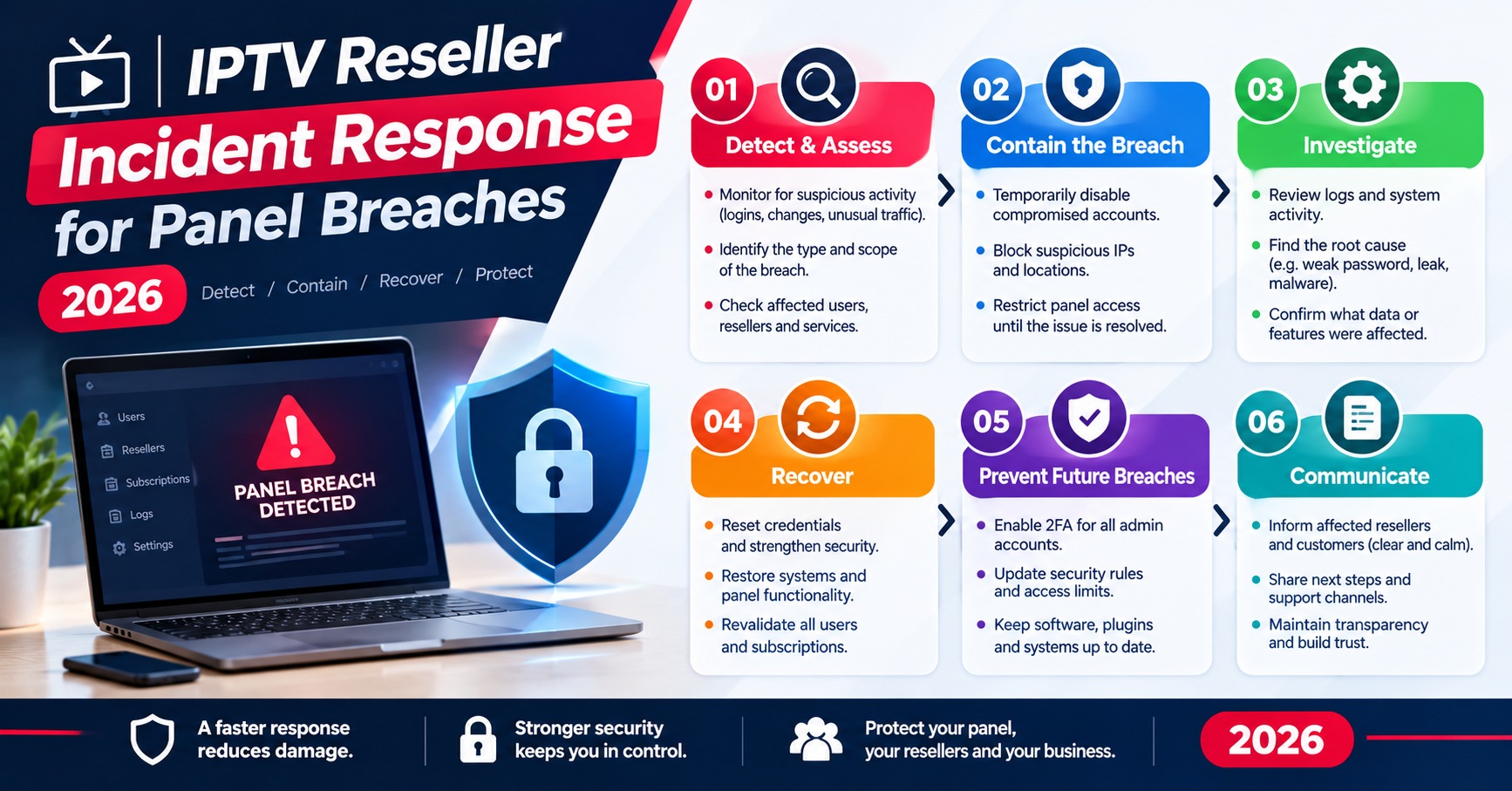

Good IPTV Reseller Incident Response comes down to doing a handful of things in the right order during the first hour. Confirm what is actually happening, shut off any access that might be compromised, stop credits from moving, and give customers an honest update before they start guessing. Finding the root cause can wait a little while. Stopping the damage from spreading can’t.
Most first-hour mistakes happen because every incident gets treated as an outage. From a customer’s sofa, a provider-side server fault and a stolen reseller panel login can look almost the same: lines stop working, messages pile up, and someone wants answers. But the right first move is the opposite in each case. With an outage you mostly wait, check and communicate. With a compromised account you act straight away, before the person who has your password does anything else. A reseller can’t see inside the provider’s infrastructure, so the opening minutes go on working out which side of that line the problem sits.
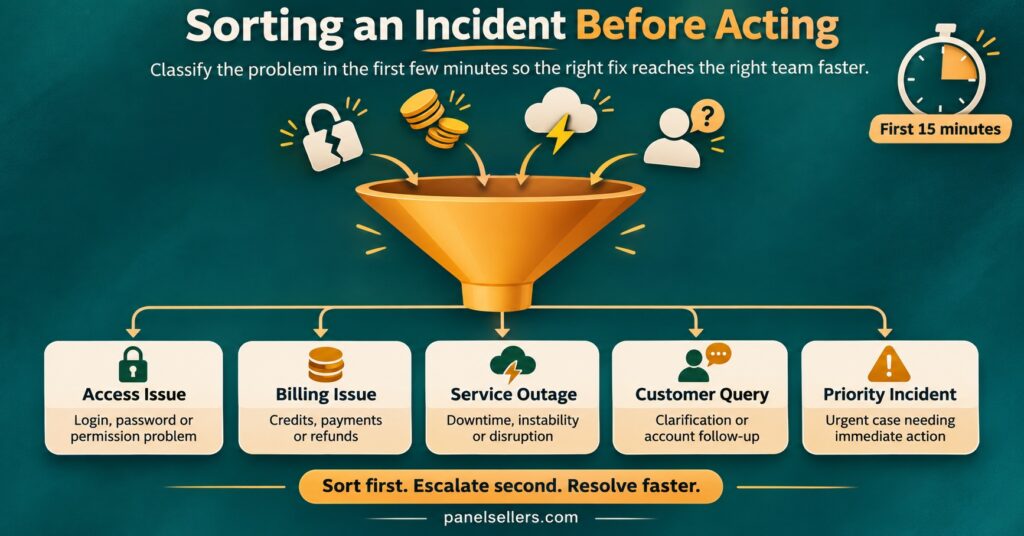
Minute Zero: Work Out What Kind of Incident You Have
Before you change a single setting, spend two or three minutes sorting the incident into a broad type. It feels slow when your inbox is filling up, but it stops you making the classic error of resetting everything and destroying the evidence you’ll need later.
Most incidents a reseller deals with fall into one of five groups. The signals that point to each are fairly distinct once you know where to look.
| Incident type | Typical early signals | First containment move |
|---|---|---|
| Compromised panel login | Unfamiliar logins, new lines you didn’t create, password or email changed | Change the password from a clean device and end all active sessions |
| Unexpected credit drain | Balance lower than your last recorded figure, bulk renewals or trials you didn’t issue | Freeze sub-reseller credit transfers and screenshot the balance |
| Provider-side outage | Many unrelated customers affected at once, nothing unusual in your activity log | Confirm through your provider’s verified support channel only |
| Sub-reseller misuse | Activity concentrated under one sub-account, unusual creation volume | Suspend that sub-account’s permissions, not the whole panel |
| Customer data exposure | Customer details shared in the wrong place, spreadsheet or inbox accessed | Remove or restrict the exposed material and record what was visible |
The middle column is where your panel’s activity history earns its keep. If you already know what to look for in your panel activity logs, you can usually tell within minutes whether the activity came from you, your team, a sub-reseller or someone else entirely.
Incidents also overlap. A phishing email that harvested your password turns into a compromised login, and the compromised login turns into a credit drain. When the signals point to more than one row, contain in order of how fast the damage grows. Credits and access come first, because both can get worse by the minute. Communication and investigation come after.
The IPTV Reseller Incident Response Sequence, Minute by Minute
The timings below are a guide, not a stopwatch. On a quiet afternoon with one sub-reseller you might get through all of it in forty minutes. On a busy evening with a provider outage on top, it could take longer. The order matters more than the exact minutes.
Minutes 0 to 10: Confirm and Contain
Open your reseller dashboard from a device you trust. If you suspect the device you normally use has been compromised, perhaps because you recently opened an attachment or entered your login on an unfamiliar page, use a different one.
If anything suggests unauthorised access, change the panel password immediately and use the panel’s option to sign out other sessions if it has one. Then change the password on the email account linked to the panel, because whoever controls that inbox can usually reset the reseller panel again. If two-step authentication wasn’t switched on, switch it on now.
For a suspected outage, containment looks different. Don’t touch your credentials. Check whether the problem affects several customers on different devices and networks. If it does, and your activity log looks normal, the fault is most likely upstream.
Minutes 10 to 20: Freeze Money and Permissions
Write down your current credit balance and take a dated screenshot. Compare it with the last figure you recorded. Without a recent baseline it’s very hard to prove how many credits disappeared, and that weakens any conversation with your provider.
Pause credit transfers to sub-resellers if your panel allows it. If one sub-account is behind the unusual activity, restrict that account alone. Shutting down every sub-reseller because one is misbehaving punishes people who did nothing wrong and multiplies your support load.
Hold off on refunds, bulk renewals and new trial lines until you understand what happened. Anything you create in this window muddies the record you’re about to preserve.
Minutes 20 to 35: Preserve the Evidence
This is the step people skip, and it’s the one that decides whether the incident can be resolved fairly. Capture, with timestamps:
- The activity log entries covering the suspicious period, exported or screenshotted
- Any lines, trials or renewals you didn’t create, with their usernames and creation times
- Credit balances before and after
- Suspicious emails or messages, with full sender details visible, without clicking any links in them
- A short written note of what you noticed first and when
Keep these in one dated folder outside the panel. If the account gets locked or reset later, you’ll still have your record.
Pro tip: Write your timeline notes as you go rather than reconstructing them afterwards. A line such as “14:12 noticed 40 credits missing, 14:15 changed password” is worth far more to a provider than a recollection written the next day.
Minutes 35 to 50: Talk to Your Provider, Then Your Customers
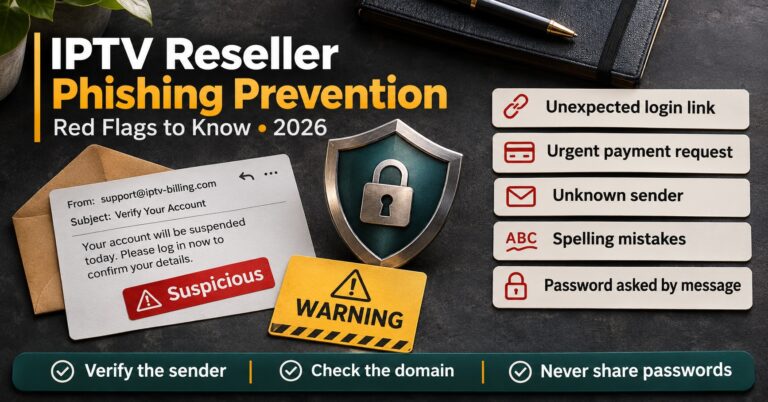
Contact your provider only through a channel you saved before the incident: the support address, ticket system or contact method listed on their official site or in your original agreement. Attackers who’ve just taken over a reseller account sometimes follow up with fake “security team” messages offering to help. Knowing the signs of fake provider and suspension messages matters most right now, when you’re stressed and want the problem gone.
Give the provider the facts in a single message: what you saw, when, what you’ve already done, and your evidence. Ask specific questions. Can they see logins from unfamiliar locations? Can unauthorised lines be reversed? Is there a known service issue right now?
Then update customers. Silence makes people assume the worst, and a short honest message cuts down the flood of individual queries. Something along these lines works for most incidents:
We’re aware some customers are having trouble with their service right now. We’re working on it with our technical partner and will update you by [time]. You don’t need to reinstall anything or change your settings.
Don’t speculate about causes, promise fix times you can’t control, or mention any other customer’s details. If customer personal data may have been exposed, that needs separate handling, covered further down.
Minutes 50 to 60: Decide What Happens Next
By the end of the hour you should be able to answer three questions. Is the threat contained? Do you know roughly what was affected? Is there someone, whether you, your provider or both, responsible for each open item?
If all three answers are yes, the incident moves from emergency to recovery. If any answer is no, set a firm time to check again, usually within the next hour, and tell customers when they’ll next hear from you. Then keep to it.
Safeguards That Shorten the First Hour
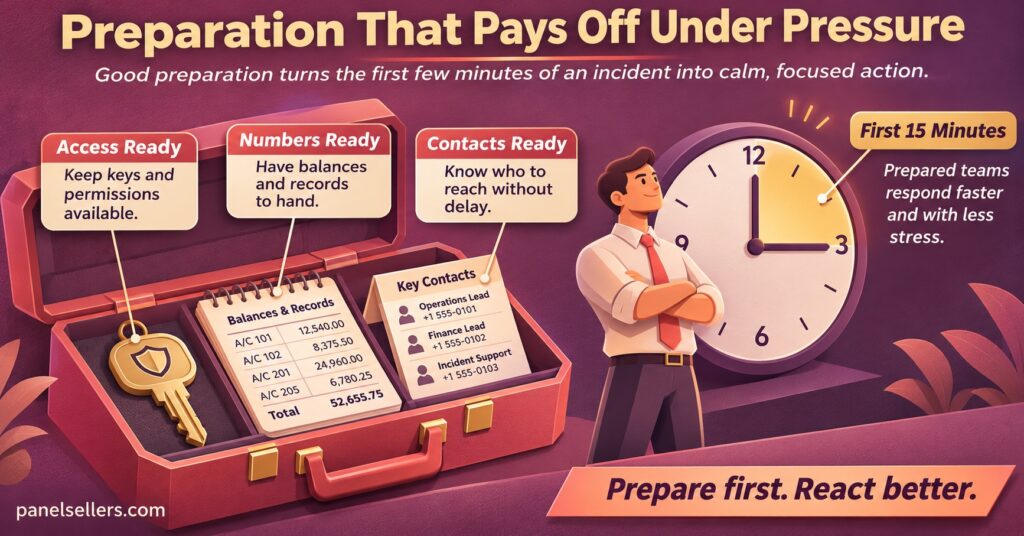
Almost everything that makes incident response slow is something that could have been arranged on a calm day. None of these safeguards is complicated, but each one removes a decision you’d otherwise have to make under pressure.
A dedicated, protected admin email. The email address that controls your IPTV reseller panel shouldn’t also be the one you use for marketing sign-ups and customer chat. Give it a strong unique password and two-step authentication. It’s the master key to your whole business.
A recorded credit baseline. Note your balance after every top-up and at the end of each trading week. It takes seconds, and during an incident it’s the difference between “I think some credits went missing” and “93 credits left the account between 13:40 and 14:05.”
A verified contact list kept outside the panel. Your provider’s support details, your own team’s numbers and any sub-reseller contacts should sit somewhere you can reach even if the panel and your main inbox are both inaccessible.
Sensible sub-reseller limits. Capping how many credits a sub-reseller can hold or move at once limits the damage if their login is stolen. When people join or leave your operation, follow a proper process for handing panel access over safely so old credentials don’t linger.
Pre-written customer messages. Draft two or three short templates now: one for a service disruption, one for a planned maintenance window, one for a security precaution. Under stress, people write either too much or too little.
One named decision maker. In a small operation this may well be you. Even so, if you have a partner or team member, agree in advance who makes the call on resetting access, pausing sales or contacting customers. Two people changing the same password from two places is a surprisingly common way to lock everyone out.
Mistakes That Turn a Short Incident into a Long One
The most damaging mistake is resetting everything before recording anything. Deleting suspicious lines, wiping sub-accounts or reinstalling apps feels decisive, but it removes the trail that shows what happened. Your provider can’t reverse what neither of you can identify.
The second is acting on instructions that arrive during the incident. Messages urging you to “verify your account” through a link, move your credits to a “safe” balance, or pay a fee to lift a suspension are standard ways of exploiting someone who’s already rattled. Real support doesn’t need your password, and it won’t mind you checking through a channel you already trust.
Third, going quiet with customers. Even when you have nothing new to say, a short message saying you’re still working on it and will update them by a set time keeps trust far better than silence followed by a long explanation.
Last, closing the incident as soon as service comes back. Restored streams don’t mean a stolen password has stopped working, or that a sub-reseller who drained credits won’t try again. Recovery only finishes when every open item from your notes has an answer.
When Customer Data Is Involved
Many incidents only touch credits and access, but some expose personal information: customer names, email addresses, phone numbers or payment references kept in spreadsheets, chat histories or inboxes. That changes your obligations.
Under UK data protection law, an organisation that suffers a personal data breach generally has to report it to the regulator within 72 hours of becoming aware of it, unless the breach is unlikely to put people’s rights and freedoms at risk. Where the risk to individuals is high, the affected people usually need to be told as well. Other English-speaking countries have their own rules with different thresholds and timescales, so check what applies where you and your customers are based.
In practice, your first-hour job is simply to stop further exposure and write down what was visible, to whom, and for how long. Don’t delete records to make the problem look smaller. Taking professional advice is sensible if the exposure is significant, and it’s also a good reason to keep only the customer details you actually need.
A word on scope while we’re here: incident response protects a business that’s already operating properly. Panel tools, credits and dashboards are delivery technology. They don’t establish that the content behind them is licensed, and a good security process doesn’t replace proper distribution rights.
Questions Resellers Ask Once Things Calm Down
Can my provider refund credits that were used without my permission?
That depends entirely on your provider’s terms and on the evidence you can show. Timestamped activity logs, before-and-after balances and a prompt report give you the strongest position. Without them, most providers can only take your word for it.
Should I suspend every customer line during a suspected breach?
Usually not. Suspending everyone creates a much bigger support problem than most breaches cause. Restrict the specific accounts or sub-resellers involved, secure your own login, and suspend individual lines only if they’re clearly unauthorised.
How do I tell whether it’s an outage or a problem on my side?
Look at your activity log and at how widely customers are affected. Many customers on different devices and networks, with nothing unusual in your log, points to an upstream issue. Changes you didn’t make, new lines or missing credits point to your account.
Do sub-resellers need their own incident plan?
They need to know their part in yours: who to contact, what not to change, and how quickly to report anything odd. A short written note when they join is usually enough.
How often should I review my incident safeguards?
Whenever something changes, such as a new team member, a new provider or a new sub-reseller, and otherwise every few months. A quick check that your contact list, two-step authentication and credit baseline are current takes minutes.
Closing the Incident Properly
The first hour of IPTV Reseller Incident Response is about order, not heroics: classify the incident, contain access and credits, preserve evidence, speak to your provider through a channel you already trust, and keep customers informed in plain language. What it can’t do is fix problems inside your provider’s systems or replace proper legal advice if personal data has been exposed. Those depend on other people, and your job is to give them clear evidence quickly.