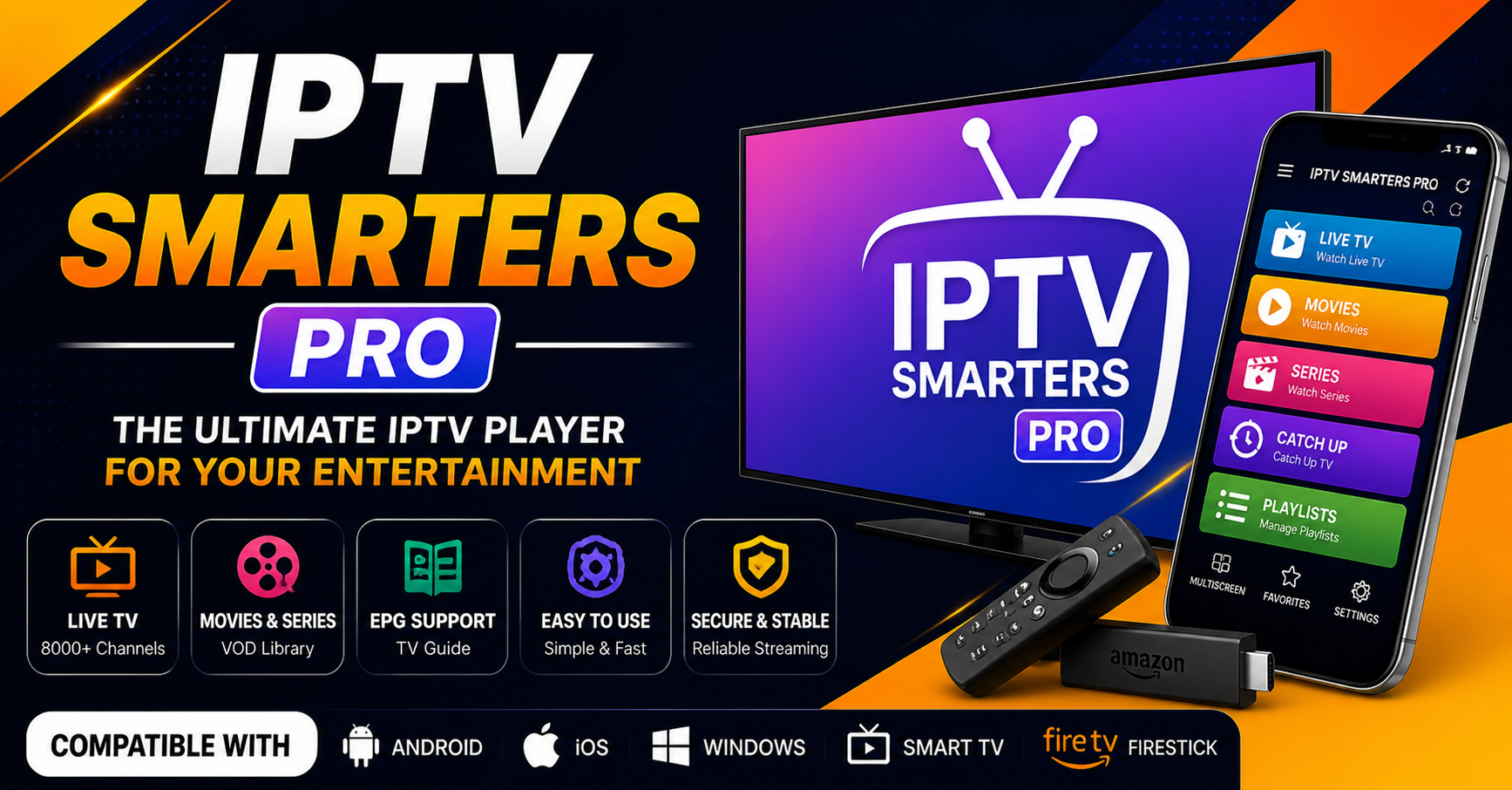

IPTV Smarters Pro is a cross-platform media player app that lets a subscriber log into an IPTV panel using either an M3U playlist link or Xtream Codes API credentials, then stream live channels, VOD content, and EPG data through one interface on Android, iOS, Smart TVs, Fire Stick, and desktop. It doesn’t host or provide any content itself. It’s a delivery client, and how well it performs depends almost entirely on what sits behind it.
Why IPTV Smarters Pro Feels Different in 2026
Most people treat IPTV Smarters Pro like a remote control. Point it at a playlist, press play, done. That mindset is why so many resellers lose customers every month without understanding why.
The app’s cross-device compatibility isn’t just a convenience for subscribers, it’s the product itself for anyone reselling access. The moment panel credentials stop authenticating inside IPTV Smarters Pro, the entire viewing experience collapses. Not partially. Completely.
What’s changed since 2022 is how ISPs detect IPTV traffic. Blocking has moved from simple IP blacklisting to behavioural pattern detection, flagging based on request frequency, handshake signatures, and HLS latency anomalies rather than just destination addresses. If the upstream panel is on a shared CDN edge that’s already been flagged, the app will load the channel list, but streams will buffer or time out within seconds. The customer blames the app. They churn. A credit is gone.
Understanding why that happens, and how to reduce it, is the difference between an operation that scales and one that’s constantly chasing refund requests.
How IPTV Smarters Pro Handles Authentication
When someone logs in using the Xtream Codes API method, the app sends an authentication request to the panel’s server. The panel returns a response containing the channel list, VOD library, EPG URL, and account expiry data. On a clean connection this happens in under two seconds.
What often goes unchecked is server response time on that initial handshake. If the panel’s main server is under load, particularly during weekend evenings or peak viewing windows, the authentication request can time out before data returns. IPTV Smarters Pro then shows a login error. The subscriber assumes their credentials are wrong and gets in touch, and time gets spent troubleshooting something that was never a credentials issue.
The practical fix requires the panel provider to offer backup uplink servers with automatic failover. A reasonable minimum is two uplink paths, primary and secondary, with switching that activates within thirty seconds.
Pro tip: Ask any panel provider how their uplink redundancy works before committing to bulk credits. If they can’t describe their failover setup clearly, they’re likely running on a single server, and that’s a risk worth knowing about upfront.
M3U vs Xtream Codes API: Which One Protects Your Margin
This comes up constantly, and the answer is fairly consistent: use Xtream Codes API rather than a raw M3U link whenever the panel supports it.
An M3U file is a static export. Hand someone an M3U link and they own a direct path to the stream URLs. It can be shared, loaded into other players, or passed to other households without any way to track it. One line sold, several people watching.
With Xtream Codes API inside IPTV Smarters Pro, authentication is tied to a username and password pair the panel manages. Credentials can be reset or expired, and concurrent connections can be monitored, so if login details get shared, that shows up as an unusual concurrent session.
| Feature | M3U Link | Xtream Codes API |
|---|---|---|
| Credential control | None | Full |
| Concurrent login detection | No | Yes |
| Line expiry management | Manual | Panel-controlled |
For anyone managing more than a handful of active lines, M3U access is an operational leak that’s hard to plug retroactively. Resellers who want a fuller picture of how this authentication layer works can look at this Xtream Codes API guide, which breaks down the protocol in more technical detail.
Why IPTV Smarters Pro Buffering Is Rarely the App’s Fault
This is one of the most misunderstood issues in retail IPTV support. A subscriber opens the app, selects a stream, and within ninety seconds it starts buffering. The instinct is to blame the app and suggest a reinstall or cache clear, which is usually the wrong call and trains customers to lose confidence over time.
Buffering during live streams is almost always a transport layer issue. The most common causes in 2026 are:
HLS segment fetch delays, where the server delivering chunks is geographically distant or under load and the buffer empties faster than it refills.
DNS interference at ISP level, where some networks intercept queries for known IPTV infrastructure domains and return dead or redirected responses, so the stream appears to load and then stalls.
Shared CDN saturation, where budget panels route thousands of concurrent streams through the same edge node, and during peak demand that node becomes a bottleneck for everyone connected to it.
Pro tip: When a subscriber reports buffering, suggest switching their device DNS to a third-party resolver like Cloudflare (1.1.1.1) or Google (8.8.8.8) before investigating anything else. If it clears up, ISP-level DNS interference is the likely cause, not the panel or the app.
Setting Up IPTV Smarters Pro Without a Support Nightmare
The biggest time drain for most IPTV resellers is setup support. A customer receives credentials, downloads the app, then spends forty minutes stuck because they’re on the wrong menu or an outdated app version.
The fix is a one-page setup guide specific to the app and to the device someone is using, with screenshots rather than a generic video link. It should walk through where to download the genuine app (clones and knockoffs exist on some storefronts), the exact path (Add New User → Xtream Codes API), where to enter the server URL, username, and password, how to load the EPG, and what to check if channels appear but nothing plays.
This single document meaningfully reduces support volume. Once someone knows the path, IPTV Smarters Pro is intuitive, the problem is usually that nobody showed them the path in the first place.
ISP Blocking in 2026 and What It Means Here
Enforcement has shifted this year. Major broadcasters increasingly work with ISPs on real-time traffic analysis that flags sessions by behavioural signature rather than relying only on court orders against specific domains.
Practically, that means a subscriber on a residential ISP can have working streams one evening and dead ones the next morning, on the same panel, same credentials, same app version. The ISP updated its filtering rules overnight. Nothing on the stream endpoint changed.
This is why backup infrastructure matters at the panel level, not just the device level. The app itself can’t route around ISP blocking. The panel needs alternative delivery paths, different server clusters or IP ranges, so that when one path is blocked, another can take over.
Pro tip: When evaluating a new panel, ask how many independent uplink paths they run and whether they’ve faced ISP-level blocking in the past twelve months. How directly they answer tells you more than any sales pitch.
Panel Credits and How They Shape What You See
Credits are often treated as pure currency: buy them, create lines, sell lines. The deeper reality is that how credits and expiry windows are managed directly affects stream reliability from the subscriber’s side.
A line with a short expiry that lapses mid-stream drops the session immediately, with no warning. The channel list vanishes, and the subscriber assumes the whole service is down.
Reasonable habits here include setting renewal reminders seven days ahead rather than on the expiry date, offering an auto-renewal prompt two weeks out, and reviewing which lines are approaching expiry inside the panel dashboard weekly. If the panel supports connection monitoring, checking which lines have gone quiet can also flag churn before it’s reported.
For a broader look at how panel-side account management works, this IPTV reseller panel explained guide covers the fundamentals in more depth.
Infrastructure Tiers: Why Cheap Panels Undercut Good Apps
IPTV Smarters Pro itself is stable and well maintained. When it fails, the cause is almost always upstream, not a flaw in the app.
| Infrastructure Level | Monthly Failure Events | Customer Churn Rate |
|---|---|---|
| Budget single-server panel | 8–15 incidents | High (30%+ monthly) |
| Mid-tier multi-server panel | 2–4 incidents | Moderate (10–15%) |
| Premium distributed infrastructure | Under 1 incident | Low (under 5%) |
IPTV Smarters Pro performs identically across these tiers from a software standpoint. What a subscriber actually experiences is determined by the infrastructure behind it, which is one reason providers like britishseller.co.uk, alongside various other panel operators, get evaluated on uptime and failover rather than app choice alone.
For Subscribers: What to Check Before Relying on IPTV Smarters Pro
If you’re the end user, focus on things you can actually verify. Confirm which devices you’ll be using and whether the provider supports Xtream Codes API rather than only a raw M3U link, since that affects how your account is managed if something goes wrong. Ask about simultaneous connection limits if more than one household member will be watching.
Check the refund terms before paying anything, and be wary of providers who won’t put pricing or a trial period in writing. Legality depends on where the content originates and what distribution rights the provider actually holds, which is worth asking about directly rather than assuming.
For Resellers: Making IPTV Smarters Pro Part of a Scalable Setup
Panel quality is the ceiling on what you can offer. Prioritise Xtream Codes API provisioning over M3U for paying customers, confirm failover architecture before buying credits in bulk, and build device-specific onboarding material before your first sale rather than after your first support wave.
If you’re weighing infrastructure setup more broadly, this IPTV setup guide covers scaling decisions that go beyond app selection, and comparing player options is worth doing before locking subscribers into one app across your base, covered in this best IPTV apps overview.
For Sub-Resellers: Margins and Where Control Ends
Operating under a parent reseller means your margin and your customer relationships both depend on infrastructure decisions you didn’t make. Clarify upfront what happens if the parent panel experiences extended downtime or shuts down, whether you retain any customer data or credentials independently, and what your actual margin looks like after credit costs and support time.
Sub-reseller arrangements can work well, but growth is capped by however much autonomy the parent relationship allows. Understanding that boundary early avoids awkward conversations later.
Frequently Asked Questions
Is IPTV Smarters Pro free to use?
The app itself is typically free to download, though some versions or features may carry a cost. Any channels or content require a separate subscription from a provider, which is not something the app itself supplies.
Does IPTV Smarters Pro work on Smart TVs?
Yes, it’s available across Android, iOS, Amazon Fire Stick, and many Smart TV platforms, along with desktop use, which is part of why it’s widely used across mixed-device households.
Why does IPTV Smarters Pro keep buffering?
Buffering is usually a transport-layer issue rather than an app fault, most often linked to server load, ISP-level DNS interference, or a saturated shared CDN node rather than anything wrong with the app itself.
Is M3U or Xtream Codes API better for IPTV Smarters Pro?
Xtream Codes API generally offers better account control, since it ties access to managed credentials that can be monitored and reset, whereas an M3U link is a static file that’s harder to track once shared.
Is using IPTV Smarters Pro legal?
The app is a delivery tool and is legal to use. Legality depends on whether the underlying content is being distributed with proper rights, which varies by provider and jurisdiction, so it’s worth checking a provider’s terms and transparency directly.
Conclusion
IPTV Smarters Pro is a capable, widely trusted client, but it’s only ever as reliable as what’s behind it. The app doesn’t cause buffering, drop connections, or fail authentication on its own, those symptoms almost always trace back to server load, credential management, or ISP-level interference upstream. Whether you’re watching, reselling, or sub-reselling, the decisions that matter happen in infrastructure and account management, not in the app itself.
Subscriber Checklist
- Confirm your device is supported before subscribing
- Ask whether access is via Xtream Codes API or M3U only
- Check simultaneous connection limits against your household needs
- Get refund and trial terms in writing before paying
Reseller Checklist
- Confirm backup uplink servers and failover timing before buying credits
- Provision new customers via Xtream Codes API, not raw M3U
- Build device-specific setup documentation before your first sale
- Set renewal reminders seven days before expiry, not on the day
Sub-Reseller Checklist
- Clarify what happens to your customers if the parent panel goes down
- Confirm your actual margin after credit cost and support time
- Understand what account-level control you have versus the parent reseller
- Set expectations with customers about response times you can realistically meet