
IPTV Xtream Codes API Explained
Most people who run a panel have never actually read what their player app sends to the server. They just see streams load or fail, and they guess. That guessing is where money quietly leaks out of a reseller business.
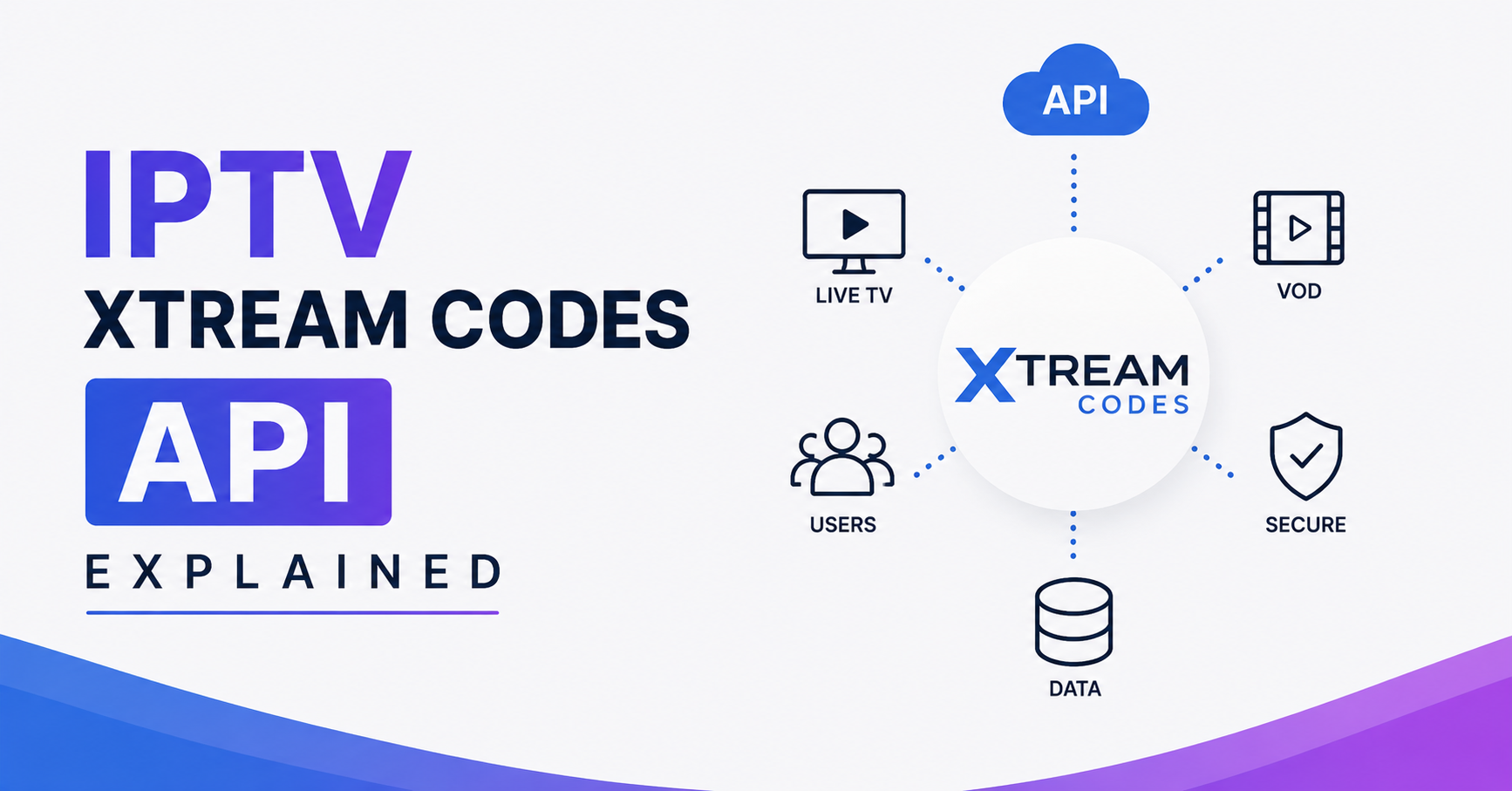
Here is the short version before anything else. The Xtream Codes API is a set of simple web requests that sit between a customer’s app and your IPTV server. When someone opens their player, the app calls a URL, hands over a username and password, and the server answers with the channel list, the movie library, the program guide, and a stream link. That’s it. No magic. IPTV Xtream Codes API explained in one sentence: it’s the translator that lets any compatible app talk to your panel without the customer ever typing a raw stream link.
If your streams keep dropping or your app shows an empty channel list, the cause is almost always one of three things: an expired or capped line, a DNS or domain that got blocked, or your panel returning a malformed response under load. Check those before you blame the provider. Most “the API is broken” tickets I’ve reviewed over the years turn out to be a maxed connection limit.
The rest of this walks through how the thing actually behaves in production, not how a documentation page pretends it does.
Where this API came from and why it still rules
The original Xtream Codes panel was taken down back in 2019 after a coordinated enforcement action across Europe. The software itself scattered, got cloned, forked, rebranded, and patched by dozens of separate teams. What survived was the API format. Player apps standardised on it because it was everywhere, and now almost every panel on the market speaks Xtream Codes whether the underlying software is XUI, a custom build, or something stitched together in a basement.
So when a reseller asks “does my panel support Xtream Codes,” the honest answer is that the panel almost certainly does, because the ecosystem would collapse otherwise. The format became the common language. A customer with a player app expects four pieces of information and nothing more.
Pro Tip:
The API format outliving its original creators is exactly why you should never tie your UK IPTV reseller business to one panel brand. The interface is portable. Your customer database and your stream sources are the assets. The panel is replaceable, and treating it as disposable saves you during the next takedown wave.
The four things every customer actually needs
People overcomplicate onboarding. A subscriber needs a server URL, a username, a password, and a compatible app. That’s the whole handshake. When a new IPTV reseller fumbles activations, it’s usually because they’re sending customers M3U links and API logins and a portal MAC address all at once, and the customer panics.
| What you send | What it’s for |
|---|---|
| Server URL (http or https + port) | Tells the app where your panel lives |
| Username | Identifies the customer line |
| Password | Authenticates that line |
| App name | Confirms the player speaks Xtream Codes |
Send those four cleanly and most activations take under a minute. The API does the rest behind the scenes.
How a single login call really works
When the app connects, it hits an endpoint that returns account info as a small block of data: whether the account is active, when it expires, how many simultaneous connections are allowed, and how many are currently in use. That last pair matters more than panel owners realise.
A line set to one connection means one device. The customer watches on the TV, then tries the phone in the kitchen, and the second device gets refused. To them, the service “stopped working.” To the API, everything is functioning perfectly. After reviewing hundreds of support requests, I’d estimate a third of “buffering” and “frozen” complaints are actually a connection limit being hit by a second device the customer forgot was logged in.
Pro Tip:
Build your activation message to state the connection count in plain words. “Your plan works on 2 devices at once” prevents more tickets than any technical fix. Cheap honesty beats expensive support time.
The calls behind the channel list, the movies, and the guide
After login, the app makes separate requests for live categories, the live channel list, the video on demand library, series, and the electronic program guide. Each is its own call. This is why a customer sometimes sees channels load instantly but the guide stays blank, or the movie section spins forever while live TV plays fine.
Those symptoms tell you exactly where the problem sits. A blank guide means the EPG response failed or timed out. An empty movie library while live works means the VOD database query is choking. Live working but guide missing is never a “whole service down” situation, and reading the symptom this way saves you from restarting things that were never broken.
The stream link itself is built from a predictable pattern: your server, the username, the password, and the channel identifier. Modern apps construct this automatically. Older or knockoff apps sometimes build it wrong, which is why one app fails on the exact same line where another app succeeds.
Why the same login fails in one app but works in another
This confuses IPTV resellers constantly. The line is valid. The panel is up. Yet App A shows nothing and App B plays everything. The difference is how strictly each app follows the API and how it handles the server’s response.
Some apps demand https. Some only send http. Some choke if the panel returns extra fields. Some can’t parse a guide that arrives in a slightly different date format. The API has a loose standard, and every app author interpreted the edges differently.
- App expects a port you didn’t include in the URL
- App forces https while your panel only answers on http
- App caches an old failed login and won’t retry cleanly
- App can’t handle the volume of categories your panel returns
- App silently drops streams that use a codec it doesn’t support
When a customer says “your service doesn’t work on my new app,” the fix is usually telling them to fully remove the line and re add it, or switch to a player you’ve actually tested. I keep a short list of two or three apps I trust and steer customers toward them rather than debugging every obscure player a customer downloads.
What load does to API responses
Here’s the part nobody mentions in the tidy explanations. The API is cheap to call once. It is expensive to serve to fifty thousand devices that all wake up at 8pm on a Saturday and request the full channel list, the full guide, and a stream all within the same few minutes.
During a major sports event, the failure I see most isn’t the stream itself going down. It’s the API timing out. The video servers hold, but the panel that answers login and category requests gets buried, so customers can’t get past the loading screen even though the streams behind it are fine. The handshake becomes the bottleneck.
| Cheap setup | Built to hold |
|---|---|
| One server answers API and streams | API and delivery separated |
| No caching of category data | Guide and lists cached |
| Single uplink | Backup uplinks ready |
| No monitoring until customers complain | Alerts before users notice |
| Panel and stream on same machine | Load spread across nodes |
A panel owner running everything on a single cheap box discovers this the hard way during the one event their customers care about most. That’s the night churn spikes, because a customer who pays specifically to watch one match and stares at a loading wheel does not renew.
Pro Tip:
Cache your category and guide responses so the API doesn’t rebuild them from the database on every single login. This one change carries more concurrent users than doubling your server specs, and most panel owners never touch it.
DNS, domains, and the blocking problem
The server URL you hand customers is a weak point. ISPs and rights holders increasingly target the domains that panels answer on. When a domain gets blocked, every customer using that URL loses access at once, even though the line, the panel, and the streams are all healthy.
This is why experienced IPTV operators rotate domains and sometimes give customers a URL that resolves through routing they control rather than a single fixed address. The API doesn’t care what hostname it answers on. The customer’s app just needs a reachable address. Smart panel owners design for the day a domain disappears, because in 2026 that day comes more often, not less, with AI assisted traffic fingerprinting making static setups easier to spot.
A reseller who only ever gave out one domain and never planned a swap is one block away from a mass refund event. The ones who survive treat the access URL as something that will eventually be lost and build the swap process before they need it.
A short reseller story worth learning from
One reseller I worked with grew fast on a single panel with a single domain, no caching, everything on one server. For months it was fine. Then a Champions League night hit, the API buckled under simultaneous logins, the domain got flagged the same week, and roughly four hundred customers lost service inside three days. He hadn’t collected anyone’s contact details outside the panel, so he couldn’t even tell them what happened.
The streams were never the problem. His infrastructure design was. He rebuilt with separated API and delivery, cached responses, two backup domains, and a customer list stored outside the panel. The second time a domain went down, he swapped it and messaged everyone within an hour. Almost nobody churned. The difference between those two outcomes was planning, not luck.
What this means for credit resellers and sub reseller setups
If you operate a reseller panel and sell credits down to sub resellers, every weakness above multiplies. A sub reseller doesn’t see your infrastructure. They see whether their own customers can log in. When the API stalls, your sub resellers feel it as their business failing, and they leave faster than end customers because they have somewhere to go.
So the API isn’t only a technical detail. For an IPTV business owner, it’s the surface your entire distribution network is judged on. Panel credits, trial conversions, retention, the lot, all ride on whether that login call answers fast and clean. A credit reseller who keeps the handshake reliable keeps their downline. The ones who treat infrastructure as an afterthought watch their UK IPTV reseller panel empty out one sub reseller at a time. If you’re sourcing a stable upstream, providers like britishseller.co.uk are the kind worth evaluating against the reliability checklist below rather than on price alone.
Frequently Asked Questions
What is the IPTV Xtream Codes API explained in simple terms?
It’s a small set of web requests that let any compatible player app talk to an IPTV server. The app sends a username and password to a server URL, and the API returns the account status, channel list, movie library, guide, and stream links. The customer never handles raw stream links directly.
Is the IPTV Xtream Codes API explained the same as an M3U link?
No. An M3U is a static playlist file the customer downloads or links to. The Xtream Codes API is interactive: the app queries the server live for categories, guide data, and account info. The API also reports expiry dates and connection limits, which a plain M3U cannot do.
Why does my line work in one app but not another?
Each player interprets the API slightly differently. Some require https, some need the port written into the URL, some can’t parse certain guide formats or codecs. The line is usually fine. Removing and re adding it, or switching to a tested app, fixes most of these cases.
Why does the channel list load but the guide stays empty?
The guide is a separate API call from the channel list. A blank guide means the EPG response failed or timed out while the live channel request succeeded. It isn’t a full outage, and restarting the whole service won’t help. The fix sits with the guide data on the server side.
Why does my IPTV reseller panel slow down during big sports events?
Thousands of devices wake at once and all request login, categories, and guide data within minutes. The API serving those requests gets overwhelmed before the video servers do. Caching category and guide responses and separating the API from stream delivery is what carries the load.
How many devices can use one Xtream Codes line?
That depends on the connection limit set on the line, not the API itself. A one connection line allows one device at a time. A second device gets refused, which customers often misread as the service failing. Always tell customers their device count up front.
Does the Xtream Codes API store my customers’ details?
The panel stores the line credentials and usage data. As a reseller, you should keep your own customer contact records outside the panel. If a domain is blocked or a panel goes down, an external customer list is the only way to reach people and prevent mass churn.
Conclusion
Strip away the mystique and the IPTV Xtream Codes API explained properly is just a handshake: four pieces of information, a few web calls, and a server that answers fast or doesn’t. Customers never see it, but every login, every channel list, every guide load runs through it. The operators who treat that handshake as critical infrastructure, caching responses, separating the API from delivery, planning for domain blocks, keeping a customer list outside the panel, are the ones whose reseller panel survives the nights that matter. The ones who treat it as an afterthought learn the same lesson during their busiest sports event, when it’s most expensive to learn.
Subscriber checklist
- Save your server URL, username, and password somewhere safe
- Confirm how many devices your plan allows before adding a second one
- Use a player your provider has actually tested, not a random download
- If the guide is blank but channels work, report it as a guide issue, not a full outage
- Remove and re add your line before assuming the service is broken
Reseller checklist
- Separate your API and stream delivery so login survives traffic spikes
- Cache category and guide responses to cut database load
- Keep at least two backup domains ready before you need them
- Store customer contacts outside the panel
- Test your activation flow on the exact apps you recommend
Sub reseller checklist
- Confirm your upstream caches API responses before peak events
- Ask what the domain swap plan is, not whether one exists
- Keep your own customer records independent of the panel you buy from
- Track which apps your customers actually use and standardise on the reliable ones
The single most valuable habit here is reading symptoms instead of guessing. A blank guide, a refused second device, a slow login during a big match each point to a specific cause. Operators who learn to read those signals fix the right thing the first time, and that discipline is what separates a panel that grows from one that quietly bleeds customers.