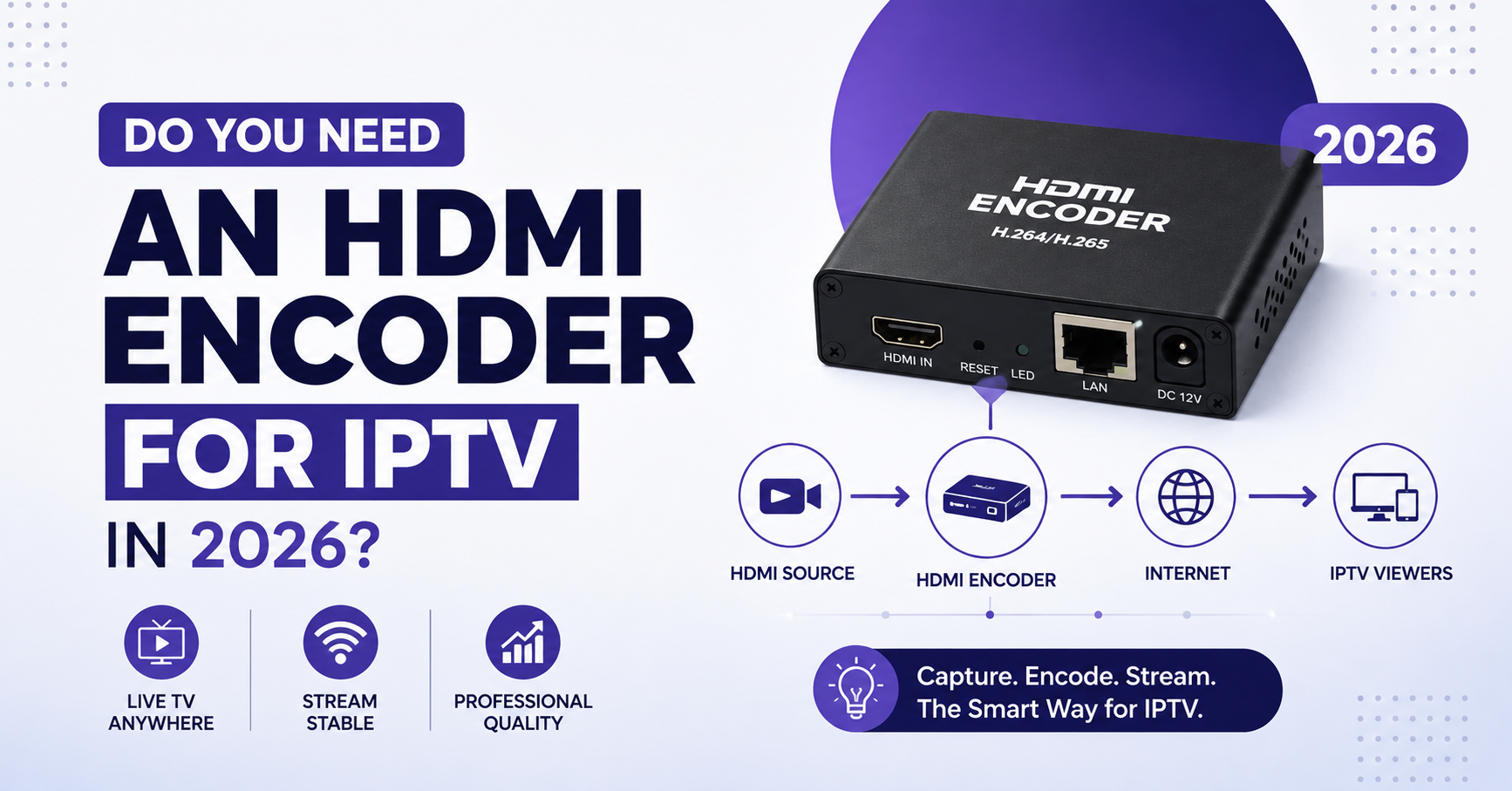

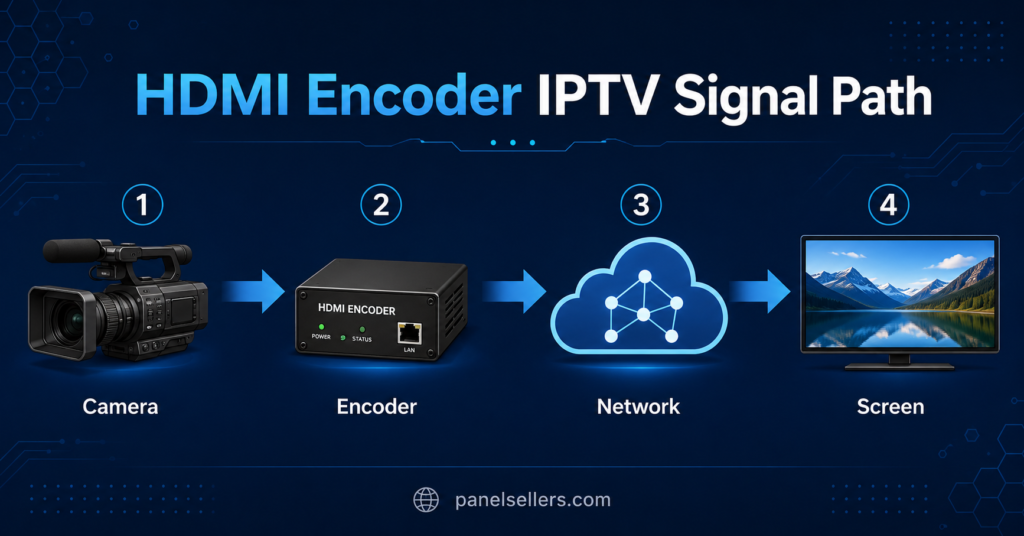
HDMI Encoder IPTV device takes a live video signal, usually from a camera, mixer, or set-top box, and converts it into a network stream that can be watched over IP instead of a direct cable connection. You need one only when you are producing your own live feed, not when you are simply watching channels through an existing UK IPTV subscription or reseller panel. If your goal is to broadcast a venue, event, or in-house channel, the encoder sits between your video source and your network. If your goal is to watch or resell existing content, an encoder solves a problem you don’t actually have.
What an HDMI Encoder Actually Does
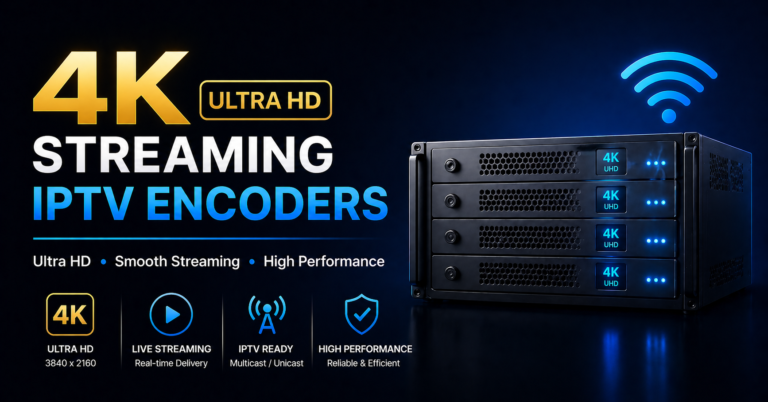
An HDMI encoder takes the raw video signal coming out of a camera, a Blu-ray player, a game console, a mixer output, or a set-top box, and compresses it using a codec such as H.264 or H.265. That compressed signal is then packaged into a streaming protocol, commonly RTMP, RTSP, HLS, or SRT, and sent out over Ethernet or Wi-Fi. On the receiving end, a decoder, a media player, or an IPTV app reads that stream and turns it back into watchable video.
This is fundamentally a production tool. It has nothing to do with pulling channels from a third-party provider. If you already subscribe to channels through an IPTV panel, that content arrives pre-encoded from the provider’s own infrastructure, so an encoder at your end adds nothing.
Who Actually Needs One
People who genuinely need an HDMI encoder include venues streaming their own events, gyms or churches broadcasting a live feed to members, small production teams sending a signal to a distribution platform, and IPTV panel owners who want to add a locally produced channel alongside standard subscription content. If none of that applies and you want access to television channels, a subscription through a reseller panel does the job without any hardware.
For resellers building out a panel, an encoder becomes relevant only if part of the business plan includes offering an original or exclusive channel rather than reselling existing feeds. That’s a meaningfully different service than standard credit reselling, and it comes with its own bandwidth, licensing, and support responsibilities.
Key Features to Check Before Buying
Not every encoder suits every job, and picking the wrong one usually shows up later as dropped frames or an unstable feed rather than an obvious failure at setup. A few things are worth checking properly before spending money.
Resolution and input support matter first. Confirm the encoder accepts the actual output of your source device, whether that’s 1080p or 4K, and check the HDMI version it supports, since 2.0 and 2.1 sources are not always interchangeable with older encoder inputs.
Codec support is the next factor. H.265 gives better compression at a lower bitrate than H.264, which helps on limited upload connections, but not every decoder or player on the receiving end supports it, so check compatibility on both sides before committing to one codec.
Protocol flexibility decides how easily the encoder fits your existing setup. RTMP is common for platforms like YouTube and Facebook, HLS suits general playback compatibility, and SRT or RTSP are usually preferred for lower latency or more controlled distribution. An encoder that supports several protocols gives you more room to change direction later without buying new hardware.
Pro tip: Before buying, check whether the encoder ships with a stable web-based control panel. Devices with a clunky or unreliable interface are far harder to manage day-to-day than the spec sheet suggests.
Ways to Get a Live Channel Into Your IPTV Setup
Not every business needs to buy hardware to add live content. It helps to compare the realistic options side by side before deciding.
| Option | Best for | Limitation |
|---|---|---|
| Hardware HDMI encoder | Turning a physical camera, mixer or set-top signal into a live IP stream | Needs a dedicated device, network setup and ongoing monitoring |
| Software or PC encoder | Occasional streams or testing before buying hardware | Depends on a computer staying on and stable, less suited to 24/7 use |
| IPTV reseller panel subscription | Reselling existing channel content without producing your own feed | Does not help if the goal is broadcasting your own camera or venue signal |
A hardware HDMI encoder is the right call when you are converting a physical camera or venue feed into an ongoing IP stream. A software or PC-based encoder works reasonably well for occasional or short-term streaming, though it depends on a computer staying powered on and stable, which makes it less suited to round-the-clock use. If the actual goal is offering existing television content to customers, an IPTV panel reseller setup solves that without any encoding hardware at all, since the content is already delivered pre-encoded through the panel infrastructure.
Pro tip: If you’re unsure which category your project falls into, ask one question first: are you producing original video, or are you distributing existing channels? That single answer usually settles whether you need an encoder or a panel subscription.
Setting Up an HDMI Encoder Step by Step
Getting an encoder running correctly is straightforward once the sequence is clear, though skipping steps is where most setup problems start.
Connect the HDMI output of your source device directly into the encoder’s HDMI input, using a cable rated for your resolution. Power on the encoder and connect it to your network using a wired Ethernet connection rather than Wi-Fi wherever possible, since streaming stability depends heavily on a consistent upload path. Access the encoder’s web interface, usually through a browser on the same network, and confirm the correct resolution, bitrate, and codec settings for your source. Choose your output protocol and enter the destination server or platform details, then run a short test stream before going live to confirm both video and audio are arriving correctly on the receiving end.
Check your upload bandwidth against the encoder’s bitrate setting before any real event. A 1080p stream at a typical bitrate needs meaningfully more sustained upload capacity than most home connections comfortably provide, so testing under real conditions matters more than trusting the spec sheet. For anyone also managing IPTV network performance more broadly, reviewing DNS and connection stability guidance is a reasonable next step, since the same network fundamentals affect both encoding and playback reliability.
Common Mistakes People Make With HDMI Encoders
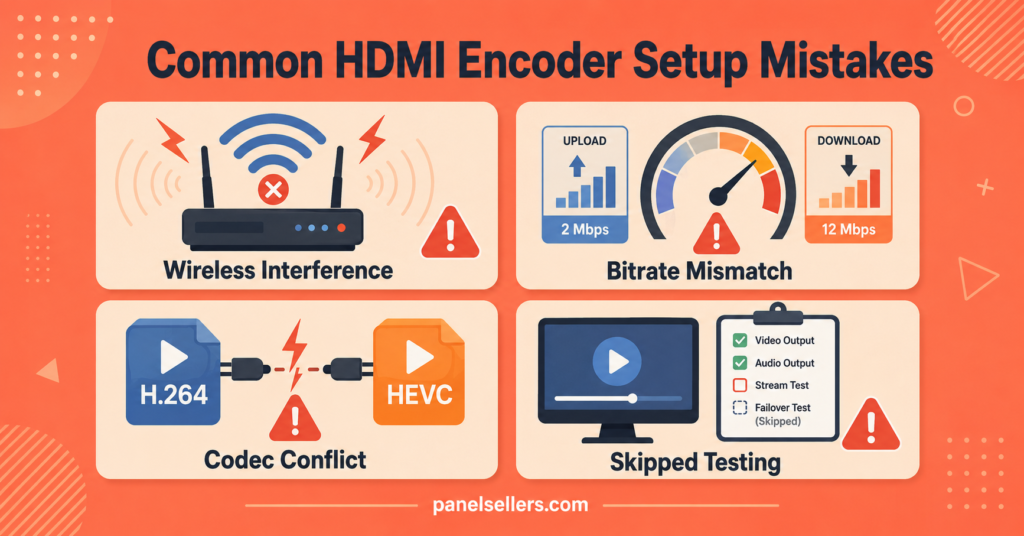
A surprising number of encoder problems trace back to the same handful of avoidable errors. Running the encoder over Wi-Fi instead of a wired connection is one of the most frequent, since wireless interference shows up as unpredictable dropped frames during a live stream. Setting the bitrate higher than the actual upload speed can support is another common issue, and it usually produces buffering on the viewer’s end even though the encoder itself is working fine.
Mismatched codec choices between the encoder and the receiving decoder cause playback failures that look like a hardware fault but are really a compatibility gap. Skipping a proper test stream before a live event is the mistake with the highest cost, since problems that would take five minutes to catch in testing can derail an entire broadcast if discovered live.
HDMI Encoder IPTV Setups vs Reseller Panel Credits
It’s worth being direct about this distinction because the two paths solve completely different problems. An HDMI Encoder IPTV setup is production infrastructure, useful when you are creating original content that doesn’t exist anywhere else yet. Reseller panel credits are distribution infrastructure, useful when you want to offer customers access to content that a provider has already assembled and encoded. Businesses occasionally buy encoder hardware when what they actually needed was a panel subscription, and the reverse mistake happens too, so it’s worth confirming which category your actual goal falls into before spending on either.
For anyone building a reseller business around existing channel access rather than original production, reviewing available credit packages gives a clearer starting point than encoder hardware. For technically minded resellers integrating a custom or locally encoded channel alongside standard panel content, understanding how a panel’s API and playlist structure work is useful groundwork before attempting that kind of integration.
Visible FAQ
What is an HDMI Encoder IPTV device used for?
It converts a live HDMI video signal from a camera, console, or set-top device into a network stream that can be distributed and watched over IP rather than a direct cable connection.
Do I need an HDMI encoder to watch IPTV channels?
No. Watching or reselling existing IPTV content does not require an encoder, since that content is already encoded and delivered by the provider’s own infrastructure.
What is the difference between H.264 and H.265 on an encoder?
H.265 generally compresses video more efficiently, producing similar quality at a lower bitrate, but it needs a decoder or player on the receiving end that also supports it.
Can I use Wi-Fi instead of Ethernet for an HDMI encoder?
It’s possible, but a wired Ethernet connection is more reliable for a live stream, since Wi-Fi interference is a common cause of dropped frames during encoding.
What upload speed do I need for a stable HDMI encoder IPTV stream?
It depends on the resolution and bitrate you set, so it’s best to test under real conditions rather than relying only on the encoder’s spec sheet.
Is an HDMI encoder the same thing as an IPTV reseller panel?
No. An encoder produces original video content, while a reseller panel distributes content that already exists, so they solve different problems.
Conclusion
An HDMI Encoder IPTV setup is worth the cost and effort only when you’re actually producing original video, whether that’s a venue feed, an event, or a locally built channel. If your real goal is offering customers access to existing television content, that need is better and more simply met through reseller panel credits rather than encoding hardware. Match the tool to the actual job before spending money, test any encoder setup properly before relying on it live, and treat bandwidth and codec compatibility as things to verify rather than assume.
Setup Checklist
- Confirm your source device’s exact resolution and HDMI version before buying an encoder
- Check codec support matches on both the encoder and the receiving decoder
- Use a wired Ethernet connection instead of Wi-Fi for the encoder
- Test your actual upload speed against the encoder’s bitrate setting
- Run a full test stream before any live event
- Confirm the encoder’s web interface and controls are stable, not just its spec sheet
- Decide whether you actually need production hardware or a UK IPTV reseller panel subscription before spending