
IPTV Reseller Credits Pricing depends far more on the panel behind the credits than on the sticker price you see on a checkout page. A credit that costs less per unit but comes from a thin, single-source panel usually ends up more expensive once refunds, churn and support headaches are factored in.
That sounds like a dodge, but it is the honest starting point. Two providers can sell what looks like an identical credit at wildly different prices, and neither number tells you anything on its own. The number only becomes meaningful once you know what the credit is buying: how many concurrent connections it supports, how the panel handles line management, what happens when a customer disputes a charge, and whether the infrastructure behind it can survive a busy Saturday evening without falling over.
What a credit actually pays for
A UK IPTV reseller credit is usually sold as a unit that activates one month of service for one connection. Buy 100 credits and you can, in principle, activate 100 one-month lines, or ten twelve-month lines, or any combination in between. That much is fairly standard across the market. Where providers diverge is in what sits underneath that credit.
Some panels price credits low because the underlying source infrastructure is thin: a handful of servers with limited redundancy, no meaningful failover, and support that slows to a crawl the moment volume spikes. Others price credits higher because they are carrying the cost of multiple upstream sources, load balancing, and a support team that actually answers tickets before the customer has already asked for a refund. Neither approach is automatically wrong, but a reseller who buys purely on price per credit without asking what sits behind it is taking on a risk they cannot see from the checkout page.
IPTV Reseller Credits Pricing and package size
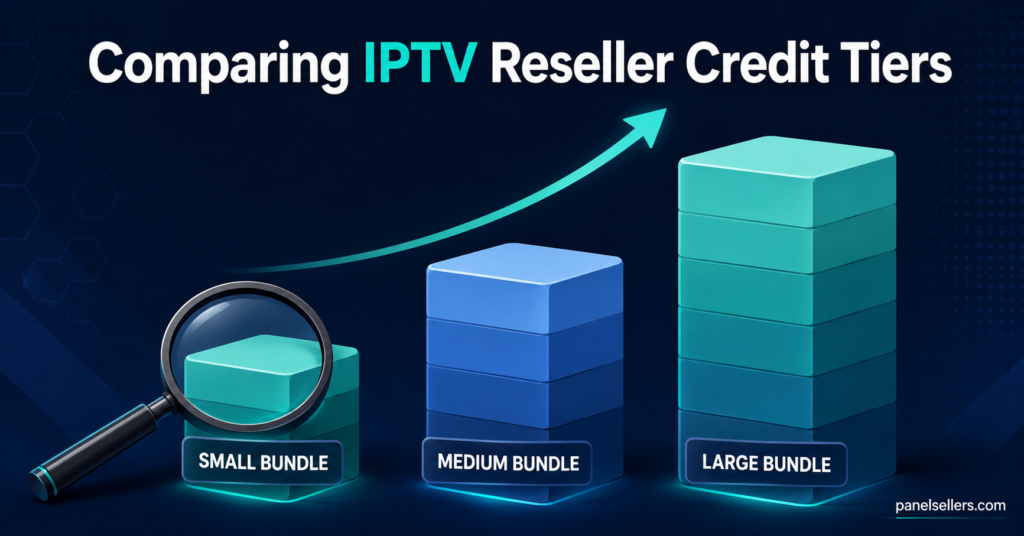
Pricing rarely sits at a single flat rate. Most panels structure it in tiers, where the cost per credit drops as the total volume purchased goes up. A small starter bundle aimed at someone testing the business will usually carry the highest per-credit cost. Larger bundles, often labelled as growth, business or enterprise tiers, bring that per-unit cost down because the provider is moving volume rather than processing dozens of small individual transactions.
This is where new resellers commonly misjudge the maths. Buying the largest bundle purely because the per-credit rate looks best only pays off if the volume gets used within a sensible timeframe. Credits sitting unused for months are effectively cash sitting idle, and if a provider ever changes terms or shuts down, unused credit stock carries risk that a smaller, more frequently topped-up balance does not.
Pro tip: Buy enough credits to cover your realistic customer count plus a modest buffer for growth, not the largest tier just because the headline rate looks cheaper.
Factors that move the price per credit
A handful of variables consistently explain why one provider’s credits cost more than another’s, beyond simple bundle size.
Connection limits attached to each line matter. A credit that only supports a single connection is a different product from one that allows two or three simultaneous streams on the same account, and the latter should reasonably cost more.
Sub-reseller functionality also affects pricing. Packages that unlock the ability to create sub-accounts and let others resell beneath you typically sit at a higher price point because they are effectively selling management infrastructure, not just viewing credits.
Currency and payment method play a role too. Providers who accept several currencies directly, rather than routing everyone through a single crypto rail or a single payment processor, sometimes build a small margin into their pricing to cover that flexibility.
Finally, support responsiveness is baked into price whether or not it is stated outright. A provider running a lean operation with minimal support staff can afford to undercut on price, but that saving is often paid back later in slower resolution times when something breaks.
Comparing package tiers without inventing numbers
Because exact pricing varies by provider, currency and time of year, the more useful exercise is understanding what each tier of package is generally built for.
Warning signs in how a provider prices credits
A price that sits noticeably below the rest of the market for the same connection limits and features is worth pausing on rather than jumping at. It usually means one of three things: the infrastructure behind the credits is thinner than advertised, the provider is subsidising price with poor support staffing, or the business model depends on high churn because renewals are not the priority.
Conversely, a provider that refuses to explain what the credit price actually includes, or that changes its pricing structure without clear notice to existing resellers, is a bigger concern than the number itself. Reasonable price movement happens across the industry as upstream costs shift, but a provider that treats existing resellers as an afterthought when adjusting rates is telling you something about how they will treat you when something goes wrong.
Pro tip: Ask a provider directly what happens to your unused credit balance if pricing changes or the panel is discontinued. A clear, written answer is worth more than a slightly lower headline rate.
Reseller and sub-reseller pricing considerations
For a UK IPTV Panel reseller buying credits directly, the calculation is fairly straightforward: cost per credit against what you charge customers per line, adjusted for expected churn. A pricing structure only works if the margin survives the customers who cancel after one or two months, not just the ones who stay for a year.
For anyone operating as a sub-reseller underneath a parent account, the pricing conversation has an extra layer. The rate you pay your parent reseller needs to leave enough margin to cover your own customer acquisition and support time, and it is worth confirming in writing what happens to your customer base and remaining credit allocation if the parent account is suspended or closed. Pricing that looks attractive on day one can become a liability if the arrangement above you is unstable.
Common mistakes when evaluating credit pricing
New resellers frequently focus on the number on the checkout page and skip past three things that matter more over a full year of running the business.
They rarely ask how credits are deducted when a customer requests a mid-cycle upgrade or a connection increase, which can quietly eat into margin if the mechanics are not understood upfront.
They often overlook whether the price includes any sub-reseller or dashboard permission tier, assuming a cheaper package can simply be upgraded later without cost.
They also tend to skip checking refund terms tied to the credit purchase itself, discovering only after a problem arises that partially used credit balances are treated differently from unused ones.
Checklist before buying reseller credits
- Confirm the exact connection limit included per credit
- Check whether credits expire or carry forward indefinitely
- Ask what happens to unused credits if pricing changes
- Confirm whether sub-reseller access is included or a separate cost
- Review refund terms specific to partially used credit balances
- Compare support response times, not just the price per credit
- Check accepted currencies and payment methods against your own setup
For resellers comparing options directly, the IPTV reseller panel pricing page lists package tiers by credit volume, which is a reasonable starting point for benchmarking against other providers. Anyone weighing up how credit purchasing decisions play out in practice may also find the discussion in this Amazon Firestick reseller guide useful, since it covers buying credits to match real customer numbers rather than guesswork. The pricing pressure that comes from peak demand periods is covered in more depth in this piece on sourcing for sports-heavy demand, and resellers building their own retail pricing around credit cost may find this reseller pricing and churn guide a useful companion read.
Frequently asked questions
Does a higher price per credit always mean better quality?
Not automatically, but a price that sits far below the market average for comparable connection limits usually reflects thinner infrastructure or reduced support capacity rather than genuine efficiency.
Do unused credits usually expire?
This varies by provider. Some structure credits so they never expire, while others attach a validity window. It should be confirmed in writing before purchase rather than assumed.
Is it better to buy a large bundle upfront to get a lower per-credit rate?
Only if the volume will realistically be used within a reasonable period. A lower headline rate on an oversized bundle can end up costing more if a large portion sits unused.
Do sub-reseller permissions usually cost extra?
Often, yes. Sub-reseller functionality is frequently tied to specific package tiers rather than available at every price point, so it is worth confirming before assuming a cheaper package includes it.
What should I ask a provider before comparing their pricing to a competitor’s?
Ask about the connection limit per credit, whether sub-reseller access is included, how refunds are handled for partially used credit, and what infrastructure sits behind the panel. Comparing raw price per credit without these answers is not a like-for-like comparison.
Getting IPTV Reseller Credits Pricing right for your business
IPTV Reseller Panel Credits Pricing only makes sense once it is read alongside what a credit actually includes, not as a number sitting on its own. The cheapest price per credit is rarely the cheapest option once churn, support delays and unused balances are accounted for, and the most expensive option is not automatically the safest one either. The practical approach is to confirm connection limits, expiry terms, sub-reseller permissions and refund conditions before comparing headline prices between providers, then buy a volume that matches realistic customer numbers rather than chasing the lowest per-unit rate on the largest available bundle. Getting that comparison right before committing to a package is what actually protects margin over the life of the business, far more than the number displayed at checkout.