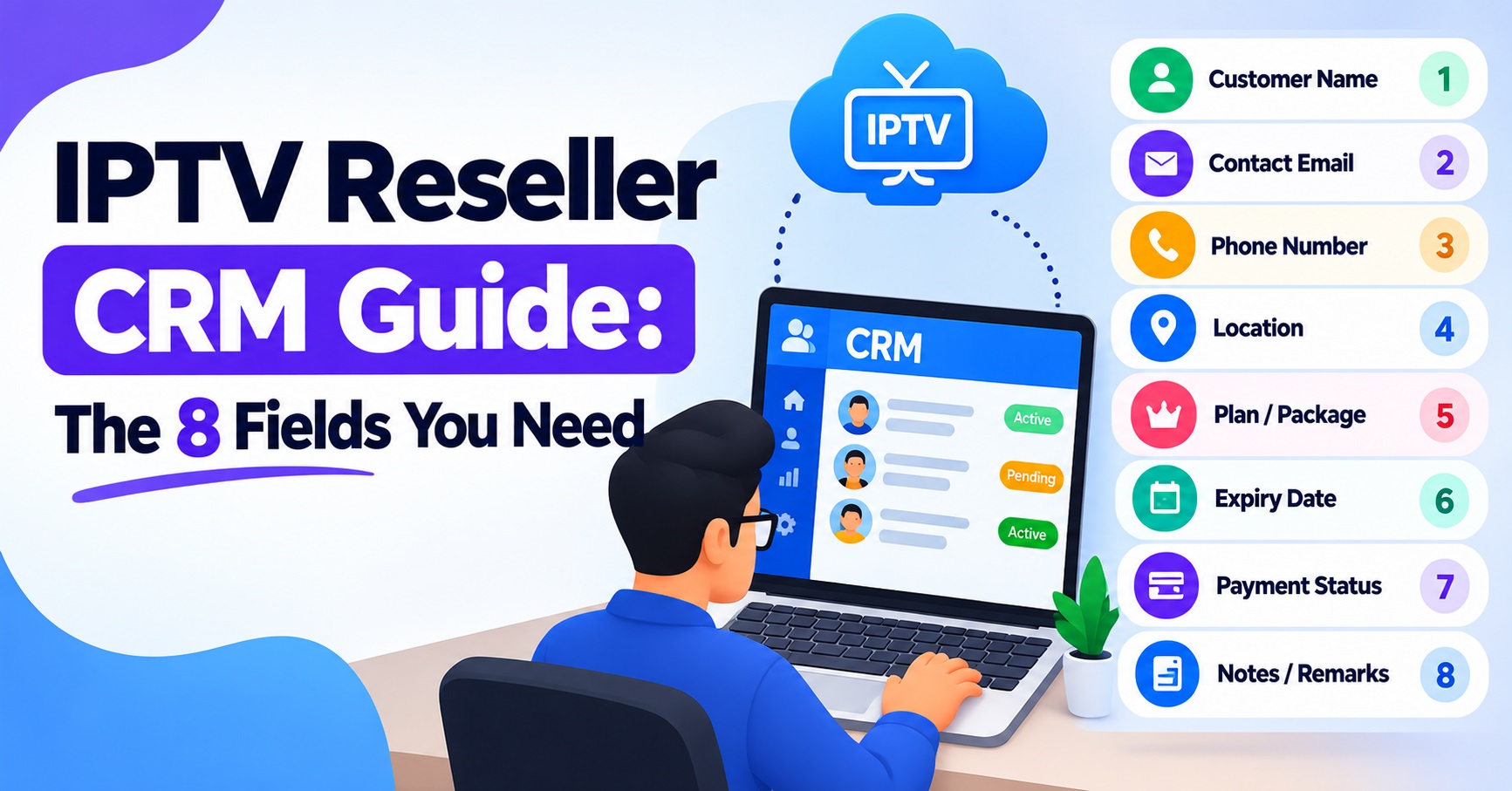

This IPTV Reseller CRM Guide comes down to eight fields: customer, device, start date, expiry, package, payment, status and notes. If every line you sell has those eight recorded correctly, you can answer almost any customer question, chase every renewal on time and spot unpaid lines before they cost you credits. Anything beyond that is optional until your customer base grows.
The part most IPTV panel resellers get wrong is not which fields to have but how precisely they fill them in. “Box” is not a device record, “paid” is not a payment record, and an expiry date typed from memory will drift away from what the panel says within a few weeks. Your reseller dashboard holds the line itself; your CRM holds everything the dashboard does not know about the person paying for it. Treat them as two halves of one record and keep them matched.
Why the Panel Is Not Your CRM
A reseller panel is built to create, extend and disable lines. It usually shows a username, an expiry date, a connection limit and perhaps a short note field. It does not tell you who referred the customer, which payment reference matched their renewal, what device they switched to last month, or that they asked to be contacted by email rather than message.
That missing context is where support time goes. When someone messages to say their service has stopped, you need to know within seconds whether the line has expired, whether their payment was received, and whether they changed hardware recently. A proper record answers all three without scrolling back through chat history. If you want a refresher on how lines and credits relate inside the dashboard itself, the walkthrough on how IPTV reseller panels work covers the panel side, so this guide can stay focused on the records you keep alongside it.
The Eight Fields, Defined Properly
Each field below is really a small group of columns. Listing “Customer” as a single column is how spreadsheets become unusable after the first fifty lines.
Customer
The customer block identifies the person and how to reach them. Keep these columns:
- Customer ID: your own reference, such as CUS-0142, never the panel username
- Full name as the customer gives it
- Preferred contact method: email, phone or messaging app
- Contact detail for that method
- Country and time zone, so renewal reminders arrive at a sensible hour
- Source: referral, website, repeat customer or social media
- Panel username for the line
Separate the Customer ID from the panel username deliberately. One person may own two or three lines, for a second home or a family member, and a single Customer ID lets you see their total value and renew everything together.
Device
Device records save more support time than any other field. Record:
- Device type: smart TV, Android box, streaming stick, phone, tablet, computer
- Player app in use, described generically if you prefer
- MAC address or device key, only where the player app requires one for activation
- Connections allowed on the line
- Date the device was last changed
That last column matters. A large share of “it stopped working” messages follow a device change, a factory reset or an app reinstall, and a dated device change tells you where to look first.
Pro tip: When a customer reports a new device, update the device columns before you touch anything in the panel. If you fix the problem first, the record usually never gets updated.
Start Date
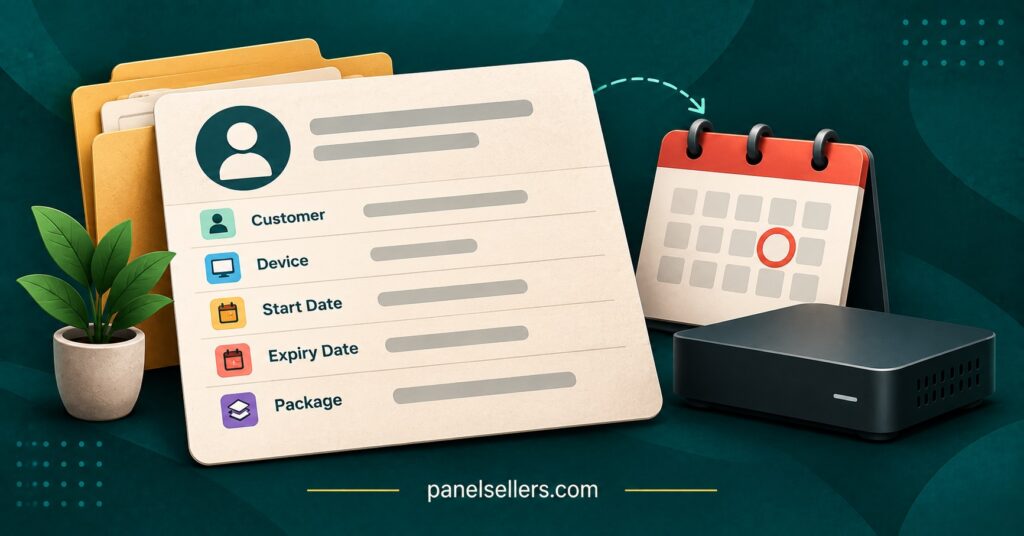
Use two dates, not one. The original start date shows how long someone has been a customer. The current term start date shows when the paid period you are now serving began. Trials should have their own start date column so a converted trial is not mistaken for a full paid month.
For spreadsheets, write dates as YYYY-MM-DD. It sorts correctly, avoids confusion between UK and US date orders, and works in formulas without conversion.
Expiry
Expiry is the field that earns you money, so it must match the panel exactly. Copy it from the dashboard after every creation or extension rather than calculating it yourself, because panels differ in how they count partial days and when they apply an extension.
Add a calculated column beside it for days remaining. In most spreadsheet tools, a formula such as =Expiry-TODAY() pointing at the expiry cell gives you a live countdown you can sort and filter.
Package
The package block records what the customer actually bought:
- Duration: one, three, six or twelve months, or a trial
- Connections included
- Credits used from your balance
- Your internal package name
- Price charged to the customer
Keep package names descriptive of your own offering, such as “12 Month, 2 Connections”, rather than borrowing names that describe third-party content. IPTV is a delivery technology, and what a package may lawfully carry depends on the rights your provider holds and local requirements, so your records should describe the service, not the programming.
Payment
“Paid: yes” is not enough to resolve a dispute. Record:
- Amount and currency
- Payment method
- Date received
- Transaction reference
- Payment state: Paid, Pending, Part-paid, Refunded
Never store full card numbers, bank login details or screenshots containing account numbers. The transaction reference is enough to find the payment again.
Status
Status should be a dropdown, never free text, so it can be filtered reliably. The values are covered in their own section below because they deserve more thought than most IPTV resellers give them.
Notes
Notes are for dated, factual entries: “2026-09-14, customer moved to new TV, reactivated player app, confirmed working.” Start each note with the date and, if more than one person handles support, their initials. Notes are not a place for panel passwords, personal opinions about customers or anything you would be uncomfortable showing the customer if they asked to see their data.
IPTV Reseller CRM Guide: One Record Laid Out in Full
Here is how a single line looks with every field completed. Use it as a template for your column headers.
| Field | Format | Example entry |
|---|---|---|
| Customer ID | Your own code | CUS-0142 |
| Customer name | Text | J. Patel |
| Preferred contact | Dropdown | |
| Contact detail | Text | j.patel@example.com |
| Country / time zone | Text | UK / GMT |
| Source | Dropdown | Referral |
| Panel username | Text | jpatel_line1 |
| Device type | Dropdown | Smart TV |
| Player app | Text | Generic player app |
| MAC / device key | Text, only if required | 00:1A:2B:3C:4D:5E |
| Connections allowed | Number | 2 |
| Device last changed | YYYY-MM-DD | 2026-09-14 |
| Original start date | YYYY-MM-DD | 2025-11-03 |
| Current term start | YYYY-MM-DD | 2026-08-03 |
| Expiry | YYYY-MM-DD, copied from panel | 2027-08-03 |
| Days remaining | Formula | Calculated |
| Package | Text | 12 Month, 2 Connections |
| Credits used | Number | As deducted by your panel |
| Price charged | Amount and currency | Your own price |
| Payment method | Dropdown | Bank transfer |
| Payment date | YYYY-MM-DD | 2026-08-03 |
| Transaction reference | Text | Reference from payment |
| Payment state | Dropdown | Paid |
| Status | Dropdown | Active |
| Notes | Dated entries | 2026-09-14, new TV, reactivated, confirmed working |
The credits and price rows are deliberately left as placeholders. Credit deductions vary by provider and package, and your pricing is your own decision.
Status Values That Keep Renewals Honest
Seven values cover nearly every situation:
- Trial: a test line with no payment yet
- Active: paid and within term
- Expiring: active, but within your reminder window
- Expired: past the expiry date, not yet renewed
- Suspended: disabled by you, for example over an unpaid renewal or a dispute
- Cancelled: the customer has told you they are leaving
- Lapsed: expired and not renewed after your follow-up period
The distinction between Expired and Lapsed is worth keeping. Expired customers are your renewal list for this week. Lapsed customers are a separate, occasional win-back list, and mixing the two means you either pester people who have left or forget people who simply missed a reminder.
Status can be partly automatic. A formula can mark a line Expired when the expiry date has passed and Expiring when fewer than seven days remain, with seven being your choice rather than a rule. Suspended and Cancelled, however, are human decisions. Keep a separate manual status column for those so a formula never overwrites a deliberate suspension.
Pro tip: Sort by days remaining every Monday and send reminders to everything marked Expiring. A fixed weekly routine catches more renewals than reacting to messages as they arrive.
Where Resellers Usually Go Wrong
The most common problem is recording expiry once and never checking it again. After a manual extension, a panel correction or a credit refund, the dashboard and the spreadsheet disagree, and the customer is chased for a renewal they already paid for. Reconciling the two, even monthly, prevents most of this.
The second is logging payments against a name instead of a transaction reference. Two customers with similar names, or one customer paying for two lines in a single transfer, turns a simple check into guesswork. The reference is the only reliable link between money received and line extended.
A third is letting notes become the whole record. When device, package and payment details live inside long notes, nothing can be filtered or sorted, and every question requires reading paragraphs. Notes should hold what does not fit a column, nothing more.
Finally, many resellers track lines but not credit usage per sale. Without a credits-used column you cannot see which packages actually earn you the most after cost, which matters when deciding how to price. If you buy credits in blocks, the explanation of credit-based billing with no monthly fee is a useful reference for thinking about cost per line.

Keeping Customer Data Safe and Lawful
A reseller CRM is a store of personal data, and if you operate in or sell to the UK, UK data protection law applies to it. In practical terms, that means collecting only what you need, keeping it secure and not holding it longer than necessary. The eight fields above were chosen with that in mind: they support the service and nothing else.
Some sensible habits follow from this. Restrict who can open the file, and give support staff view access rather than edit access if they do not need to change records. Protect the spreadsheet or tool with a strong password and two-step sign-in where available. Decide how long you keep Lapsed and Cancelled records, and delete or anonymise them on a schedule. Most organisations processing personal data also need to pay a data protection fee to the Information Commissioner’s Office unless an exemption applies, so check whether that covers your business. Resellers in other English-speaking countries should look up their own local privacy rules, which follow similar principles but differ in detail.
Pro tip: Keep panel login details in a password manager, never in the CRM. If the spreadsheet is ever shared by mistake, customer records are exposed but your panel access is not.
Spreadsheet or Dedicated Tool?
For a small operation, a well-structured spreadsheet with dropdowns and a days-remaining formula does the job. It is free, flexible and easy to back up. The limits appear as volume grows: several people editing at once, no automatic reminders and no audit trail of who changed what.
At that point, a general-purpose CRM or a database tool with custom fields becomes worth the cost. The field list stays exactly the same, which is why getting it right in a spreadsheet first is useful. You are designing the record, and the tool is only where it lives. Before committing to any provider’s dashboard, it helps to look at how its line management actually works, and a reseller panel demo shows which details the panel exports or displays, so you know what your CRM needs to hold separately.
Frequently Asked Questions
Should each customer or each line get its own row?
Each line gets its own row, linked by a shared Customer ID. That way a customer with two lines on different expiry dates is tracked correctly, and you can still filter by Customer ID to see everything they own.
Do I need to store the MAC address for every customer?
Only when the player app they use requires it for activation. Where it is not needed, leave the column blank rather than collecting it anyway.
How often should I check the CRM against the panel?
Check individual lines whenever you create, extend or disable one, and do a full comparison of expiry dates at least monthly. The panel is the source of truth for expiry; the CRM should follow it.
What reminder window works best for Expiring status?
There is no fixed right answer. Many resellers choose around a week so customers have time to pay without the reminder being forgotten, but monthly and annual customers may suit different windows. Pick one, apply it consistently and adjust based on how your customers respond.
Can sub-resellers use the same field structure?
Yes, with one addition: a column showing which parent account the line sits under. Sub-resellers often have narrower panel permissions, so knowing where a line lives tells you who can actually extend or fix it.
Bringing the Record Together
The practical answer from this IPTV Panel Reseller CRM Guide is simple: record customer, device, start date, expiry, package, payment, status and notes for every line, split each into precise columns, and keep expiry matched to the panel. That structure turns support questions into quick lookups and renewals into a weekly routine. It will not fix an unreliable provider or replace good communication with customers, but it removes most of the avoidable mistakes that cost resellers time and credits. Start by rebuilding your current sheet with these column headers, then reconcile every active line against your dashboard once.
Reseller Record Setup Checklist
- Create a Customer ID column separate from panel usernames
- Split contact, device, package and payment details into individual columns
- Set Status and Payment state as dropdowns, not free text
- Add a days-remaining formula beside the expiry column
- Keep a manual status column for Suspended and Cancelled
- Copy every expiry date directly from the panel after each change
- Record a transaction reference for every payment
- Date and initial every note
- Move panel passwords out of the sheet and into a password manager
- Set a retention period for Lapsed and Cancelled records