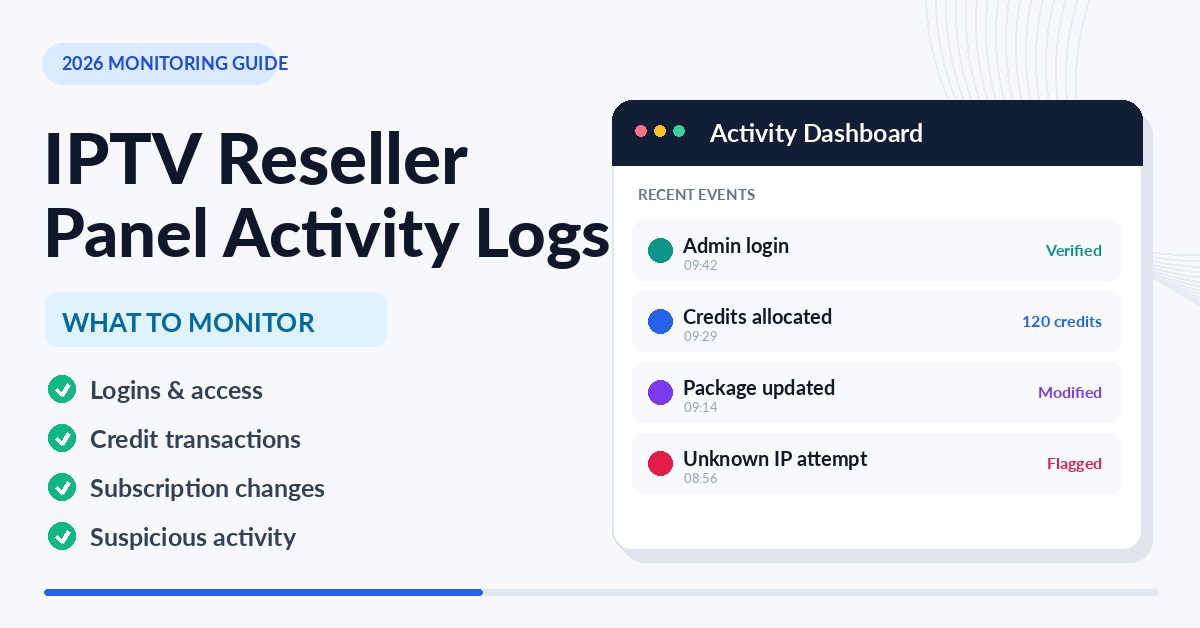

IPTV Reseller Panel Activity Logs deserve your attention for three kinds of event above all others: anything that moves credits, anything that changes who can get into the panel, and anything that alters a customer line after it was sold. Those are the entries where a mistake or a misuse costs you money or trust, and a short weekly pass through them catches most problems while they are still small and explainable.
A log records what happened, not why. Most entries that look odd at first glance have dull explanations, such as a sub-reseller renewing a batch of customers at the end of the month or a colleague logging in from a new phone. The skill is in matching entries against something else you already hold: payment records, support tickets, and a rough sense of who normally works when. Without that second source, you are guessing. And if several people share one login, the “who” column tells you almost nothing at all.
Reading a Single Entry Before Reading Hundreds
Before scanning a week of activity, it helps to know exactly what one line in your panel contains, because panels differ and an assumption here can send a whole review in the wrong direction.
A typical entry carries some combination of these fields: a date and time, the account that performed the action, the action itself (create, extend, edit, disable, delete, log in), the target (a customer line or a sub-reseller account), the credit change, and sometimes a source such as an IP address or a note that the action came through an API rather than the web dashboard. Read in prose, a single entry amounts to something like: at 14:32 the sub-account “north_team” extended line “user8841” by twelve months, deducting twelve credits, from an address in Manchester.
Two details trip people up. The first is the clock. Many panels log in the server’s time zone rather than yours, so an entry that appears to be a 3am login may have happened at a perfectly ordinary hour, and the gap shifts again when the UK clocks change in spring and autumn. The second is what the panel leaves out. Some dashboards record credit deductions but not edits to connection limits, or log logins without recording failed attempts. Open your own log, look at a handful of actions you know you performed, and confirm what was captured. That ten-minute check tells you which questions the log can actually answer.
What to Monitor in IPTV Reseller Panel Activity Logs
Not every entry needs the same scrutiny. A new line created minutes after a customer paid is noise; the same line created with no payment anywhere in your records is a question. The table below separates the routine version of each event from the version that deserves a closer look.
| Event type | Usually routine when | Worth a second look when |
|---|---|---|
| New line created | It matches a confirmed order or payment | No payment, ticket or conversation corresponds to it |
| Line extended | The customer paid for that renewal term | The extension is longer than the term paid for, or the same line is extended repeatedly |
| Trial account created | A prospect asked for a trial | Several trials appear in a short burst, especially for the same contact |
| Connection limit raised | The customer paid for extra devices | The limit went up with no change in price |
| Line disabled or deleted | Cancellation, expiry or non-payment | A paid, active line disappears, or a deletion is followed by a new line for the same customer |
| Login | Known person, usual hours, familiar location | A new location, an unusual hour, or a run of failed attempts |
| Password or permission change | You or a named colleague requested it | Nobody on the team recognises it |
| Credit transfer to a sub-reseller | It matches an agreed allocation | The amount is unusual or the sub-reseller was not expecting it |
| Bulk action or data export | It was planned | Nobody can explain it, since customer details may have left the panel |
Credit movements and access changes are the two groups to prioritise if time is short. Credit entries connect directly to cash: every unexplained deduction is either a sale you have not been paid for or a sale that happened without you. Access entries matter because almost every other problem starts with someone being able to act in the panel who should not. If access feels loose, our guide to running an IPTV reseller panel permissions audit covers tightening roles before you lean on the logs for evidence.
Patterns That Look Suspicious, and the Ordinary Reasons Behind Most of Them
Individual entries rarely prove anything. Patterns across a week are what deserve attention, and each one below comes with the boring explanation you should rule out first.
Credits falling faster than sales are coming in
Add up the credits deducted over the week and compare the total with the orders you were paid for. A gap can mean lines were created without payment being collected, a sub-reseller was given more credits than agreed, or a colleague renewed customers who promised to pay later. The innocent version is usually a timing difference: a payment received on Monday for a renewal processed the previous Friday. If the gap persists across two weeks, it is not timing.
Extensions with no matching payment
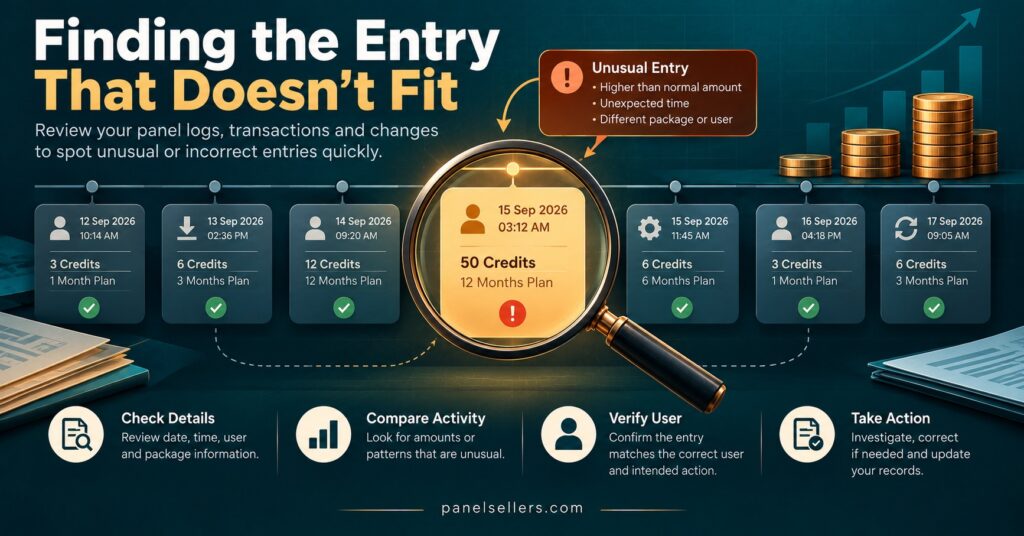
This is the pattern most likely to hurt quietly. A line extended for twelve months when the customer paid for three costs you nine months of credits that you will never recover. Sometimes it is a slip of the dropdown menu. Sometimes it is a favour done for a friend. Either way, the log is where you find it, and it is also your evidence if a customer later disputes a charge, a situation covered in more detail in our piece on chargeback prevention mistakes.
Trials multiplying for the same person
Trials cost little or nothing on many panels, which is exactly why repeated trials for the same contact are worth noticing. The polite explanation is a prospect whose first trial failed on a difficult device. The less polite one is someone using rolling trials in place of paying. Your support history usually tells you which.
Logins from somewhere new
A login from an unfamiliar location or at an odd hour may simply be a team member travelling or working late. A run of failed attempts followed by a success from a new address is different, and it calls for a password change first and questions second. Remember the time zone point from earlier before drawing any conclusion about the hour.
A sub-reseller suddenly changing pace
A sub-account that normally creates a few lines a week and then creates dozens in a day may have landed a group sale. It may also have had its login shared or compromised. Ask them directly, and keep the conversation friendly: they will usually be glad you noticed either way.
Deletion followed by recreation
Where a panel returns credits for lines deleted soon after creation, a pattern of deleting and recreating lines for the same customer can be used to recycle credits or extend service without a matching charge. Not every panel works this way, so check your provider’s rules before treating this as a red flag.
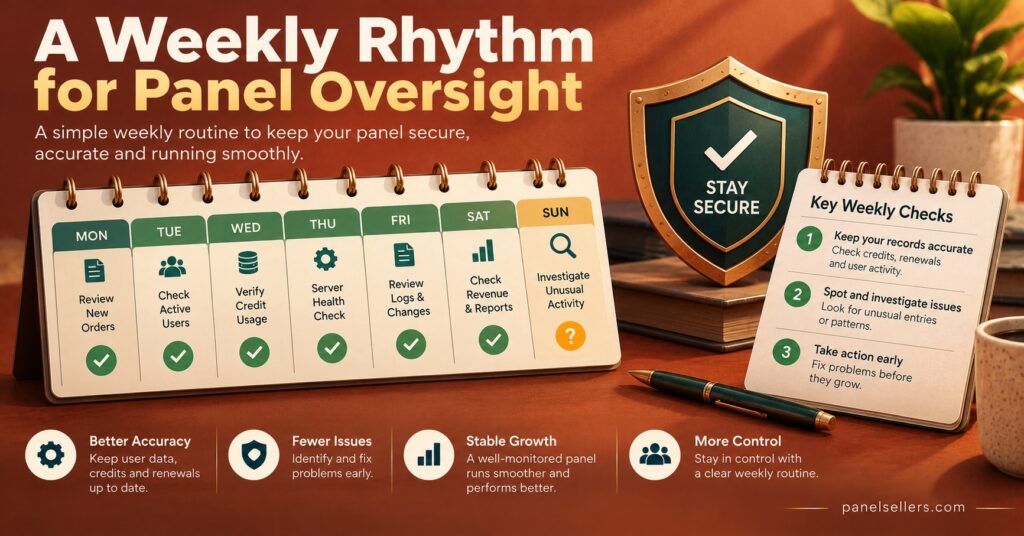
A Twenty-Minute Weekly Review
The routine below assumes a small operation with one to a few people in the panel. Larger teams may want to run the access checks daily and the rest weekly.
- Fix the window. Pick the same day each week and review the previous seven days, noting which time zone your panel uses.
- Reconcile credits. Last week’s closing balance, plus any top-ups, minus every logged deduction, should equal today’s balance. Any difference means an action was not logged or was misread. Then match deductions against payments received. If your balance keeps running tight between top-ups, it may also be worth comparing credit package sizes against your real weekly usage.
- Scan access events. Logins, failed logins, password changes, new sub-accounts and permission changes. Each one should have a name attached that you recognise.
- Check every post-sale edit. Extensions, connection changes and deletions are the entries most often done in error. Match each one to a ticket, a payment or a cancellation request.
- Glance at trials. Look for repeats rather than volume.
- Write three lines. Date of review, anything unexplained, and what you did about it. This short record becomes useful the first time a customer, sub-reseller or payment provider asks what happened on a particular day.
Pro tip: If your panel only shows a limited history, export or screenshot the week’s entries during the review, so the evidence still exists after the panel’s own retention period rolls over.
When the Log Itself Is the Weak Point
A log is only as good as the habits around it, and several common situations quietly undermine it.
Shared logins are the biggest. If three people use one account, every entry carries the same name and the “who did this” question cannot be answered from the panel. Separate logins for each person, or at least for each role, are a precondition for the log to mean anything.
Retention is the second. The provider decides how long the panel keeps history, and some keep only a few weeks of detail. Ask your provider how long entries are kept, and whether deleted lines remain visible in the history. If they cannot tell you, assume the shortest plausible period and export accordingly.
Visibility is the third. Sub-resellers normally see only their own activity, and what a parent reseller can see of a sub-account’s actions varies between panels. If you sell through a parent account, understand what you can and cannot see before you rely on it; our guide to the IPTV sub-reseller panel explains how that dependency works more generally.
Finally, actions taken through an API or automation tool may be logged under a service account rather than a person. If you use any automation, make sure you know which name its actions appear under so they are not mistaken for something unexplained.
Keeping Exports Without Hoarding Personal Data
Activity logs contain customer usernames, IP addresses and sometimes contact details, which makes exported copies personal data in most English-speaking jurisdictions. In the UK, the Information Commissioner’s Office guidance on storage limitation is the relevant reference. It makes clear that the UK GDPR sets no fixed retention periods for particular kinds of data, but that holding data indefinitely on the off chance it might be useful is not acceptable.
In practice, that means deciding why you keep log exports (resolving disputes, reconciling credits, investigating a security problem), setting a retention period that matches those purposes, and deleting older exports on a schedule. Store them somewhere with restricted access rather than in a shared chat or a personal downloads folder.
For a wider view of what good logging should achieve, the National Cyber Security Centre’s introduction to logging for security purposes is written for organisations starting from little or nothing. It frames logging around the questions you will need to answer during an incident: what happened, what the impact was, and what to do next. Those three questions are a useful test for whether your own panel review is collecting the right things.
When an Entry Doesn’t Add Up
Confirm before you accuse. Check the time zone, the payment records and the support history, then ask the person involved in a neutral way. Most discrepancies end there.
If the explanation does not hold, contain first: change the affected password, pause credit transfers to the sub-account concerned, and disable any line that was created without authorisation. Then contact your provider with the exact timestamps and line names, since they may hold server-side detail that your dashboard does not show. Keep your notes and exports unchanged throughout, because an altered record is far less useful than an awkward but complete one.
Questions Resellers Ask About Panel Logs
Can a sub-reseller see the parent account’s activity?
Generally not. A sub-reseller usually sees only the actions taken within their own account. What the parent can see of the sub-account varies by panel, so ask your provider rather than assuming.
How far back do panel logs go?
That is set by the panel provider and differs between services. Some keep months of history, others much less. Exporting during your weekly review removes the dependency.
Do activity logs show what customers are watching?
An activity log is designed to record administrative actions in the panel, such as line creation, renewals and logins. Some panels also show connection details like active sessions or IP addresses, but viewing history is not what you should be monitoring, and collecting it would raise privacy questions you do not need.
Is a daily review better than a weekly one?
For a solo reseller with modest volume, weekly is usually enough. If several people use the panel or you run sub-resellers, a quick daily glance at access events, with the fuller review kept weekly, is a sensible balance.
Start With Next Monday’s Seven Days
IPTV Reseller Panel Activity Logs are only valuable if someone reads them against the rest of the business: payments, tickets and the people who should be in the panel. Start small. Reconcile one week of credits, check every access event and every post-sale edit, and write down what you found. After a month you will know what normal looks like for your operation, which is what makes the unusual stand out.
One limit is worth keeping in mind. A clean, well-reviewed log shows the panel is being run carefully; it says nothing about whether the service behind it holds proper distribution rights, which remains a separate check every reseller should make for themselves.